Tushar · Samsung Research
Lead Product Designer · One UI 7–9

Selected Works · Samsung Research · 2020–2026

Designing
AI at Scale.

scroll
Portrait Studio
Case Study
01 — AI Imaging
Portrait Studio
One UI 7.1→9.0 · AI Portrait & Style Engine · Galaxy S/Z Series
Camera & Fun Mode
Case Study
02 — Camera UX
Camera & Fun Mode
Samsung × Snapchat · 2B+ activations
Magnifier Accessibility
Preview
03 — Accessibility
Magnifier
Accessibility · Multi-device · One UI

Samsung One UI 7.1 → 9.0  ·  AI Imaging  ·  Lead Designer

Portrait
Studio

Designing AI identity at scale — where cultural empathy, prompt engineering, and user research converge into a feature used by millions.

AI / GenAI Prompt Engineering UX Research Employee of the Year 2024 One UI 7–9

Portrait Studio is Samsung's AI portrait & style engine — shipped across Galaxy Flip, Fold, and S-series. I led it from zero: the research, the prompt architecture, the style strategy, the cultural frameworks, and the team that scaled it globally.

Role
Lead Product Designer
Multimedia Team
Timeline
One UI 7.1 → 9.0
2024 – Ongoing
Scope
Research · Strategy
Prompt Eng. · UX
Style Generation Engine — Real-time portrait transformation · One UI 9.0
02

The AI was
erasing who you are.

In 2024, prompt engineering for large vision models was uncharted territory. The first thing we discovered wasn't a UX problem — it was an identity problem.

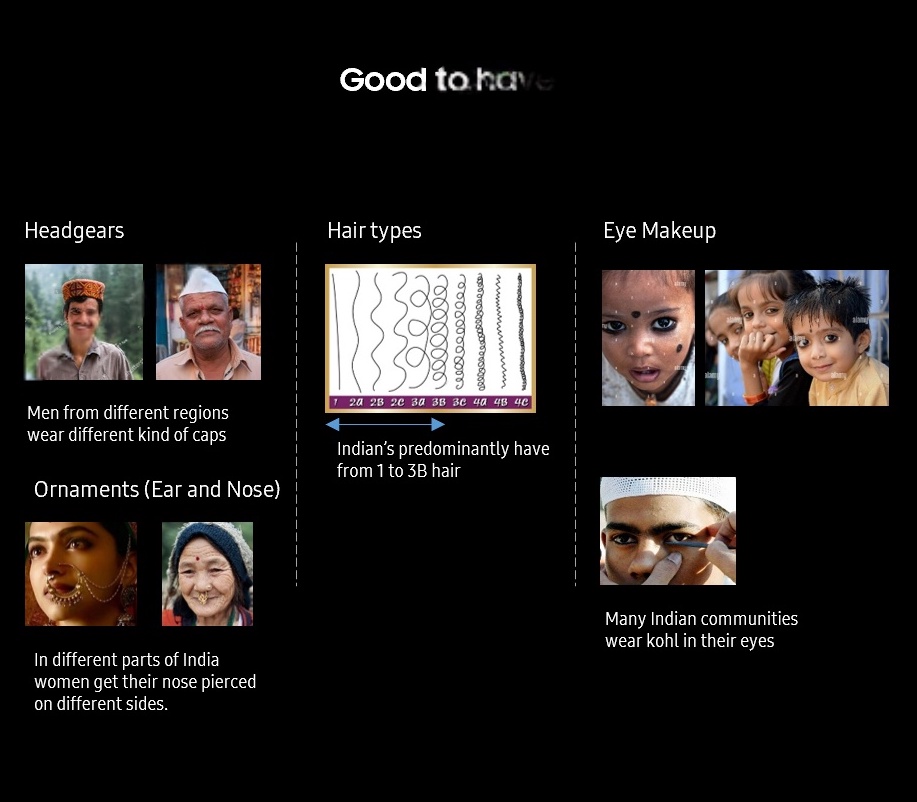
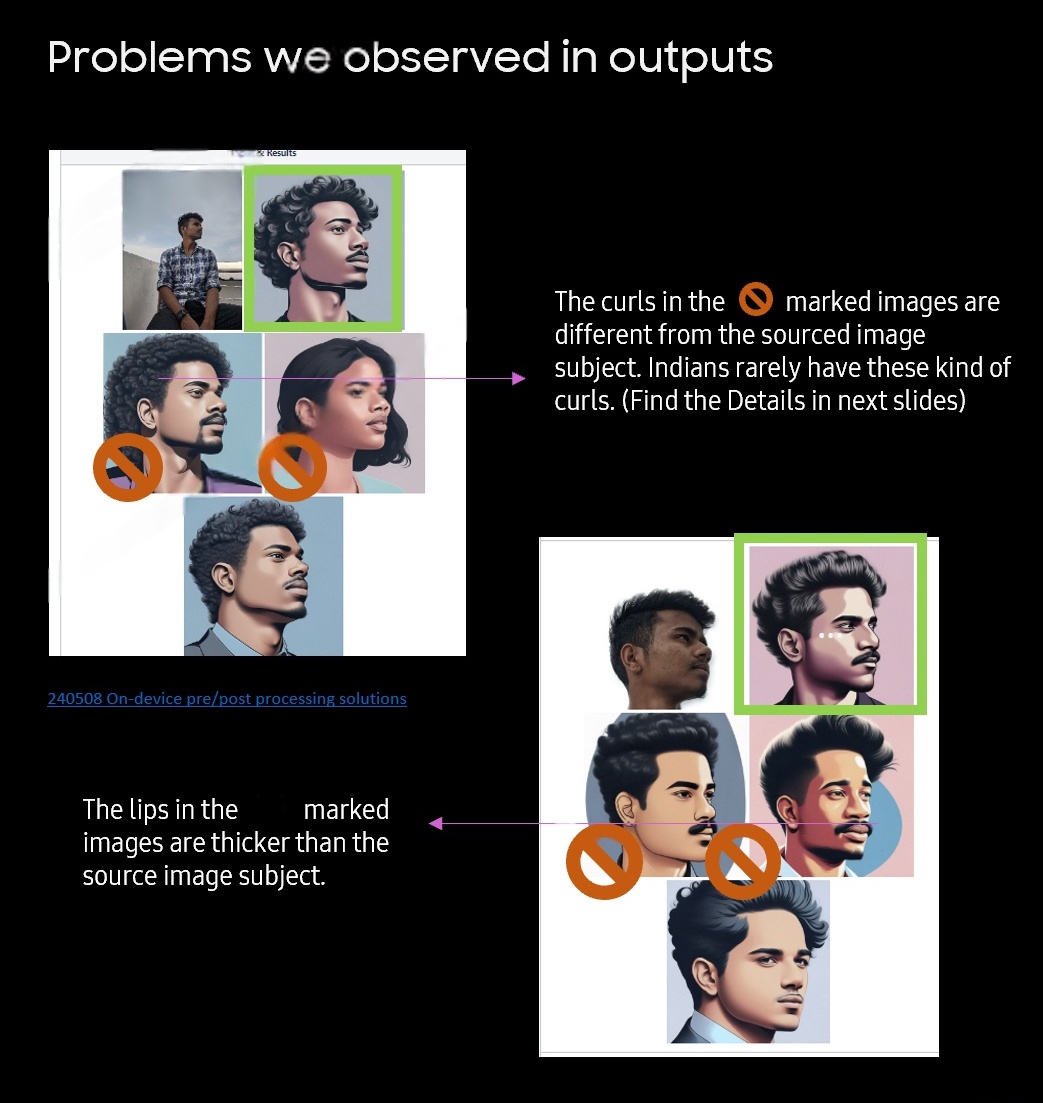
  • Indian subjects rendered with wrong hairstyles — the 1–3B hair spectrum completely ignored
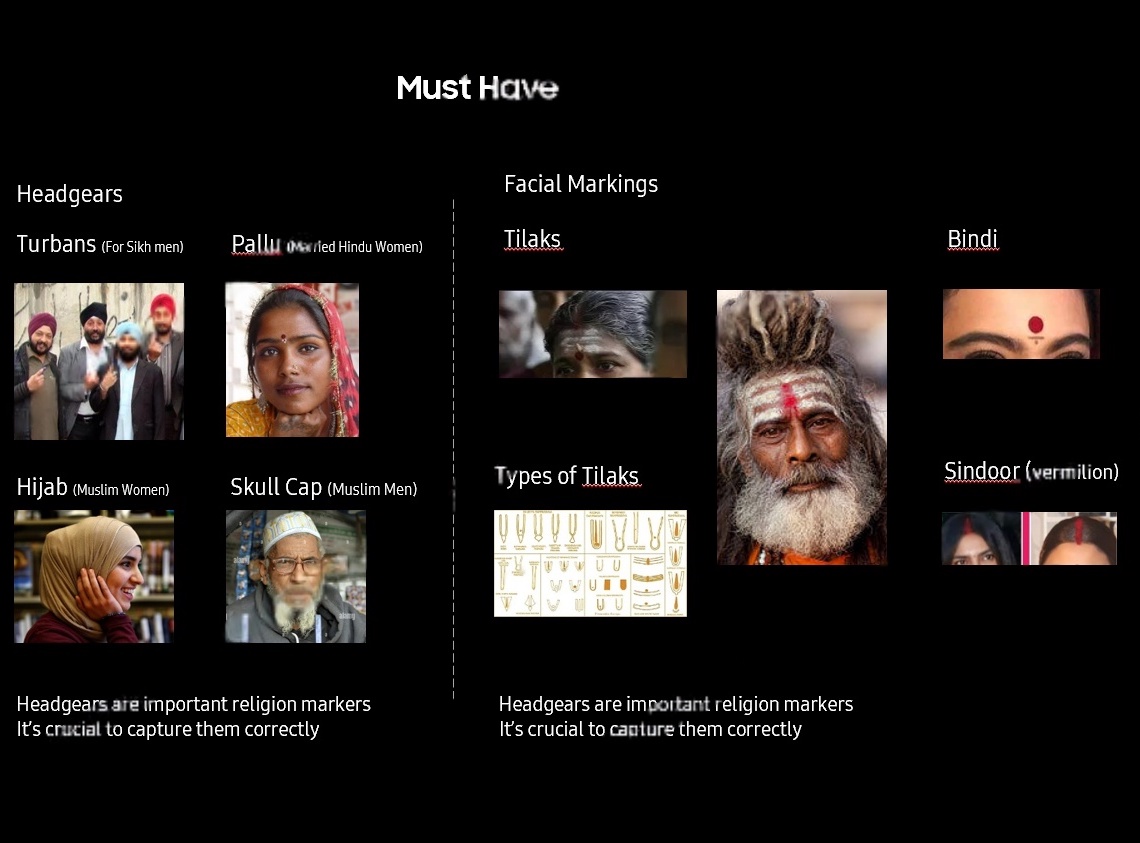
  • Turbans vanished entirely for Sikh men
  • Bindis & sindoor omitted from portraits
  • Nose rings placed on the wrong side of the face
  • Lips thickened, facial structures altered — every face mapped to a Western default

A designer's feedback shaped the AI model itself — not just the interface.

I raised these concerns and directly influenced Google's team in Mountain View to retrain Imagen 1/2. What started as a UX observation became an input to the model's training pipeline.

15+
Forensic papers
studied
46
Facial parameters
mapped
3
Key facial
saliency areas
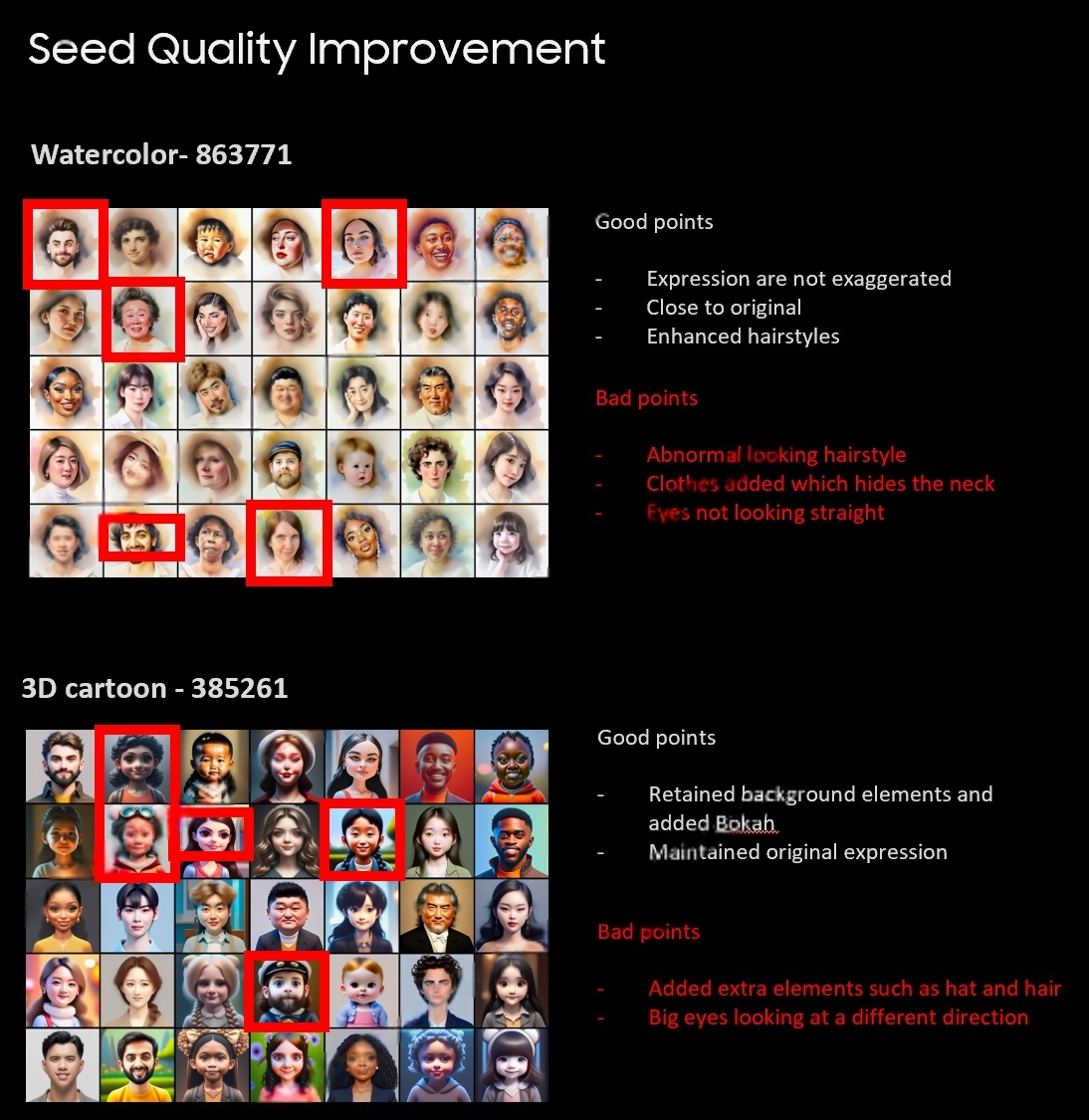
Cultural markers — identity analysis Cultural markers — good to have features
Cultural markers — facial saliency mapping Cultural markers — must have constraints
Before and after portrait styles
Phase 01 — Foundation

Building the
practice from zero.

Imagen 1/2 · Cultural markers · 60/40 Framework · Prompt Architecture · Seoul secondment · Influencing Google Mountain View

The 60/40 Framework

Every prompt I engineered is governed by this principle — 60% accuracy, 40% creativity.

60
Accuracy
  • Cultural markers preservation
  • Facial structure integrity
  • Hair type accuracy (1–3B spectrum)
  • Beard shape & ornament placement
  • Eye direction & expression fidelity
  • Nose ring & bindi positioning
40
Creativity
  • Material & medium experimentation
  • Background variety & depth
  • Lighting conditions & mood shift
  • Texture, grain & finish quality
  • Color palette transformation
  • Contextual emotional enhancement

Accuracy preserves what makes you you. Creativity adds what makes you wow.

Prompt Engineering as a Design Tool

Modular prompt anatomy for Imagen 4 · T2I Server

480-token hard limit
✦ Positive Prompt — 10 Slots
01Style Description
02Orientation of Subject
03Expression of Subject
04Hairstyle
05Outfit
06Environment
07Background
08Lighting Conditions
09Medium & Textures
10Colour & Mood
✕ Negative Prompt — 10 Guardrails
01No harsh/flat lighting
02No wrong medium bleed
03No clashing tones
04No anatomy distortions / extra limbs
05No background clutter
06No expression exaggeration
07No style bleed from adjacent styles
08No watermarks / logos
09No low-res / blur
10NSFW · distorted facial ID guardrails

Every word is a design decision. At 480 tokens, there's no room for ambiguity.

Prompt Anatomy in Practice — Clay Style Example Click any section to explore
01 Style Description
+
3D realistic image in a clay material style, with smooth rounded forms, visible fingerprint-like textures on surfaces, miniature diorama proportions
02 Orientation
+
Looking away from the camera at a ¾ angle, slight head tilt conveying natural warmth
03 Expression
+
Minimalistic facial features with subtle expression, gentle closed-lip smile
04 Hairstyle
+
Styled in a simple bob or tied back with gentle flow lines, clay-sculpted texture
05 Outfit
+
Plain outfit like a clay-detailed dress or top, soft fabric folds sculpted into material
06 Environment
+
Handmade, warm, approachable atmosphere — like a clay workshop studio
07 Background
+
Solid pastel colour (cream or soft mint), clean and uncluttered
08 Lighting
+
Soft ambient lighting highlighting sculpted curves, diffused shadows
09 Medium & Textures
+
Clean and crafted feel, soft matte textures, visible hand-sculpted imperfections
10 Colour & Mood
+
Natural clay tones — warm beige, terracotta, blush pink, ochre accents
Full Assembled Prompt ~480 tokens

3D realistic image in a clay material style, with smooth rounded forms, visible fingerprint-like textures on surfaces, miniature diorama proportions. Looking away from the camera at a ¾ angle, slight head tilt conveying natural warmth. Minimalistic facial features with subtle expression, gentle closed-lip smile. Styled in a simple bob or tied back with gentle flow lines, clay-sculpted texture. Plain outfit like a clay-detailed dress or top, soft fabric folds sculpted into material. Handmade, warm, approachable atmosphere. Solid pastel colour background (cream or soft mint), clean and uncluttered. Soft ambient lighting highlighting sculpted curves, diffused shadows. Clean and crafted feel, soft matte textures, visible hand-sculpted imperfections. Natural clay tones — warm beige, terracotta, blush pink, ochre accents.

Click sections on the left to highlight Clear highlight
✕ Negative Guardrails 10 constraints
No harsh shadows No metallic/plastic No synthetic feel No neon colours No uncanny valley No anime/2D bleed No watermarks No blur/low-res No NSFW No distorted ID
Seoul Secondment

The framework that crossed borders.

The 60/40 framework and prompt architecture were validated during a secondment at Samsung HQ in Seoul. This foundation became the system used to expand into more styles across subsequent releases.

Testing was a critical blocker — security restrictions at HQ and ORCs meant server-side validation could only happen in Korea. The framework had to be robust enough to guide remote iteration without direct access.

Seoul HQ Security Constraints Remote Iteration Framework Validated
What We Established
60/40 accuracy-creativity ratio as the north star for every prompt
480-token modular prompt anatomy — scalable to any new style
Cultural markers as non-negotiable accuracy constraints
→ Returned to India with a validated system. The Seoul team trusted our research-backed approach.
Phase 02 — Expansion

From pets to trends
to 10 shipped styles.

Pet portrait research · Ghibli moment · 78-user study · 40 → 10 style selection · Cross-border leadership

Pet Portraits

Understanding how people see their pets.

When we came back from Seoul with the framework validated, the team was given an exercise: study which styles could be introduced for pet portraits. I had recently become a pet parent — 3 cats — and that personal connection shaped the research lens.

We pulled extensive research on how people associate with their pets and how it fundamentally differs from people portraits. Pets are family, not subjects — and the emotional language users used confirmed this.

Emotional value of pet's name rated 5/5 55.6%
Users rank 'Expression' most important 57.1%
Users rank 'Pose' as most important 85.7%
User Relationship Language
"biological daughter" "family member" "my sister" "my whole world"
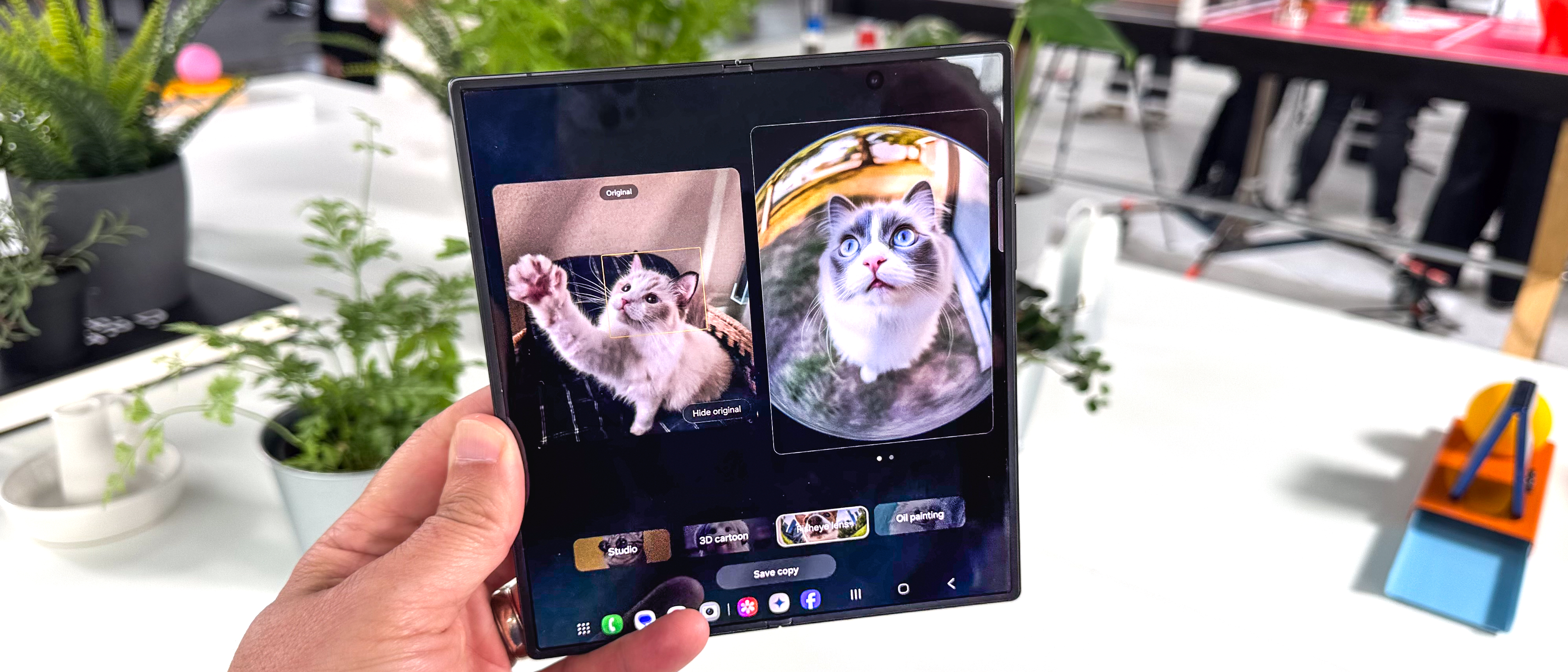
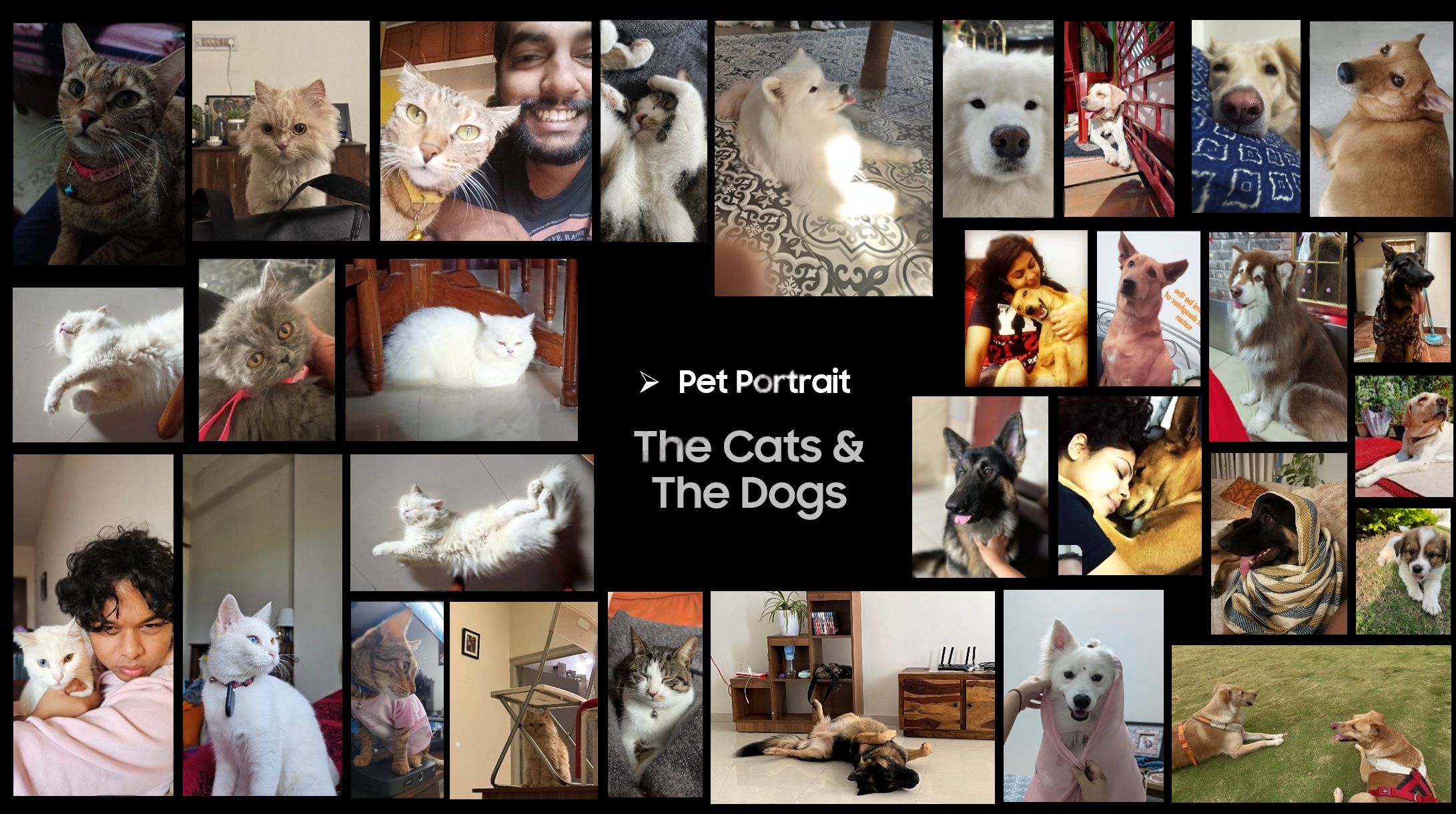
Pet portrait — Fisheye style
People photographing their pets — research context
Research Context
How people photograph and relate to their pets

Four Macro-Trends

During pet portrait research, the Ghibli trend exploded globally. Models were getting stronger, and the project expanded beyond pet portraits to entire photo generation — we needed to suggest more styles with careful consideration as our parameters were evolving and our USP was in question. Cross-referenced Adobe Creative Trends 2024, social AI reports, and 5 niche apps.

Cross-referenced → Adobe Creative Trends 2024 Social AI Reports 5 Niche Competitor Apps TikTok/Instagram Trend Data Regional Popularity Mapping

The UX Glance Study

As models grew stronger, the core question became user intent and use cases. We mapped them through a structured user study. 78 users · 4-step methodology · 65/35 M/F · 80% millennials.

78
Users tested across people & pet portrait styles
12+
Use-case surfaces mapped inside & outside ecosystem
8
User intents identified driving style & surface decisions

The Discovery: People ≠ Pets

Two completely different behavioural profiles emerged from the same product.

Utility-Inclined
People Portraits
45 of 78 users voted Cinematic as their top style
Studio Glow Light Cinematic
Primary surfaces
WhatsApp DP LinkedIn Contact Photos Professional Branding
"What if I can make this directly as my WhatsApp DP?"

Mapping 8 Intents × 12 Surfaces

Many got commercialised into devices — cross-team collaborations across mobile divisions.

User Intents
Self Expression
Community Sharing
Partial Anonymization
Adding Uniqueness
Personal Branding
Re-Use / Re-New
Curation
Improve Quality
Use-Case Surfaces — Inside & Outside Ecosystem
Photo Widgets
AR Filters
Playlist Covers
Merch / Gifts
Sticker Sets
Gallery Albums
Chat Backgrounds
Contact Profiles
Flip Cover Screens
Watch Faces
Game Thumbnails
Social Posts

Cross-App Entry Points & Deep Links

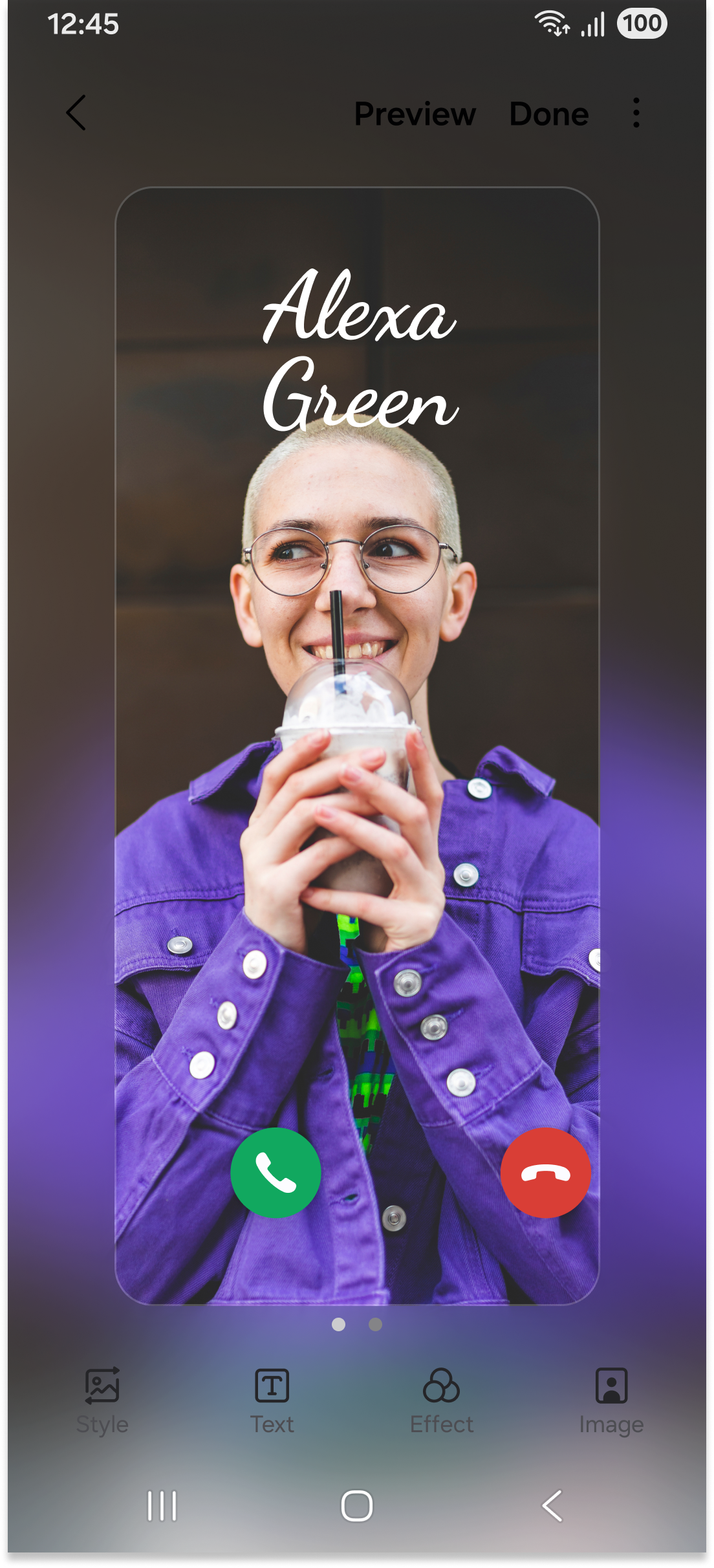
Portrait Studio as a capability surfaced across the Samsung ecosystem — every entry point designed for zero-friction access.

Cross-app entry point
Cross-app integration
Ecosystem Reach
Gallery · Contacts · Messages · Camera
DeX · Tablet · Watch · Z Flip Cover
📱
Gallery Deep-link
Direct entry from Gallery long-press — zero friction for power users
🔗
Contacts & Messages
Apply styles as contact photos or share via Messages directly
🖥️
DeX & Tablet
Sidebar panel layout — same mental model, sized for large displays
⌚
Watch & Flip Cover
Generated portraits as watch face art and Z Flip cover backgrounds

40 Candidates → 10 Shipped

20 portrait + 20 pet candidates filtered through 5 criteria.

40
Proposed
→
16
Finalists
→
10
Shipped
Global Appeal Works equally in Korea, India, US, Brazil
Visual Complexity AI renders it consistently at scale
BG Agnostic Works regardless of photo setting
Draw-assist Free No reliance on manual user masking
Visually Distinct Clearly different from every existing style
Cross-Border Leadership

Seoul ↔ Bangalore.
Led with data, not opinion.

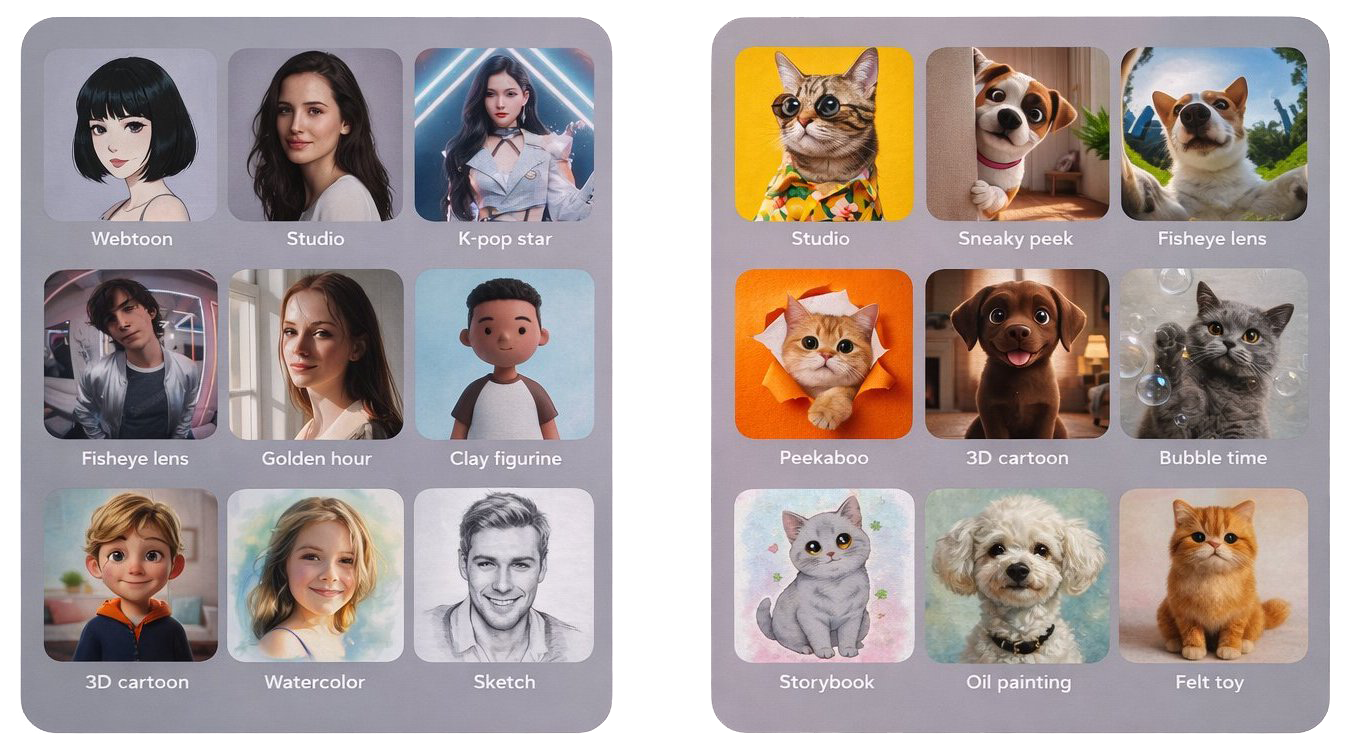
Seoul proposed Studio, K-pop Star, Webtoon. I advocated for Fisheye, Clay Figurine, Sneaky Peek, Bubble Time, Felt Toy, Peekaboo. The result: a hybrid set that's stronger for a global audience.

Seoul Secondment built the cross-cultural trust that made this collaboration possible. Server testing was outsourced to Korea due to India security restrictions — led entirely with research-backed advocacy.

Seoul Proposed
StudioK-pop StarWebtoon
I Advocated
FisheyeClay FigurineSneaky PeekBubble TimeFelt ToyPeekaboo
→ Hybrid set shipped. Stronger for global audiences.
UX
Product Experience

The interface
that shipped.

Real screens. Real UX decisions. From style tray to final output.

Portrait Restyle — End-to-End Flow

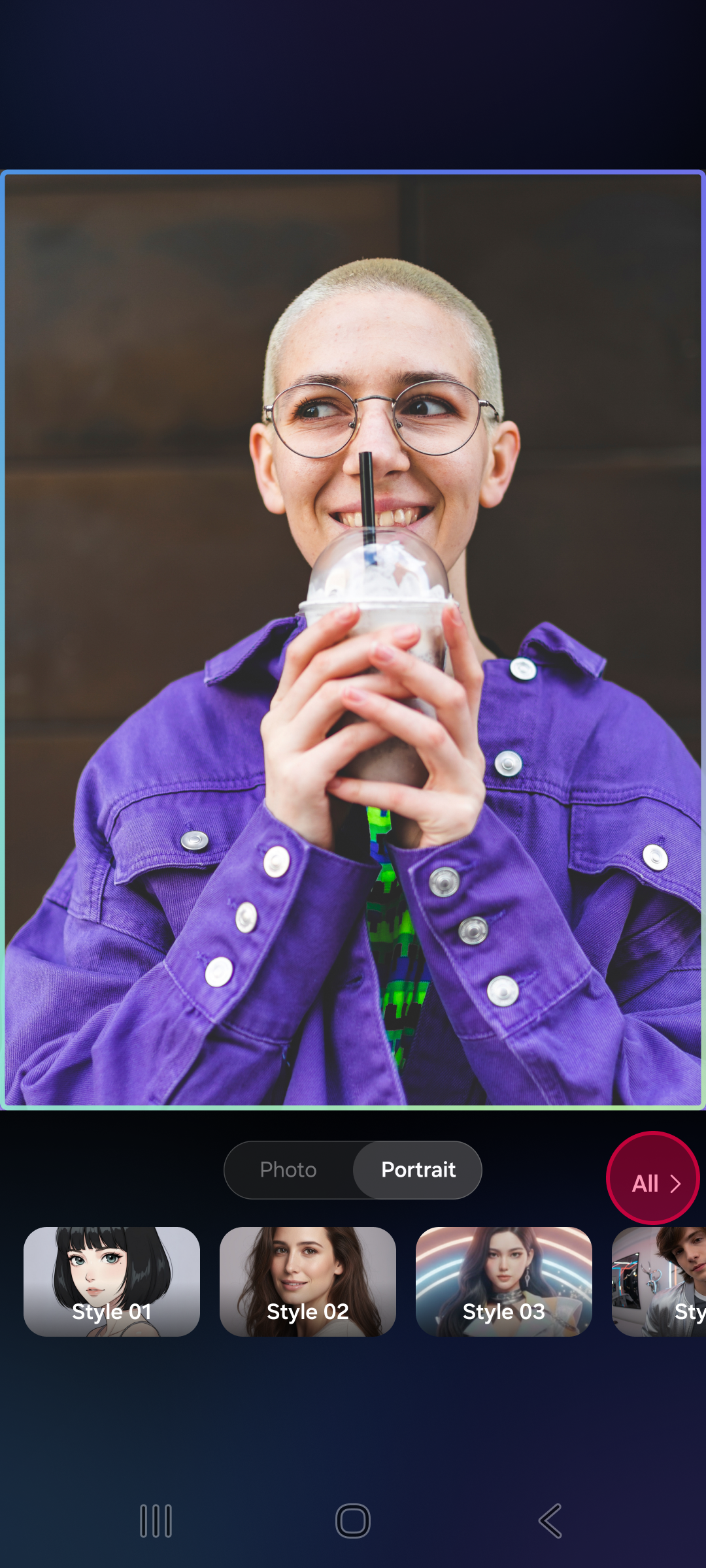
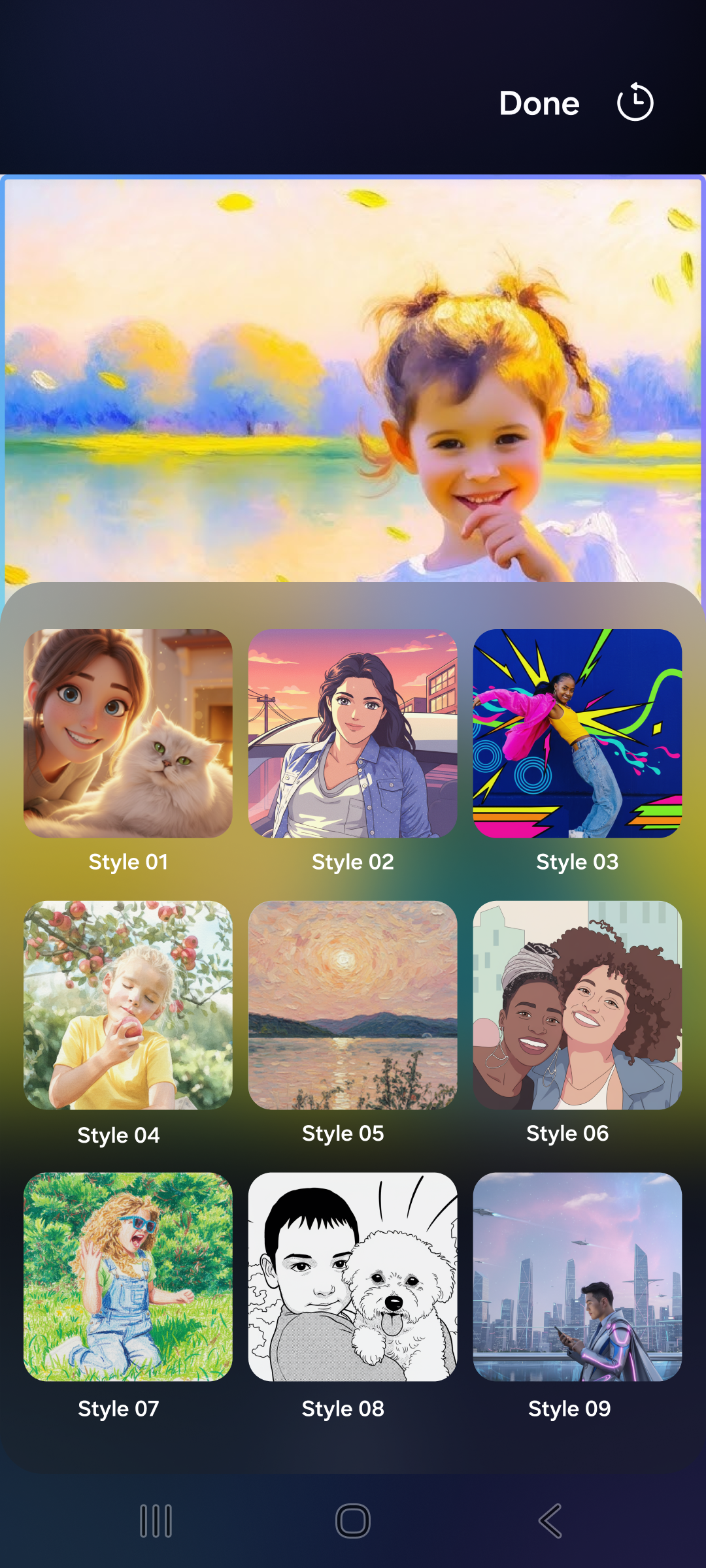
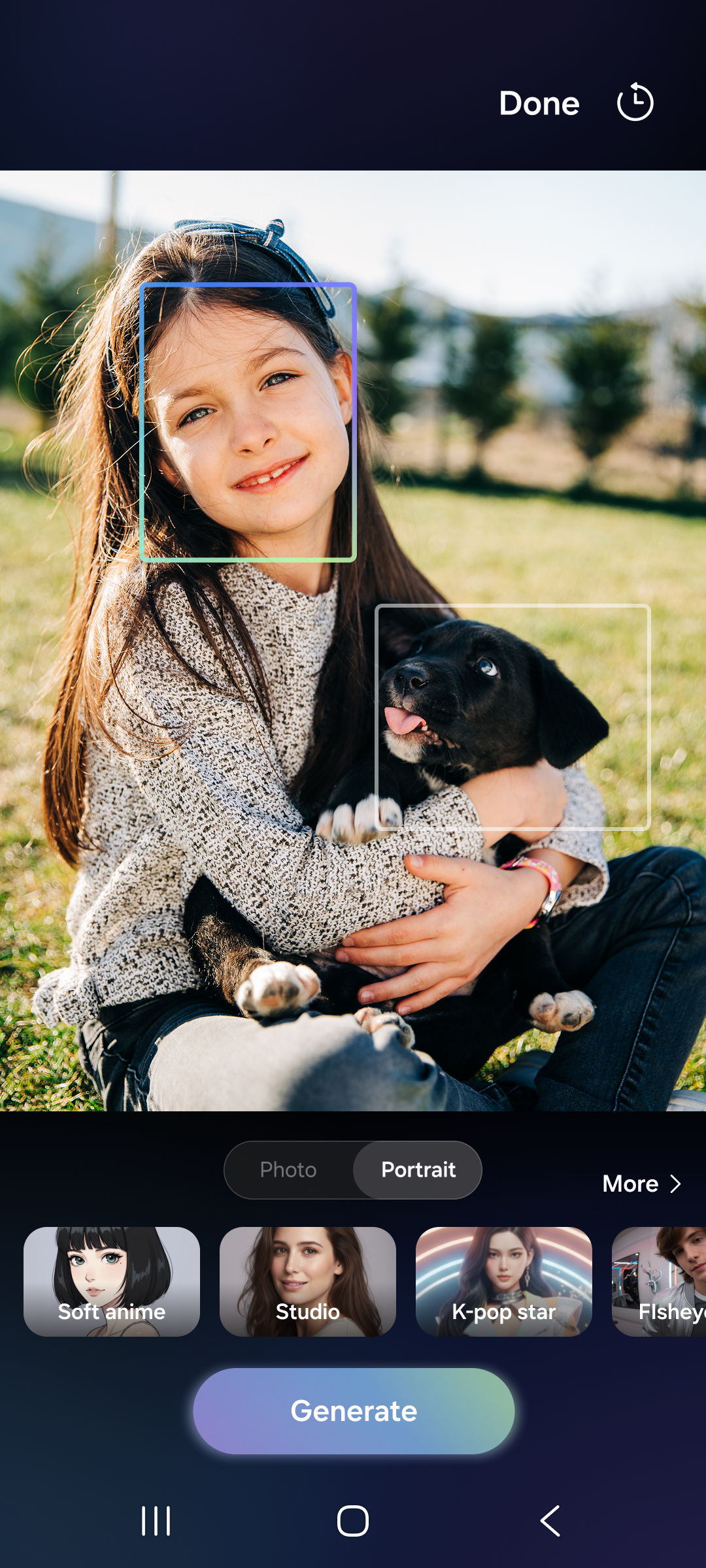
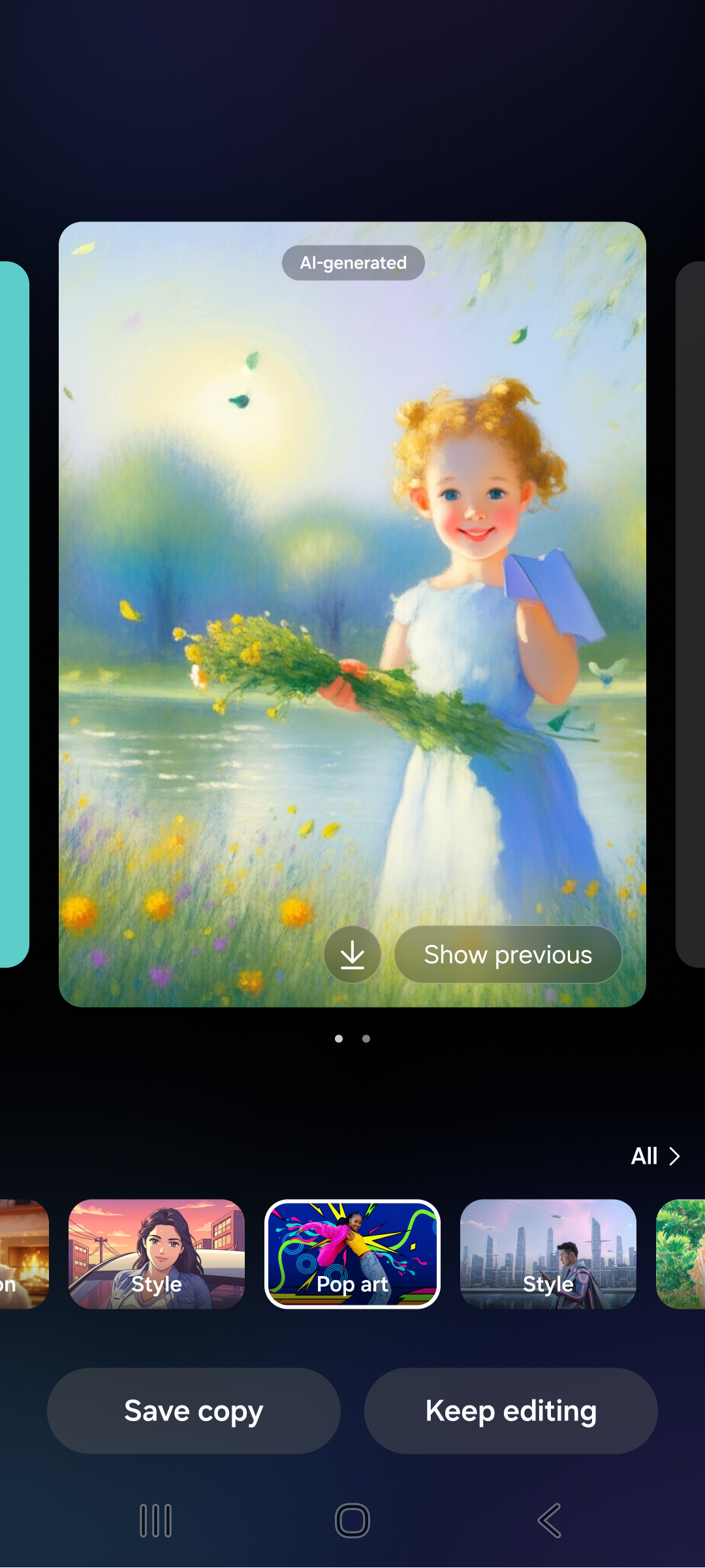
Select photo → Choose style → Generate → Result

01
Select photo
Select
Photo
02
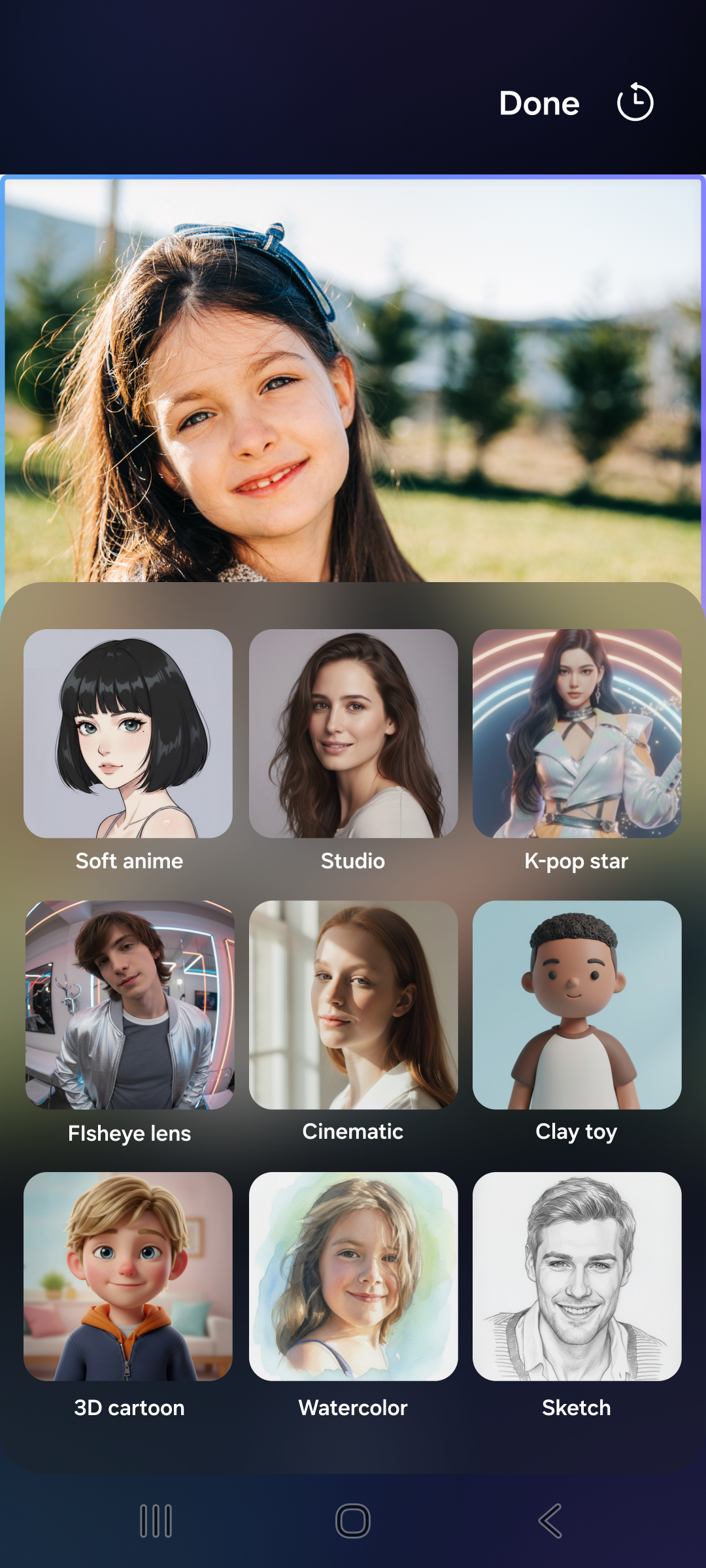
Style tray
Style
Tray
03
Generate
Generate
Portrait
04
Result
Final
Result
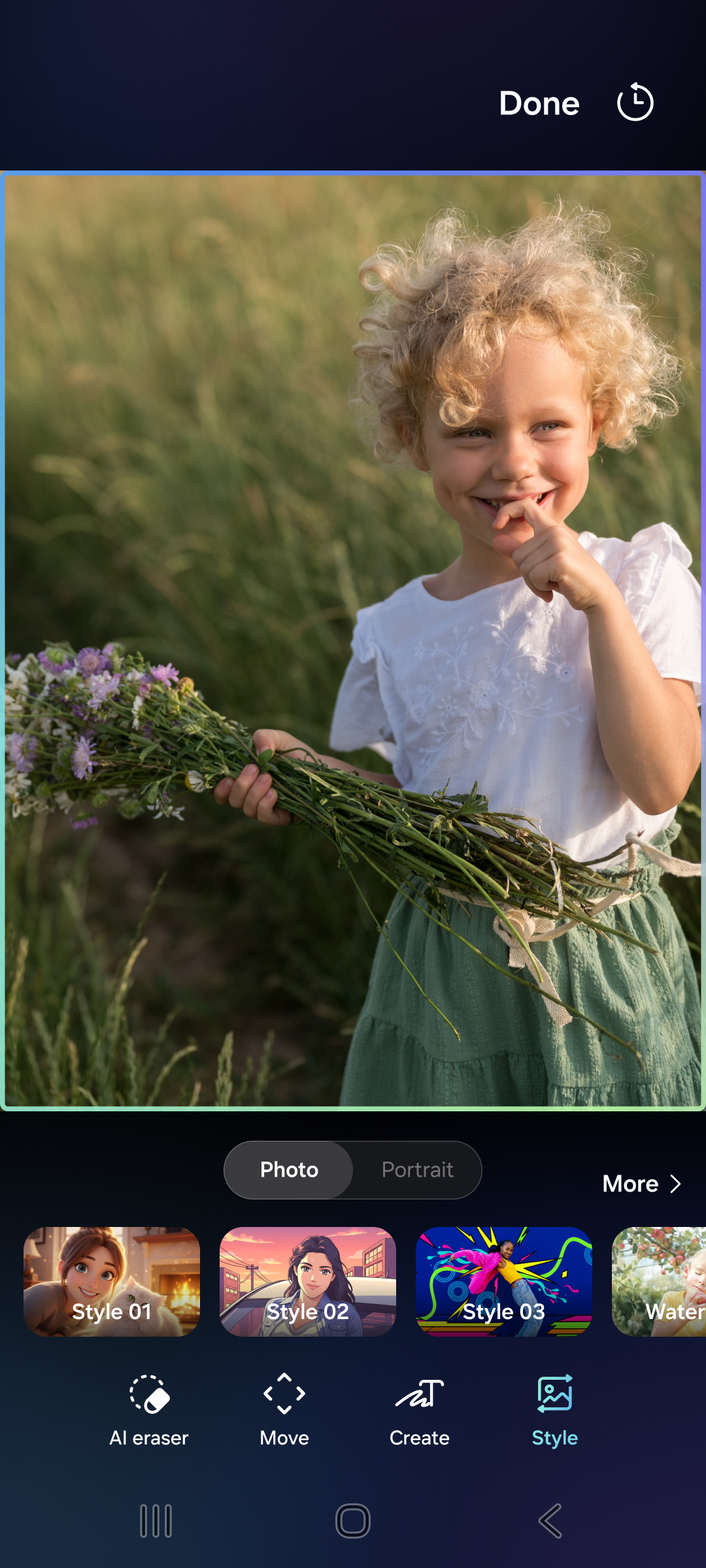
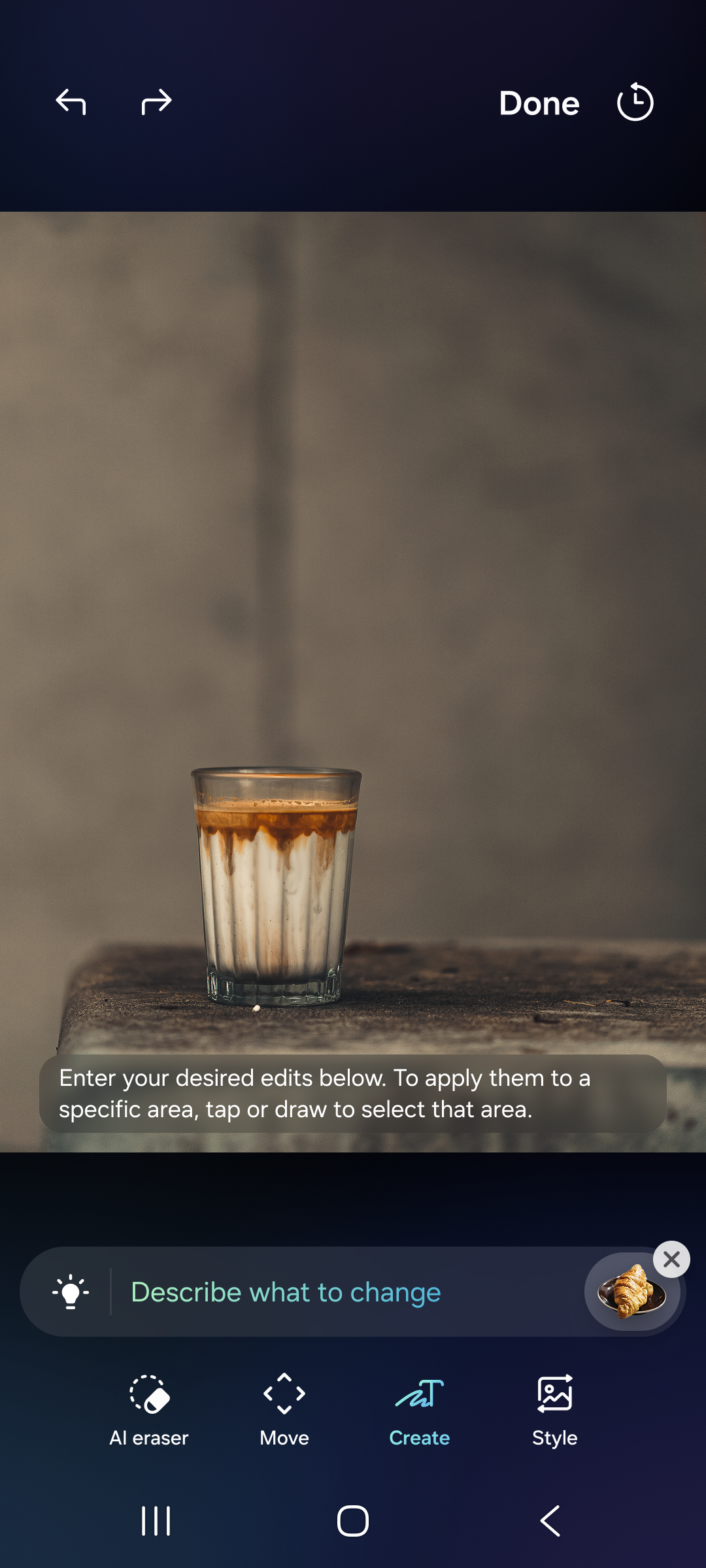
Create tab 2-depth navigation
Create Tab — 2-Depth AI feature discoverability
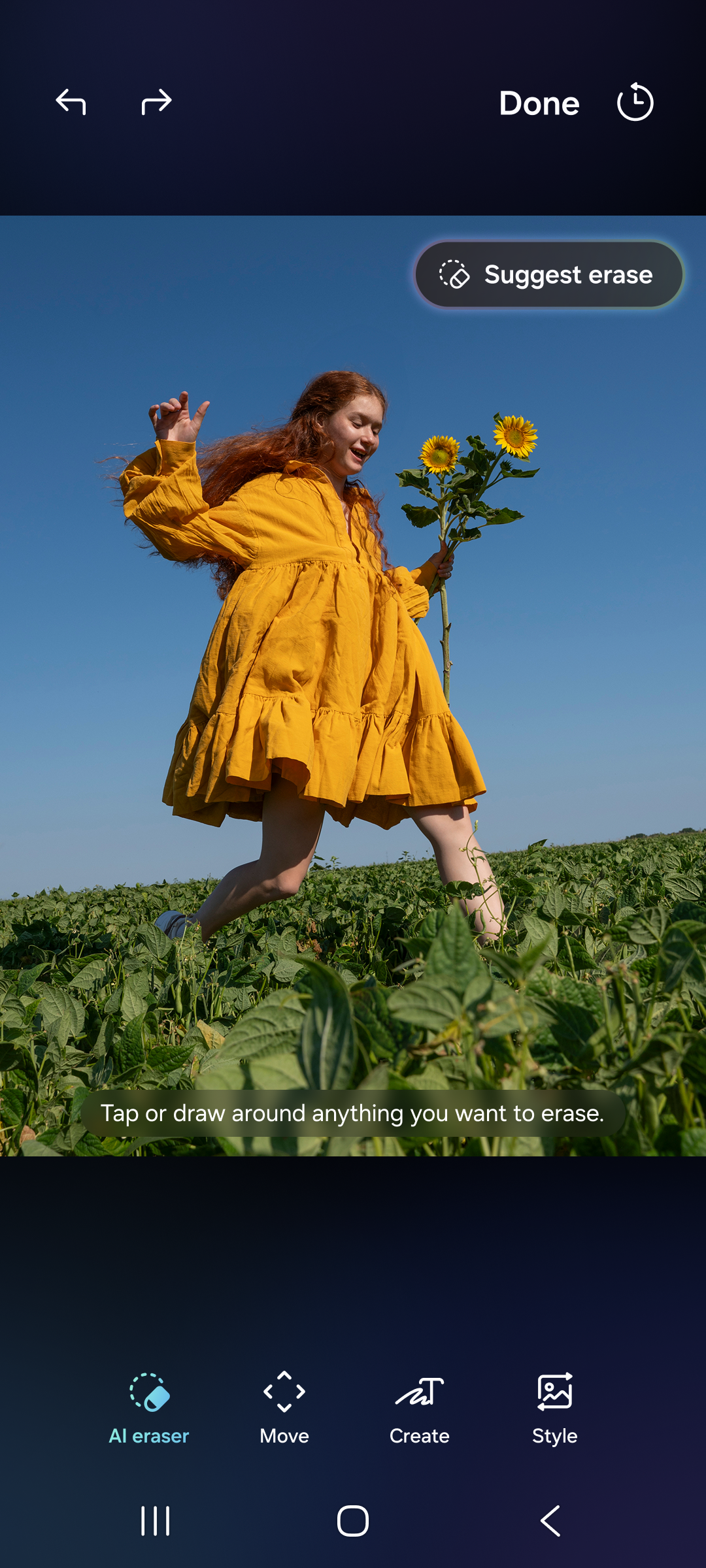
Generative Edit Erase
Generative Edit — Erase Object-aware AI erasing
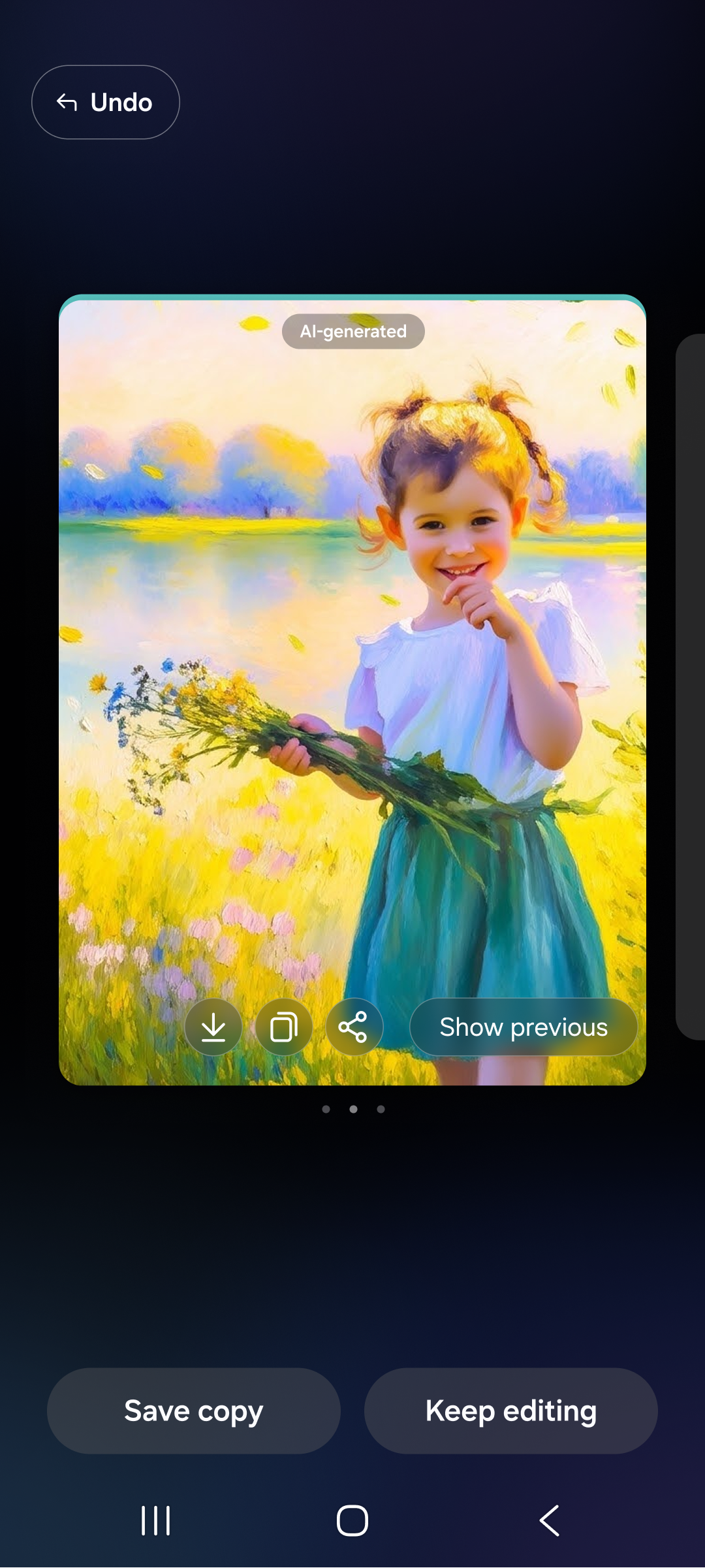
Result card type
Result Card System Before/after comparison
UX Architecture
How the screen flow maps to the generation pipeline.

The style tray layout directly influences which prompts get triggered. Scroll depth in the tray = user exploration = prompt diversity. UI architecture and AI behaviour are inseparable.

01 Horizontal scroll depth maps to prompt diversity — deeper tray exploration = more creative output variety
02 Card result system encodes before/after comparison — reinforces AI value perception with zero cognitive overhead
03 480-token constraint forces prompt economy — every parameter slot must justify its inclusion via user impact data

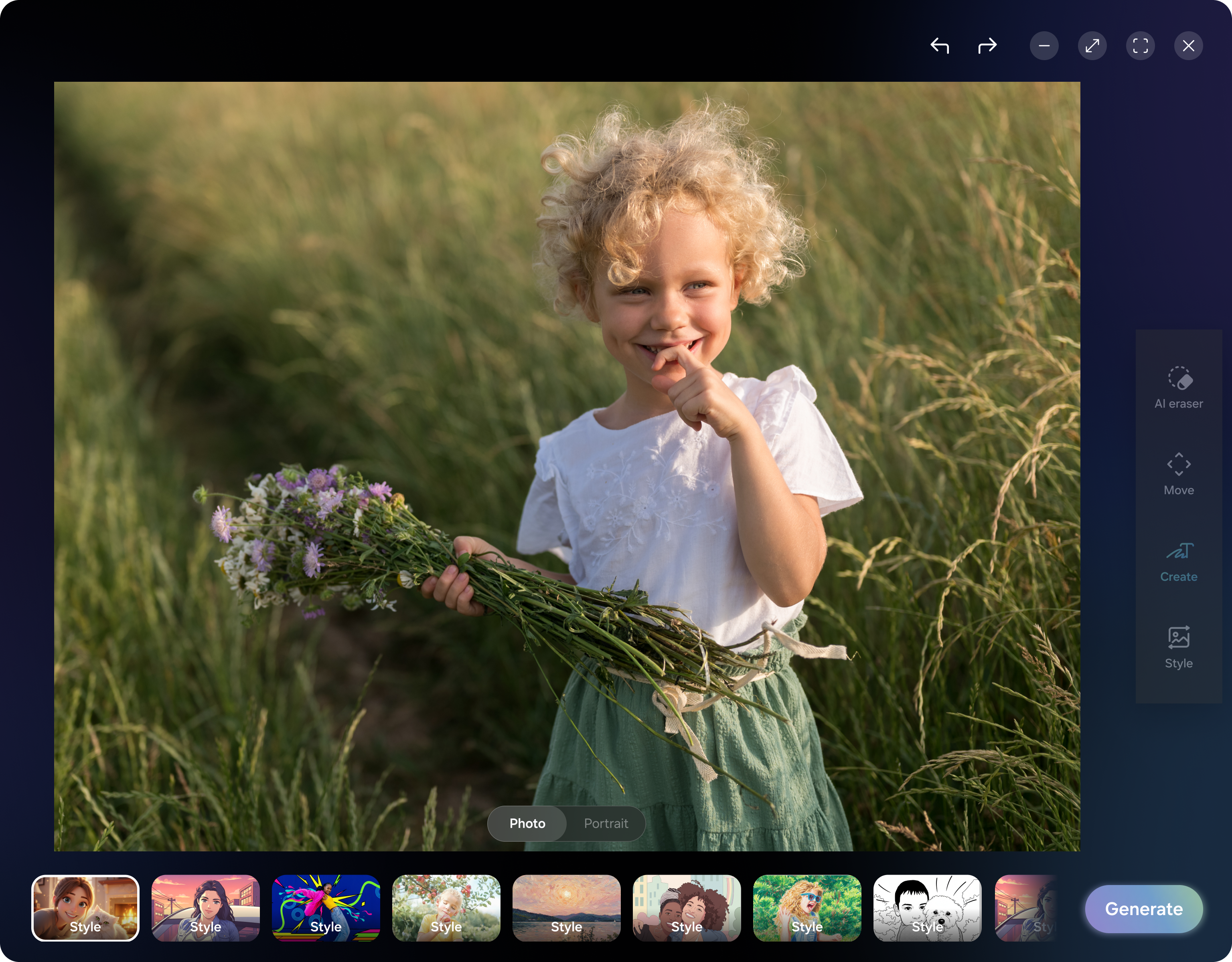
Style Output — People & Pets

Final shipped styles across portrait and pet portrait modes.

People portrait styles
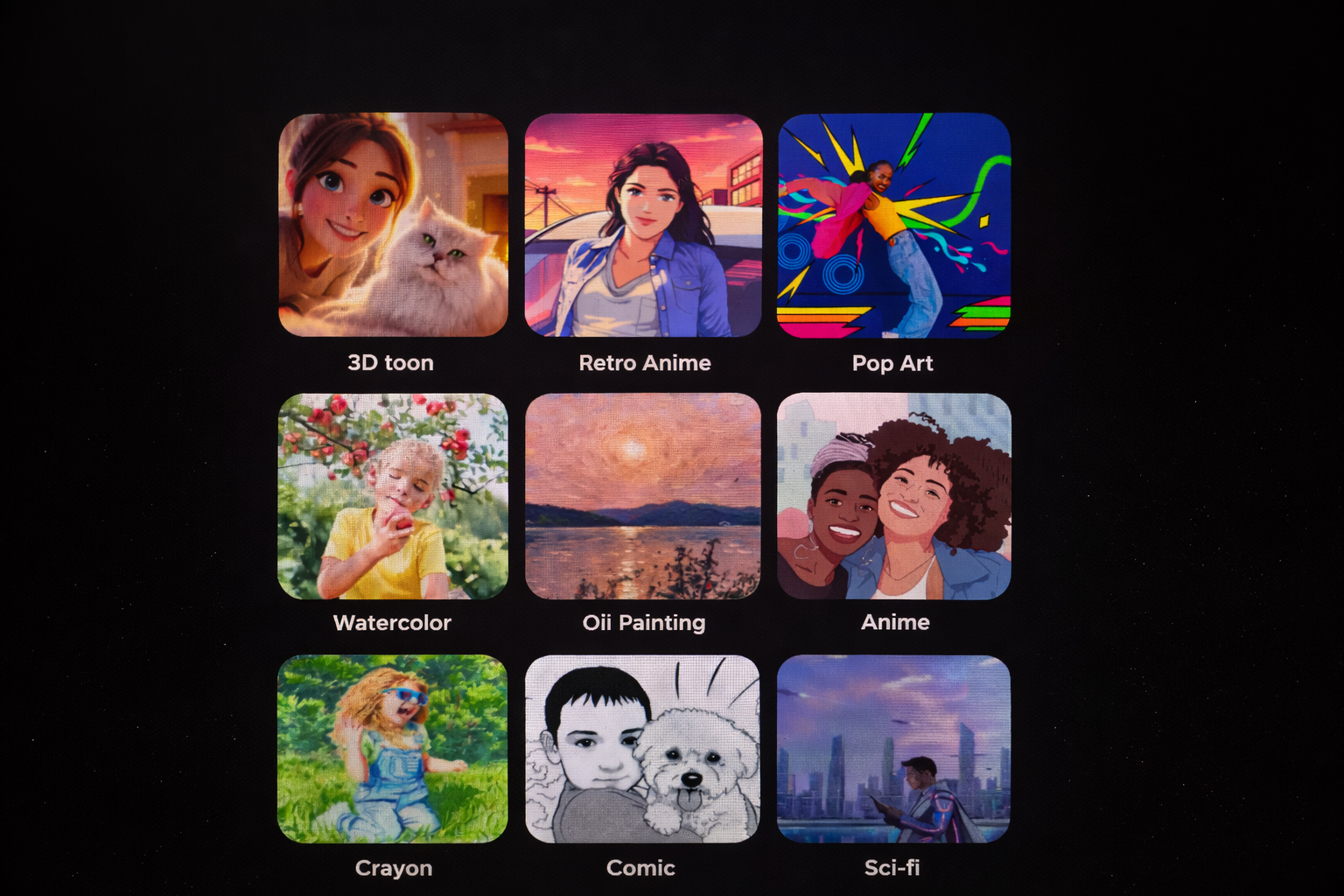
Portrait Styles
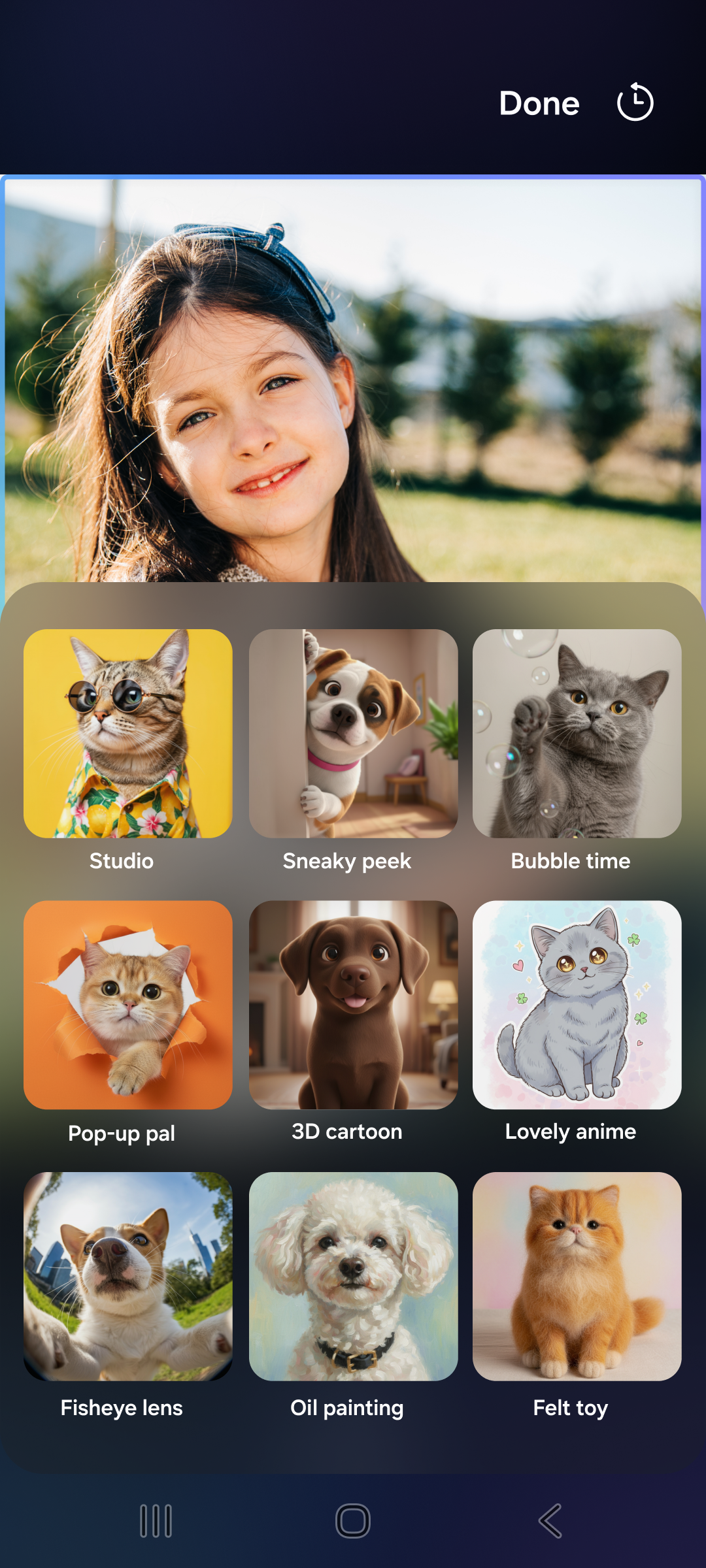
Pet portrait styles
Pet Styles
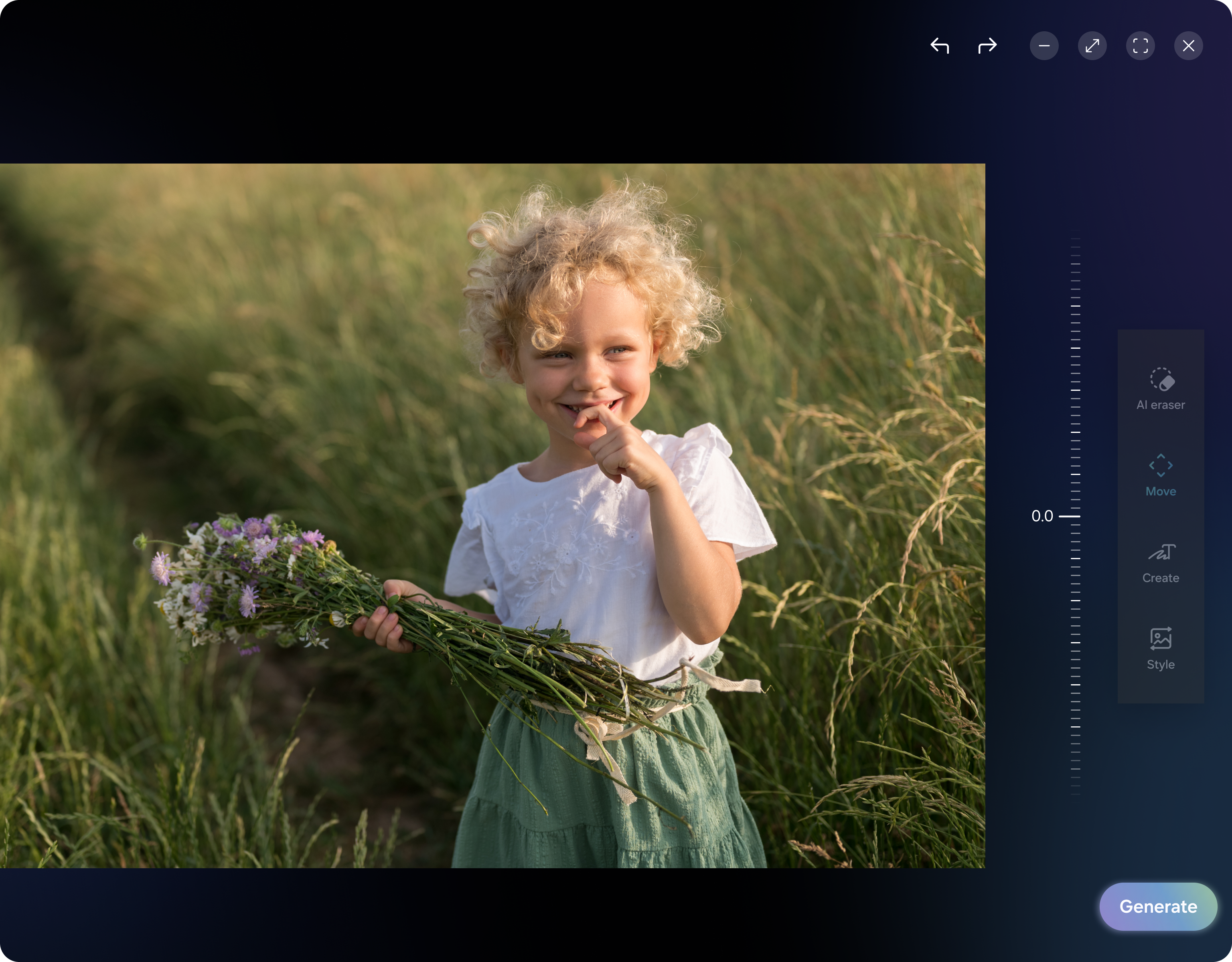
Desktop & Tablet UX

Designing for Large Screens — Not Just Responsive, Rethought

Scaling to tablet and desktop wasn't about making the mobile layout wider — it was about rethinking the interaction model for how people use large screens. Different posture, different gaze, different expectations.

Large screen UX – Photo Style Large screen UX variation 2 Large screen UX variation 3
Gaze & Layout Strategy
  • F-pattern scanning on desktop vs. thumb-zone on mobile — control panel repositioned to left sidebar
  • Preview canvas expanded to 65% of viewport — image-first interaction
  • Style selection → persistent sidebar instead of bottom sheet
  • Eliminates cover/reveal pattern that wastes desktop real estate
Interaction Model Shifts
  • Hover previews on style thumbnails — replaces tap-wait-generate cycle
  • Keyboard shortcuts & drag-drop — Ctrl+Z, drag to compare
  • Multi-panel layout for simultaneous comparison
  • Side-by-side original + styled output — no modal transitions
Galaxy Tab S9 Samsung DeX Sidebar Panel UX F-pattern Layout Hover Preview Multi-panel Compare

Features That Evolved With the Project

Not everything ships at v1. Some features emerge from usage patterns.

One UI 7.1 — Launch
Core Style Engine
10 portrait + 7 pet styles. 480-token prompt system. Basic single-shot generation with result card.
One UI 8.0 — Evolution
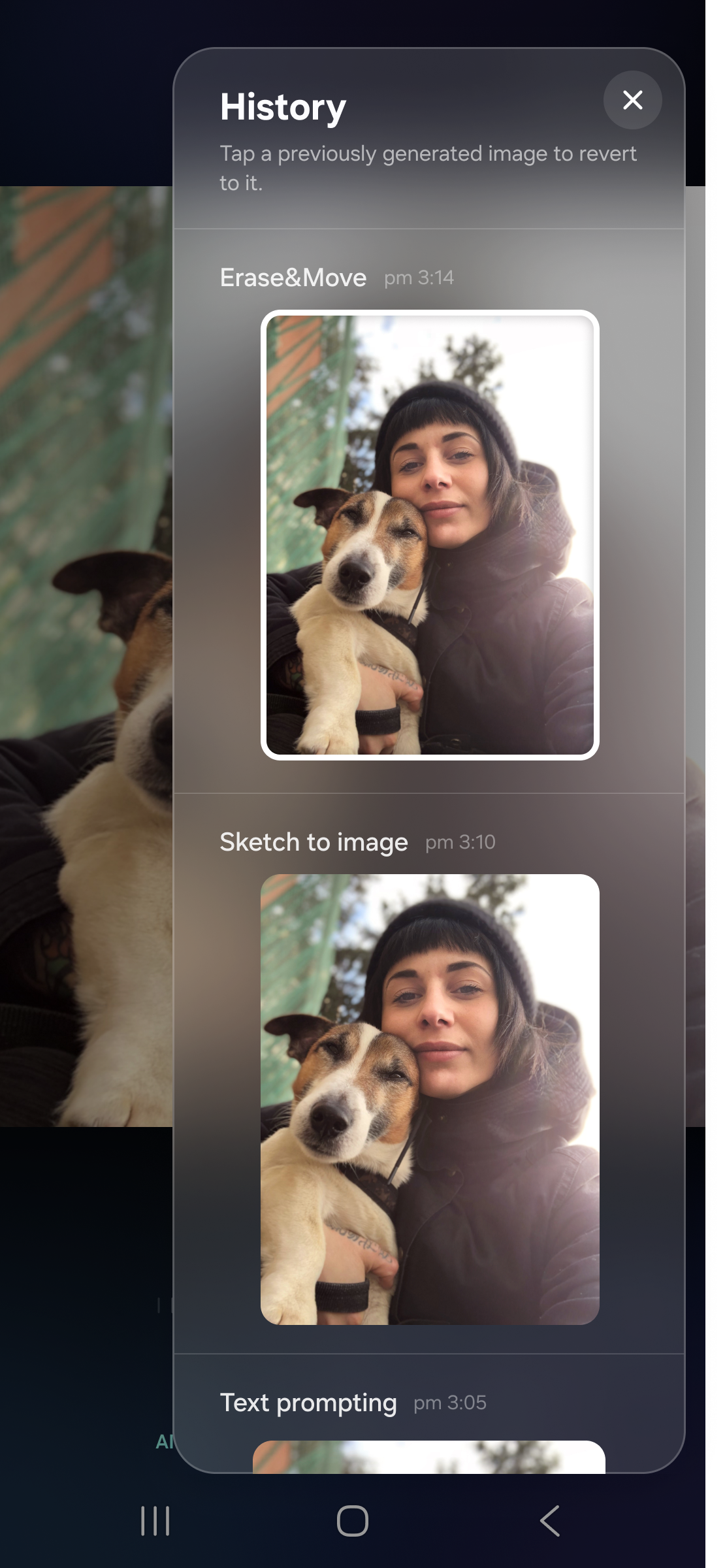
History of Edits
Users wanted to revisit past generations. We added a persistent edit history — every AI generation saved, browsable, reshareable.
History of edits popup
One UI 9.0 — Innovation
Recursive Editing
Continue editing from any previously generated image. Users can layer styles, iterate, and diverge from the same source — turning a single photo into infinite creative branches.

Device Reach & Real-World Impact

Portrait Studio ships across Samsung's flagship and foldable ecosystem — reaching hundreds of millions.

37M+
Galaxy S24 series units shipped globally in 2024
5.2M
Galaxy Z Fold + Flip foldables sold in 2024
1B+
Active Galaxy smartphones worldwide
241M
Samsung smartphones shipped in 2025 alone
Galaxy S24/S25/S26 Galaxy Z Fold 6/7/8 Galaxy Z Flip 6/7/8 Galaxy Tab S series Samsung DeX Galaxy Watch Faces
Photo Assist — AI Adoption
30% of Samsung users rank Photo Assist as the most beneficial Galaxy AI feature
Galaxy AI on 200M+ devices — targeting 400M+ by end 2025
84% of Galaxy S24 owners used AI features within the past month
Photo Editor → Photo Assist Evolution
Manual editing → AI-first — evolved from Photo Editor to generative capabilities with Galaxy S24
70% of S25 users actively engage with AI features daily
Fastest adoption ever — Galaxy AI outpaced every previous Samsung service in time-to-scale

Portrait Studio in Action

Live interaction demos showing the AI generation pipeline and UX flow.

Photo Assist — Live Demo Generative AI photo editing flow on Galaxy device
Galaxy AI — Key Visual Samsung's AI imaging ecosystem hero animation
Style Generation Engine Real-time portrait style transformation pipeline
Phase 03 — Scale & Future

An architecture
built to bend.

Open-ended prompts · Seasonal styles · 2026 trends integration · Module redesign for infinite extensibility

The Architecture Shift

Adding styles every year wasn't sustainable. We redesigned the entire module.

Before
  • Fixed style catalogue
  • Manual prompt engineering per style
  • New styles = new dev cycle
  • Scaling bottleneck
  • Reactive to trends
→
After
  • Open-ended prompt section
  • Users create any style
  • Modular architecture for scale
  • New styles = config update
  • Proactive trend responsiveness
7
Pet styles in One UI 9
7
Portrait styles in One UI 9
5
Seasonal styles launched
The architecture change led to entire module redesign — future-proofing for any trending style, not just the ones we can predict.
Phase 01
Foundation
  • → Cultural markers framework
  • → Influenced Google's model
  • → 60/40 accuracy/creativity
  • → 480-token prompt system
  • → Seoul framework validation
Phase 02
Expansion
  • → Pet portrait research
  • → 4 macro trend analysis
  • → 78-user Glance study
  • → People ≠ Pets discovery
  • → 40 → 10 + Cross-border
Phase 03
Scale
  • → Open-ended prompt section
  • → Architecture redesign
  • → Seasonal styles (5)
  • → 2026 trends integration
  • → Multimedia team vertical
06

What I Brought to the Project

Five capabilities. One project. Everything I know how to do.

🌍
Ethical AI Infrastructure
Influenced Google's model training. 60/40 framework + cultural audits → responsible AI.
⚙️
Prompt Engineering as Design
Built this practice from zero in 2024. 480-token modular anatomy, open-ended architecture.
🔬
User-Centered Segmentation
People ≠ pets. Enterprise ≠ consumer. 78 users, 12+ surfaces, data-driven decisions.
🚀
0-to-1 Team Building
First person on Multimedia team. Built processes from scratch. Seoul cross-cultural leadership.
🎨
Visual Arts + Systems
BFA deconstructs art movements into prompt parameters. 5+ years builds systems to scale them.
Samsung Unpacked — Photo Assist keynote
Samsung Unpacked Keynote
Galaxy AI — shown to the world on the biggest stage.

What I Would Do Differently

If I were starting this project over with what I know now.

Prompt Versioning from Day 1
  • Evolved prompts across 3 model generations (Imagen 1 → 2 → 4) — tracking was manual
  • Would build a version-controlled prompt repository from the start
  • Treat prompts as code — diffs, rollbacks, A/B testing baked in
Earlier Cross-Regional Testing
  • Security constraints meant server testing only happened in Seoul
  • Would push harder for a sandboxed remote testing pipeline earlier
  • 3-4 week feedback loops slowed iteration during the critical foundation phase
User-Generated Style Input
  • Open-ended prompt (Phase 3) was the right direction — but came too late
  • Would introduce mood boards and reference uploads earlier
  • Research hinted at user intent signals we didn't act on fast enough
Quantitative Cultural Benchmarks
  • 60/40 framework was qualitative by design — adaptable but hard to measure
  • Would establish quantifiable cultural accuracy metrics (e.g., facial feature preservation score)
  • Enable automated regression testing as models updated
07

More from the
Galaxy ecosystem.

5+ years designing AI imaging experiences across 6 form factors, One UI 5.0 → 9.0, and multiple cross-team collaborations.

Photo Assist
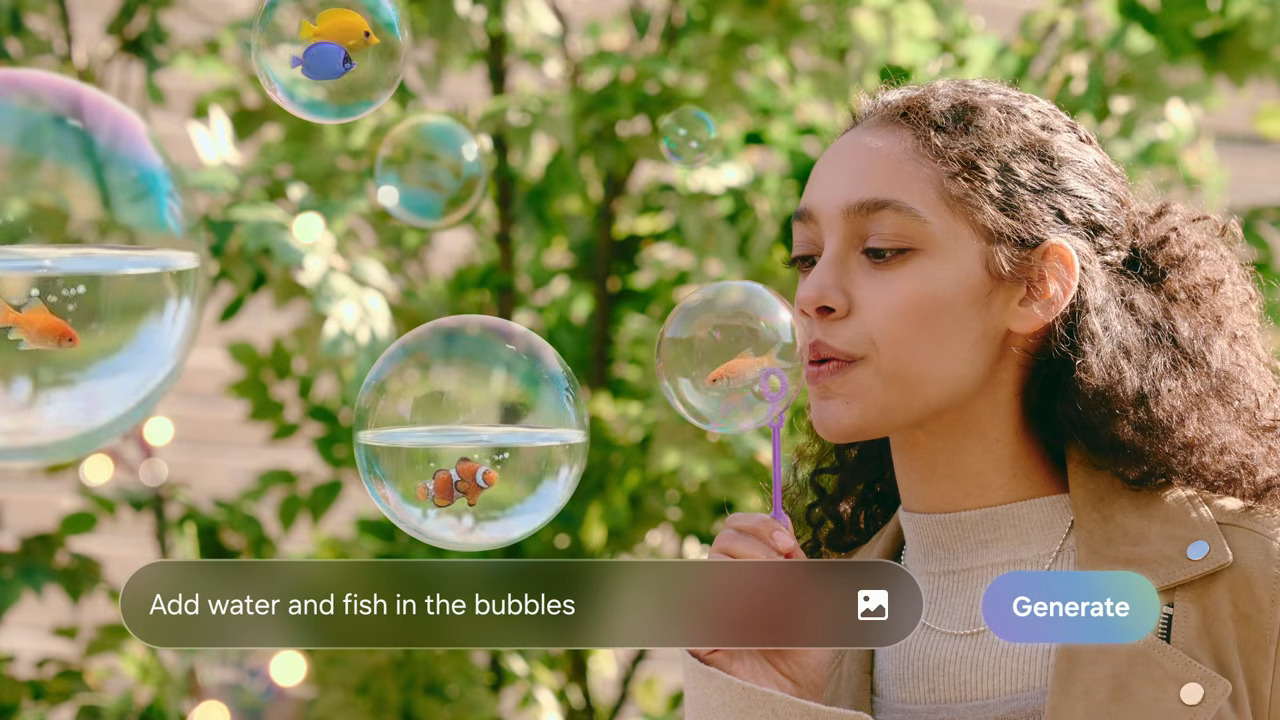
Photo Assist
Gen AI Photo Editor · Employee of Year
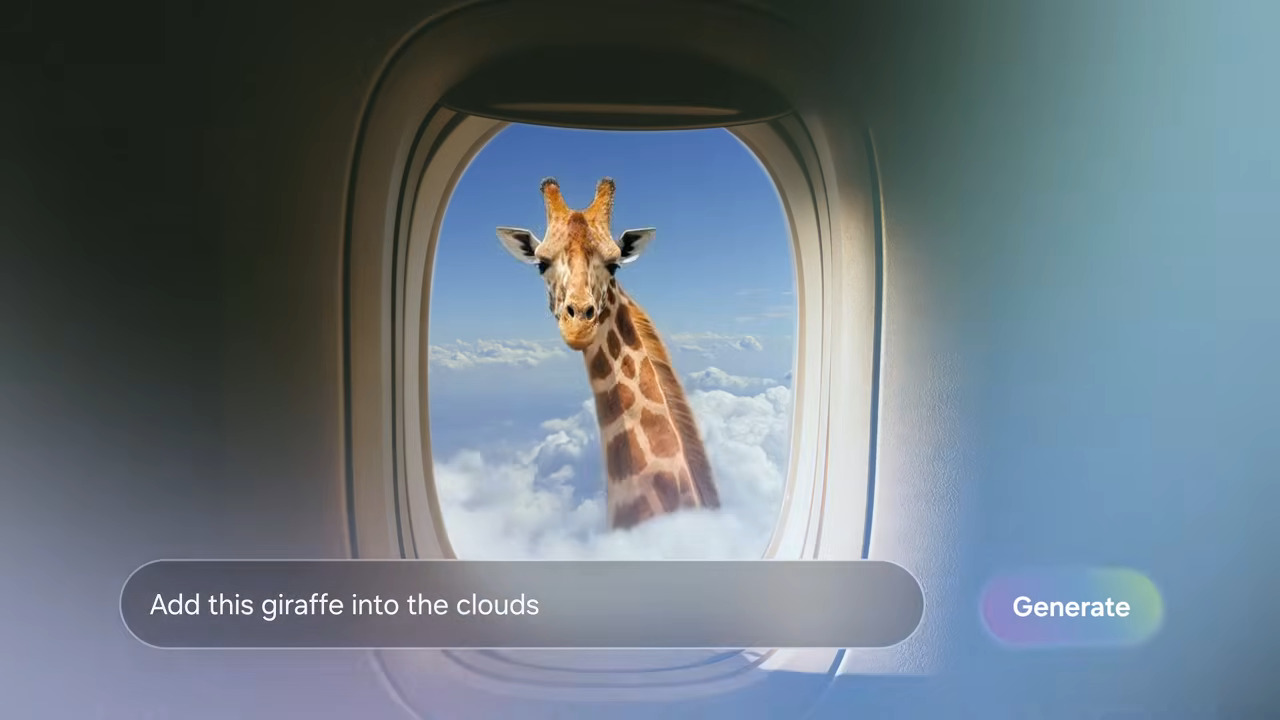
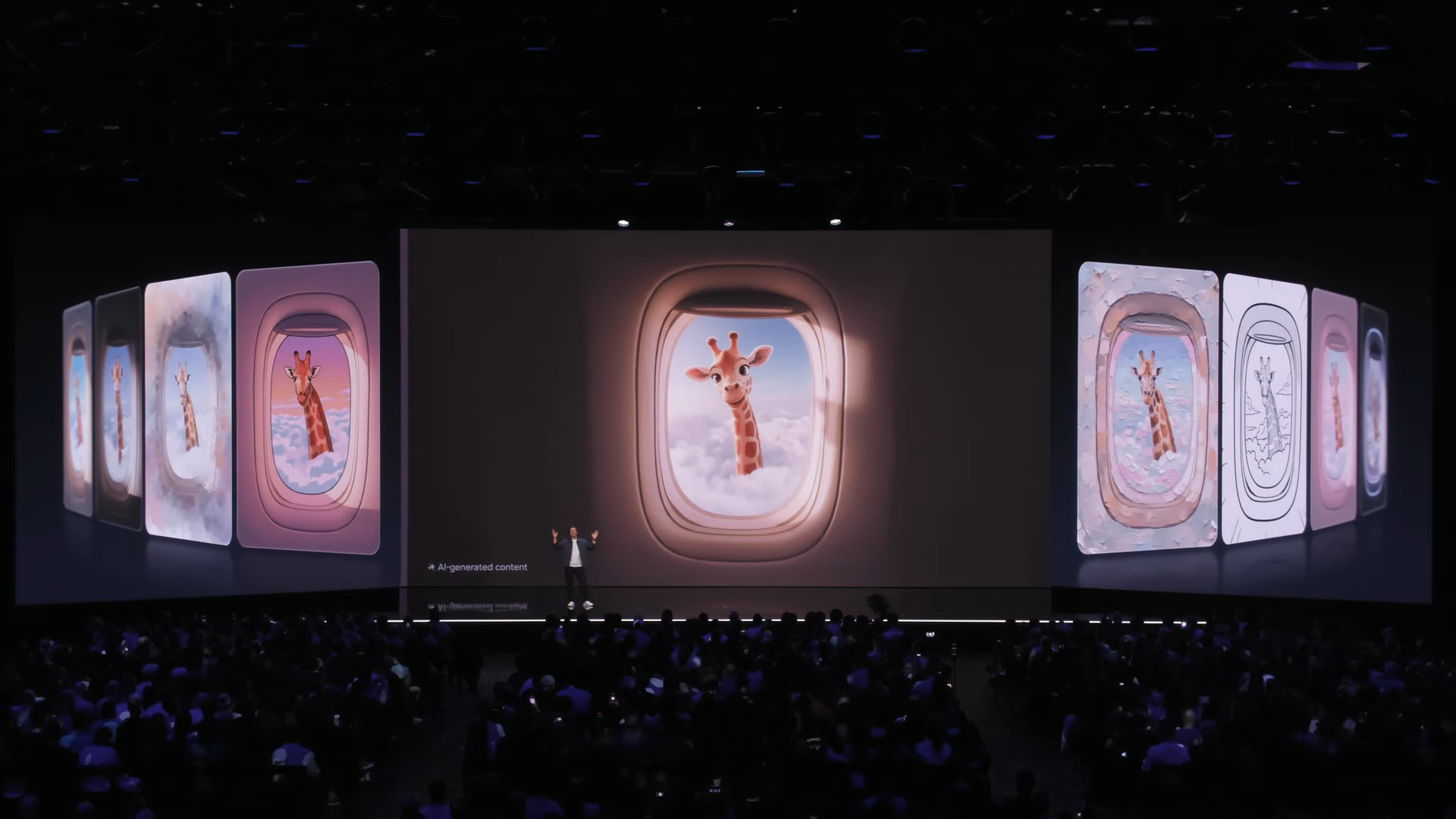
Photo Assist — Giraffe
Galaxy AI
Generative editing at scale
Camera & Fun Mode
Camera & Fun Mode
Samsung × Snapchat · 2B+ activations
Magnifier Accessibility
Magnifier
Accessibility · One UI · Multi-device
2B+
Samsung × Snapchat Fun Mode activations
6
Form factors designed across Galaxy ecosystem
5+
Years of AI imaging experience at Samsung Research
02 — Camera & Fun Mode · Samsung Research
Part A — Usability

Camera &
Fun Mode

Improving the core usability of Samsung's AR lens experience — uncovering 20+ pain points through research with Gen Z and Millennial users, and defining actionable design directions for Fun Mode.

AR / Fun Mode Samsung × Snapchat Usability Research Heuristic Evaluation One UI Camera
2B+
Fun Mode activations
worldwide
20+
Pain points uncovered
in research
8
Research participants
Gen Z + Millennials
100%
Failure rate on key
feature discovery task
01

What is
Fun Mode?

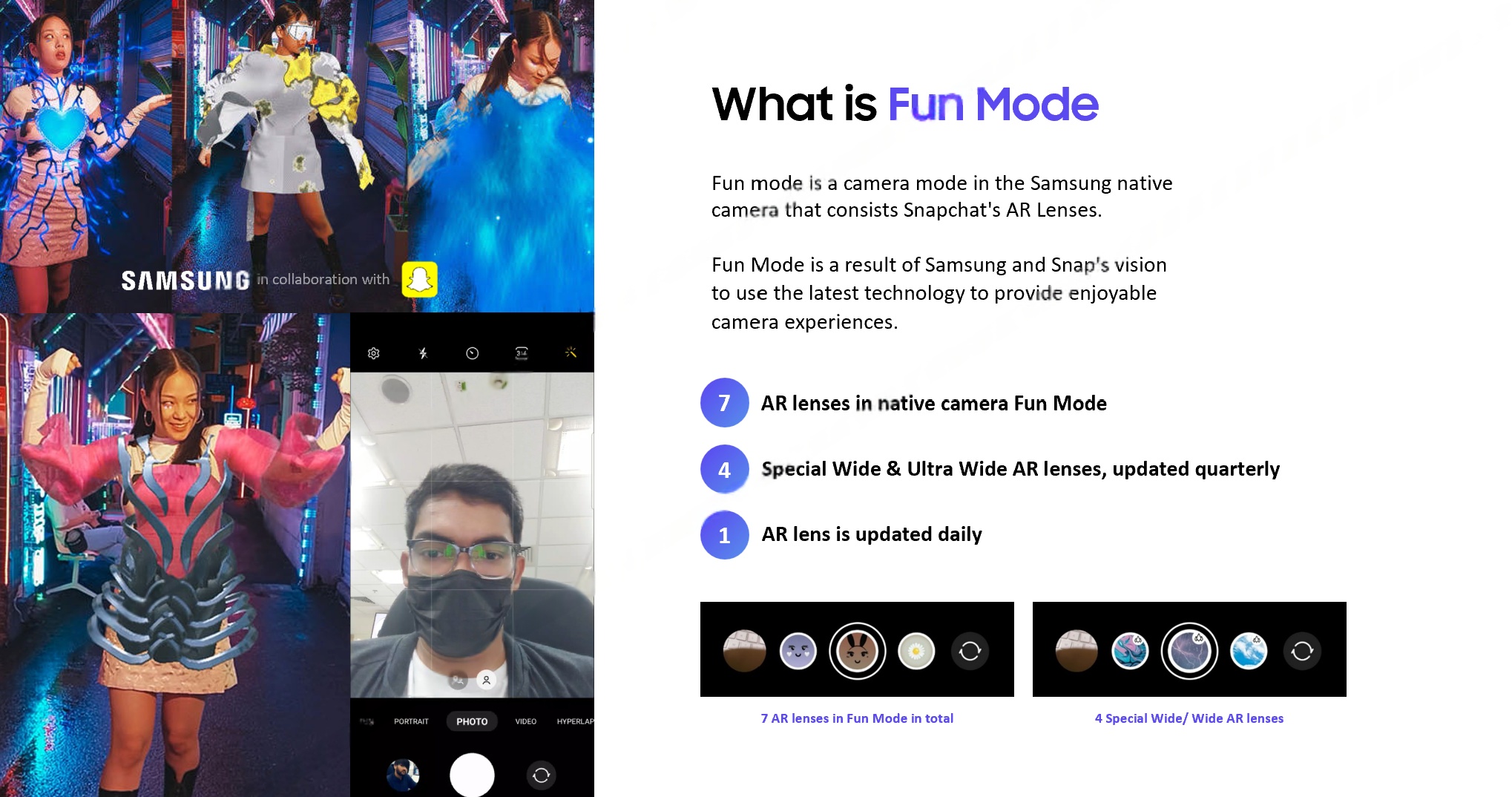
Fun Mode is the Samsung Camera's AR lens experience — a partnership with Snapchat that brings real-time augmented reality filters directly into the native camera app on Galaxy devices.

The experience features 7 AR lenses always available, 4 Special Wide & Ultra-Wide lenses refreshed quarterly, and 1 daily featured lens updated every day — keeping the experience fresh and engaging across millions of devices.

7 core AR lenses — always available
4 Special Wide/Ultra-Wide lenses — quarterly refresh
1 daily featured lens — updated every 24 hours
What is Fun Mode overview
02

Project
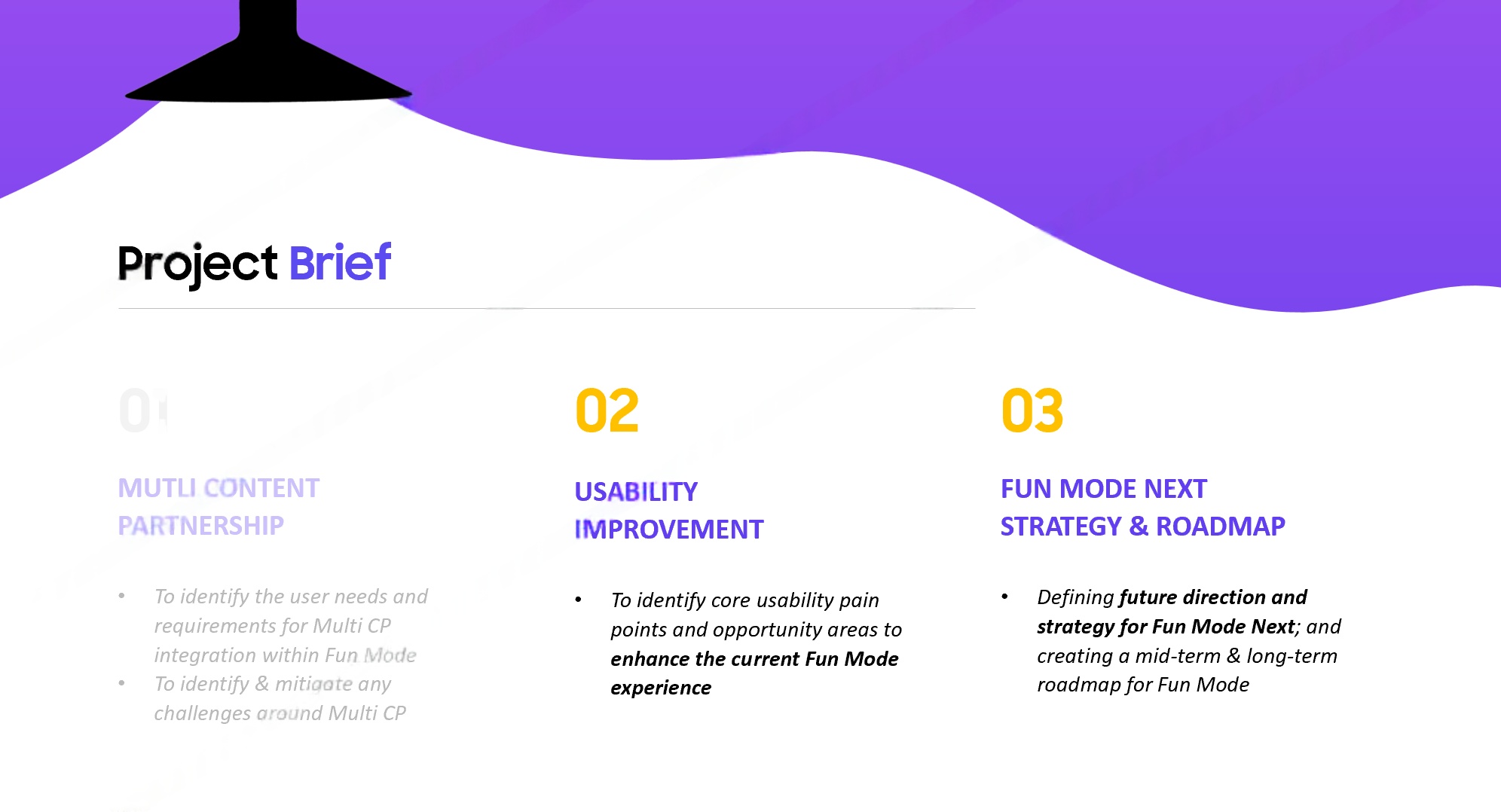
Brief

The project spanned two parallel tracks — improving the core usability of Fun Mode, and defining a scalable design framework for sponsored AR lenses entering the Galaxy Camera ecosystem.

Project brief — three pillars: Multi Content Partnership, Usability Improvement, Strategy & Roadmap
Then
Ownership transfer — Fun Mode inherited from a different team with no documented UX rationale
Now
Market response — understanding current device support, user feedback, and feature gaps
Next
Reimagined experience — defining the future direction with mid-term and long-term roadmap
03
Phase 1 — Usability

Secondary
Research

The research phase began with a structured analysis of existing signals — heuristic evaluation, voice-of-customer data, and competitive benchmarking — before moving into primary fieldwork.

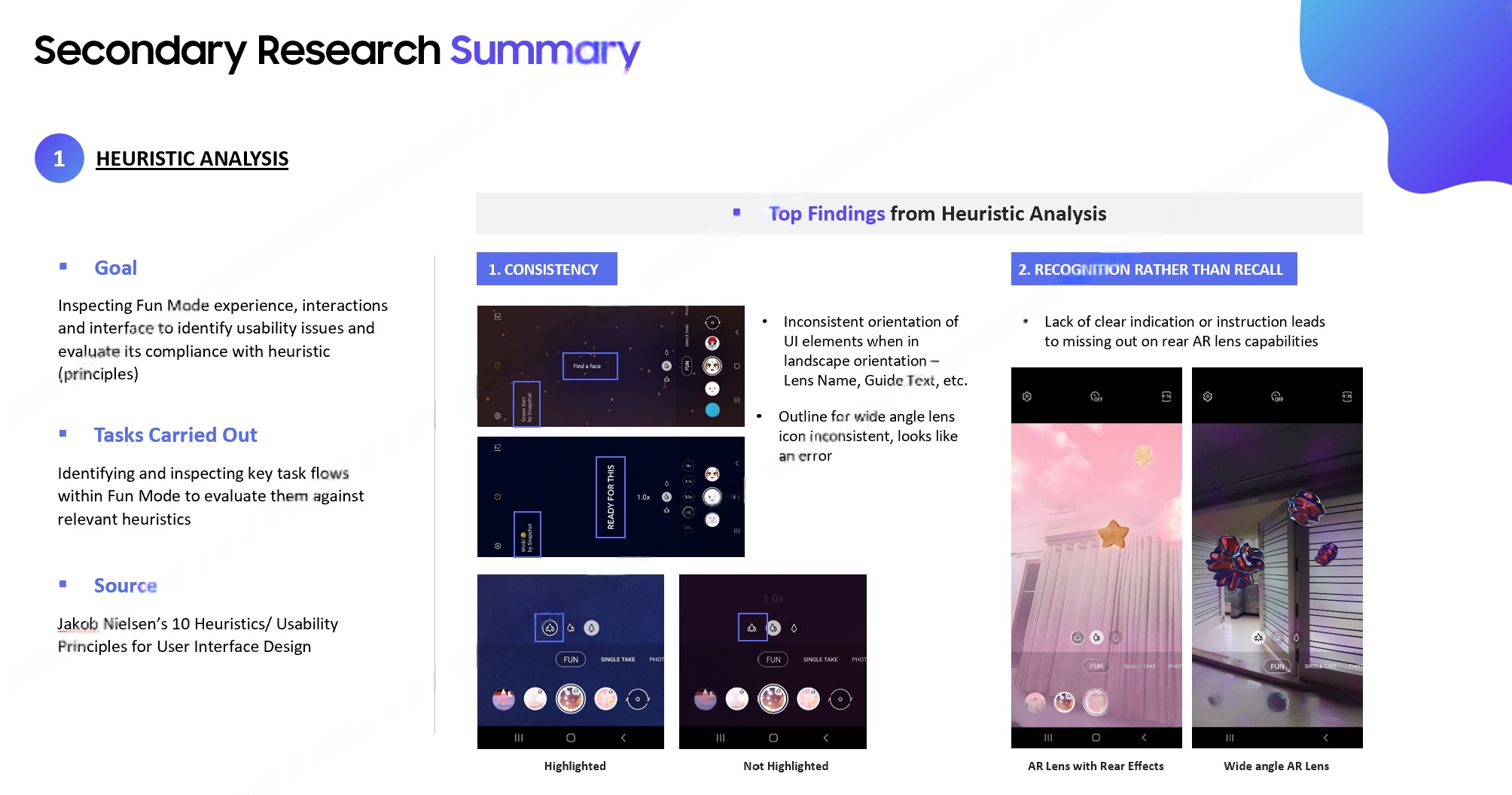
Heuristic Analysis — Top Findings Nielsen's 10 heuristics applied to Fun Mode interface
Heuristic analysis top findings

Systematic heuristic evaluation across Nielsen's 10 usability principles revealed critical violations in visibility of system status, match between system and real world, and user control — validating the need for a ground-up interaction audit.

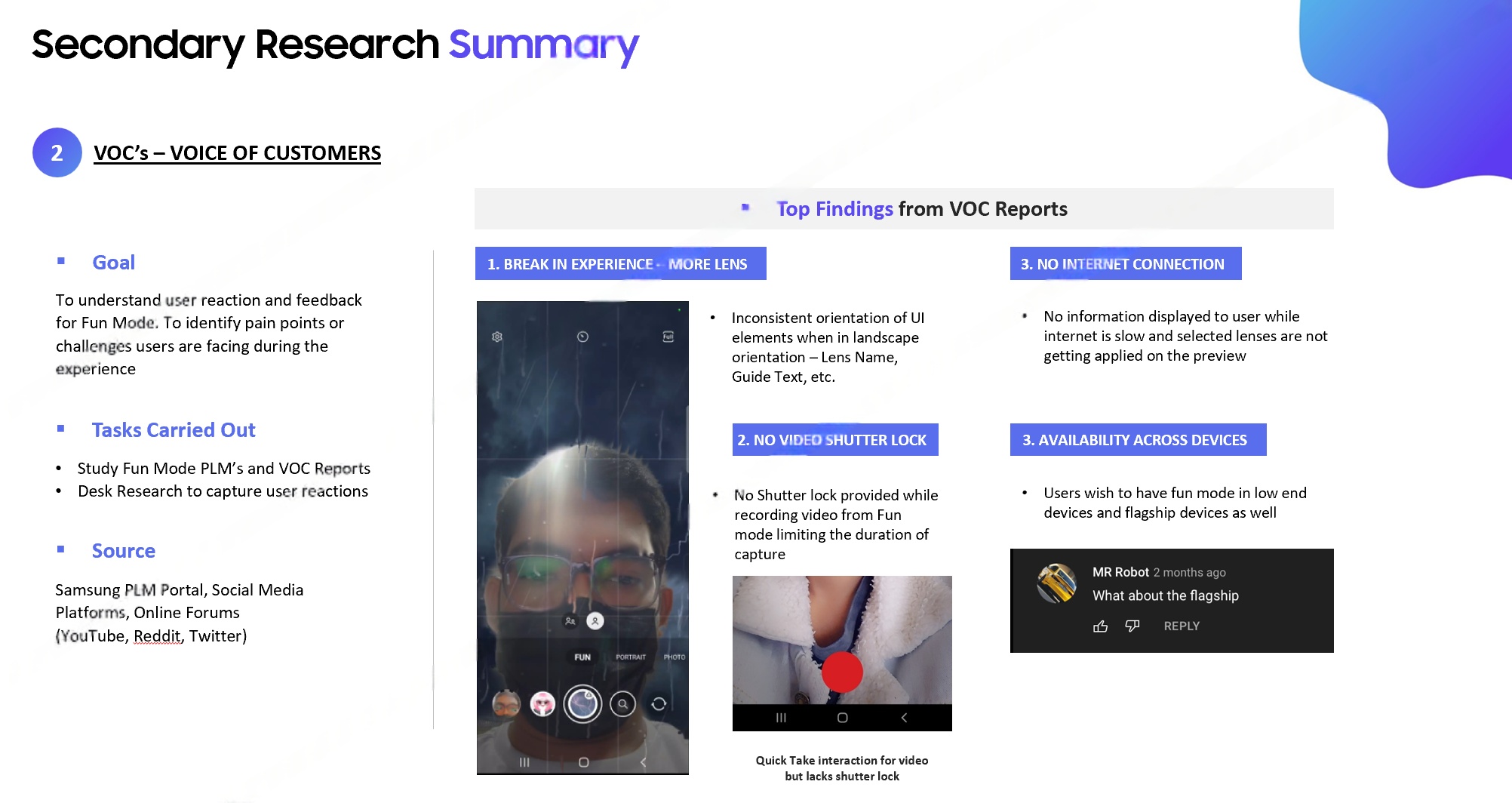
Voice of Customer (VOC) Analysis Play Store reviews, support tickets, NPS verbatim analysis
VOC top findings

VOC data mining across app store reviews, customer support tickets, and NPS survey verbatim surfaced recurring themes: users were confused by the lens discovery model, disappointed by AR element fidelity, and unaware of key features like video capture.

Competitive Benchmark Study Snapchat · Instagram · TikTok · Apple PhotoBooth
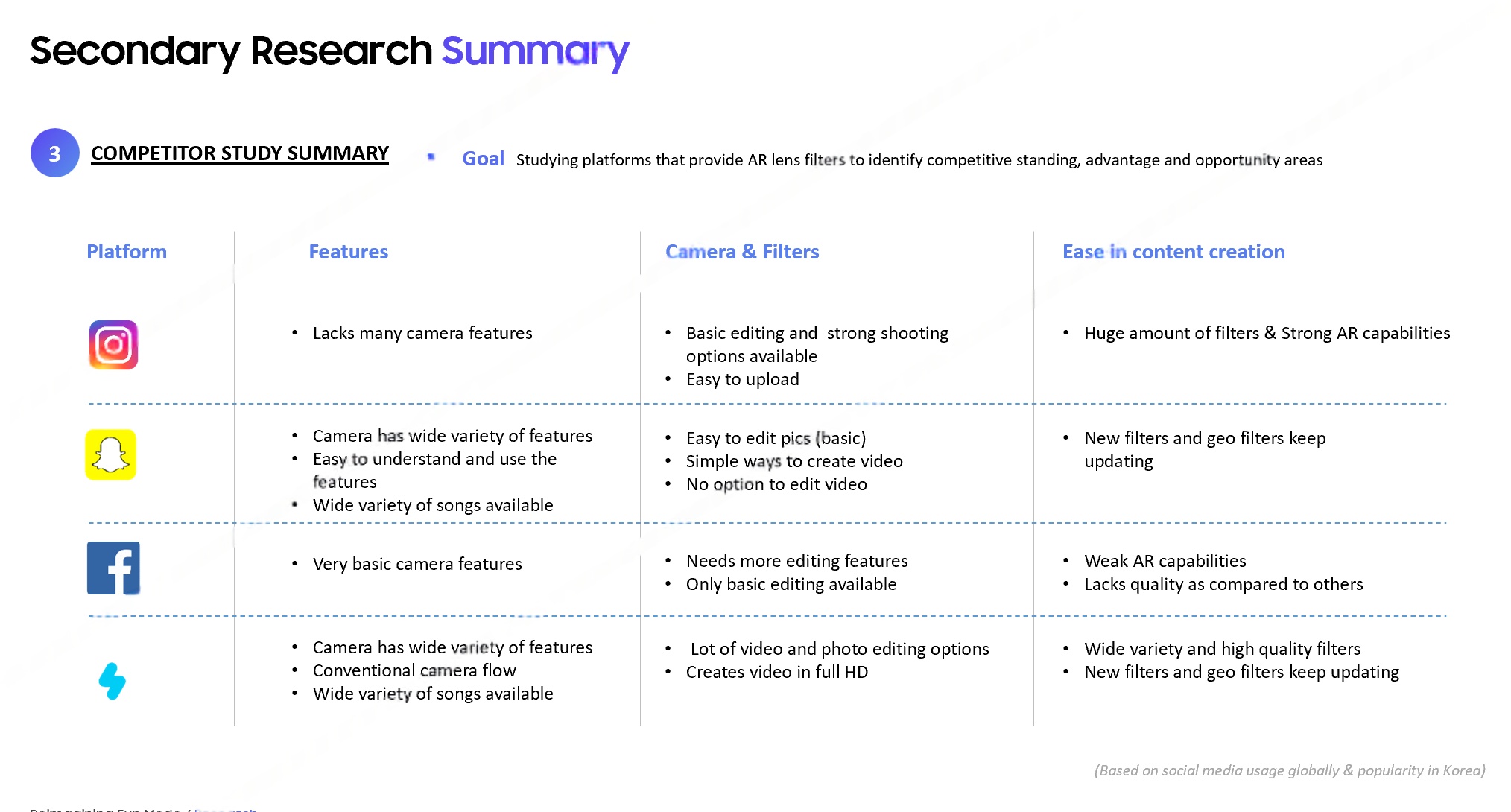
Competitor study

Cross-platform competitive analysis across Snapchat, Instagram Reels, TikTok effects, and Apple's PhotoBooth mapped best-in-class patterns for lens preview, content refresh cadence, and sponsored content integration models.

Method 1
Heuristic Eval
Expert review using Nielsen's 10 usability heuristics across all Fun Mode touchpoints
Method 2
VOC Mining
Thematic analysis of 1000+ user reviews, NPS verbatim, and support ticket clustering
Method 3
Competitive Audit
Feature parity matrix and UX pattern mapping across 4 competing AR platforms
Method 4
Moderated Testing
8 participants, think-aloud protocol, task-completion scoring, affinity mapping
Primary Research

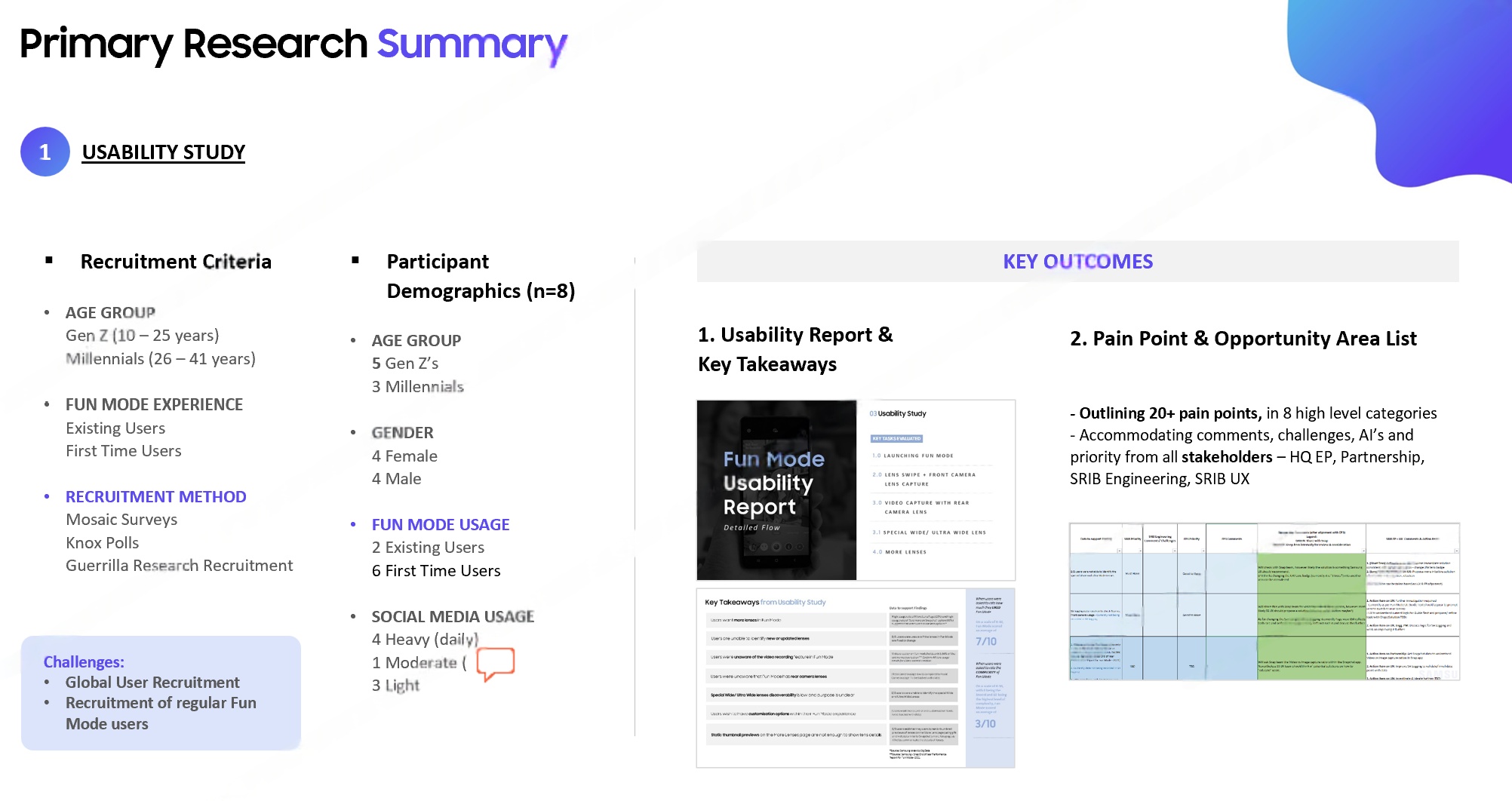
8 Participants.
20+ Pain Points.

Moderated usability sessions were conducted with 8 participants across Gen Z and Millennial demographics — the core Fun Mode user base. Sessions uncovered over 20 distinct pain points spanning discoverability, content quality, and feature awareness.

Primary research summary — 8 participants, Gen Z + Millennials, 20+ pain points
04

Top 5
Pain Points

Five critical usability failures emerged from primary research — each backed by observed behaviour and quantitative task-completion data.

1
Discoverability
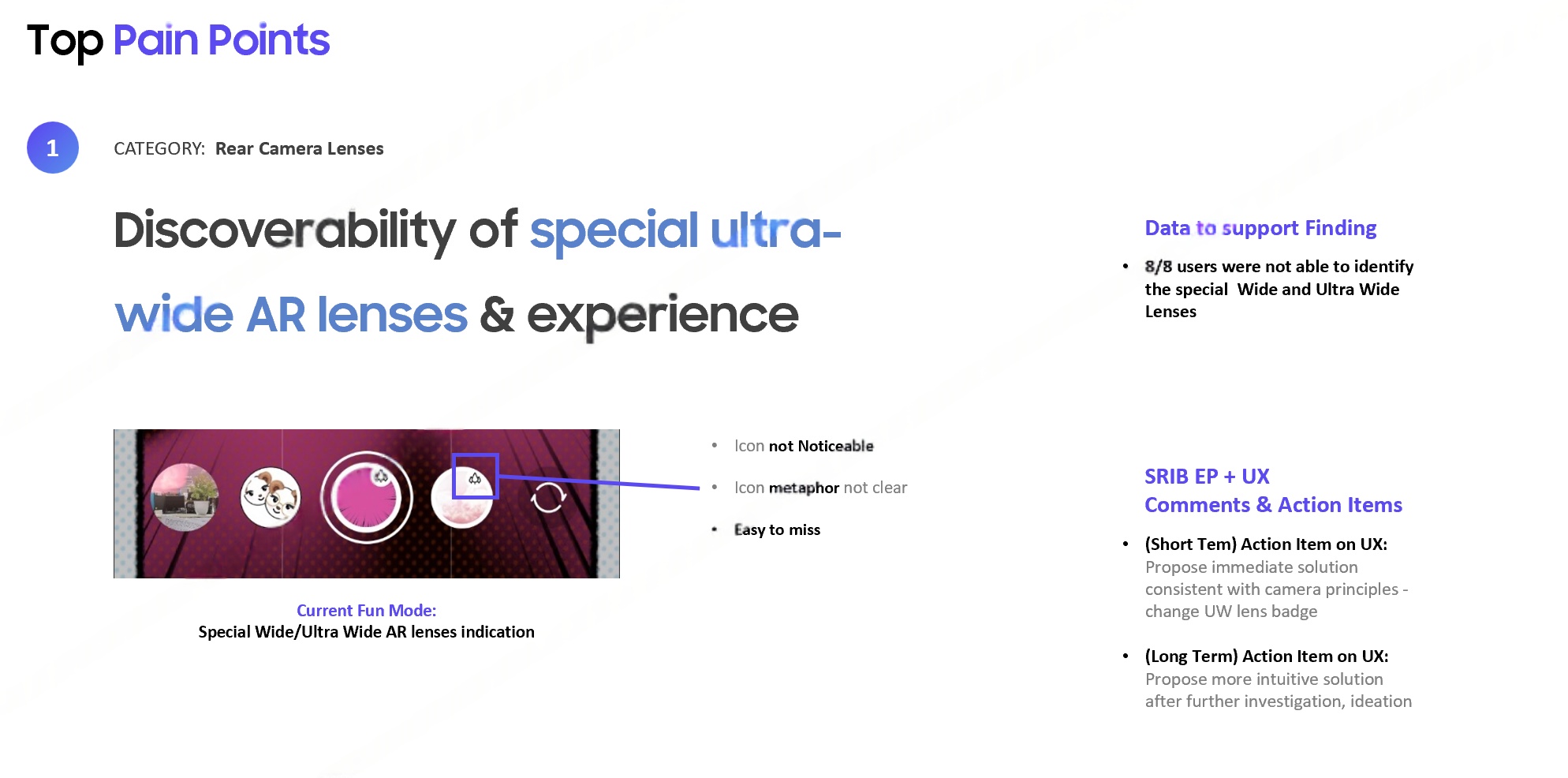
Ultra-Wide Lens Hidden

8 out of 8 participants failed to discover the ultra-wide AR lens — a 100% failure rate on a core differentiating feature.

Pain point 1 — ultra-wide lens discoverability
2
Feature Awareness
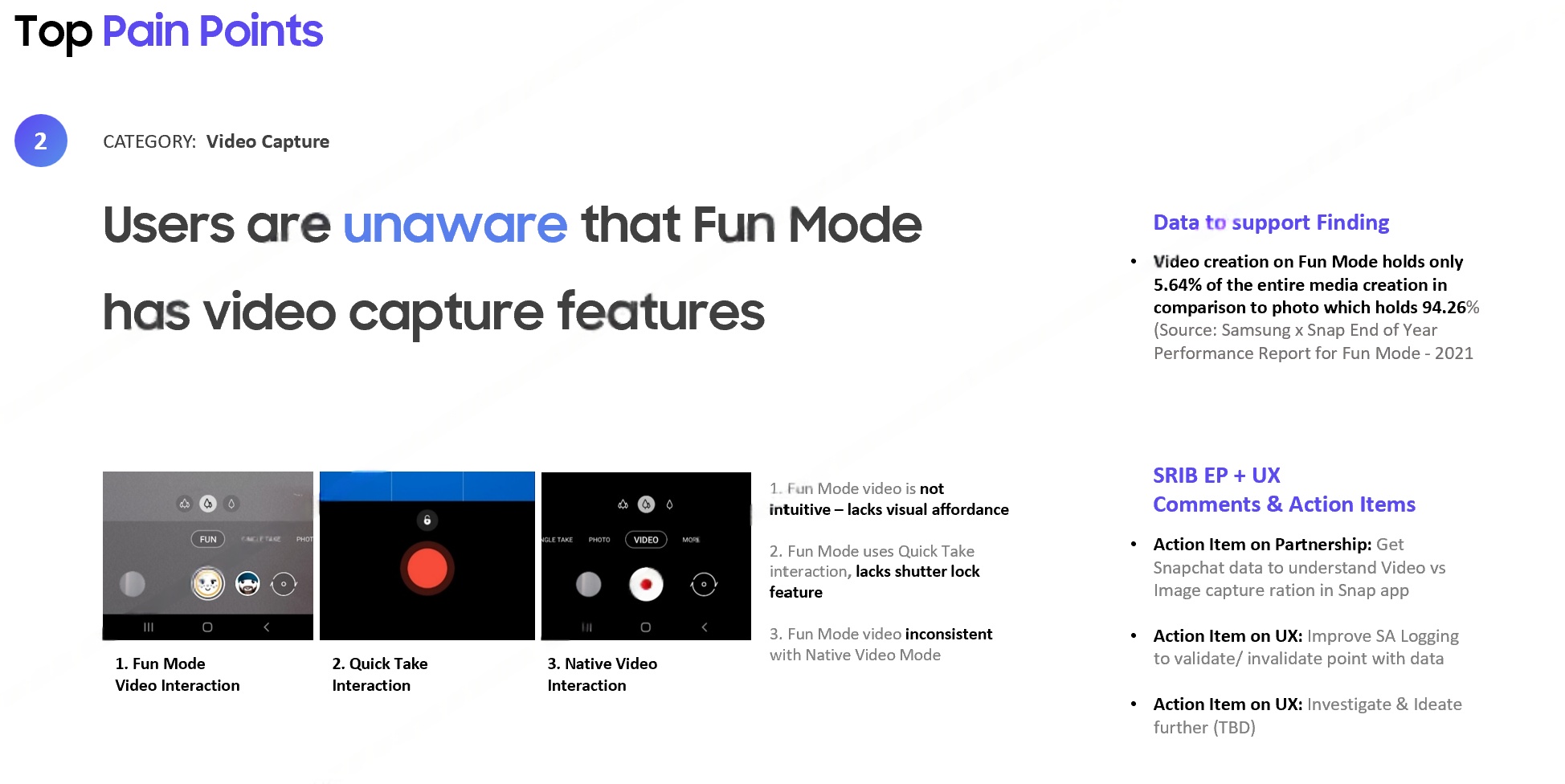
Video Capture Unknown

Only 5.64% of captured media was video — users were unaware Fun Mode supported video capture at all.

Pain point 2 — video capture unawareness
3
Preview Quality
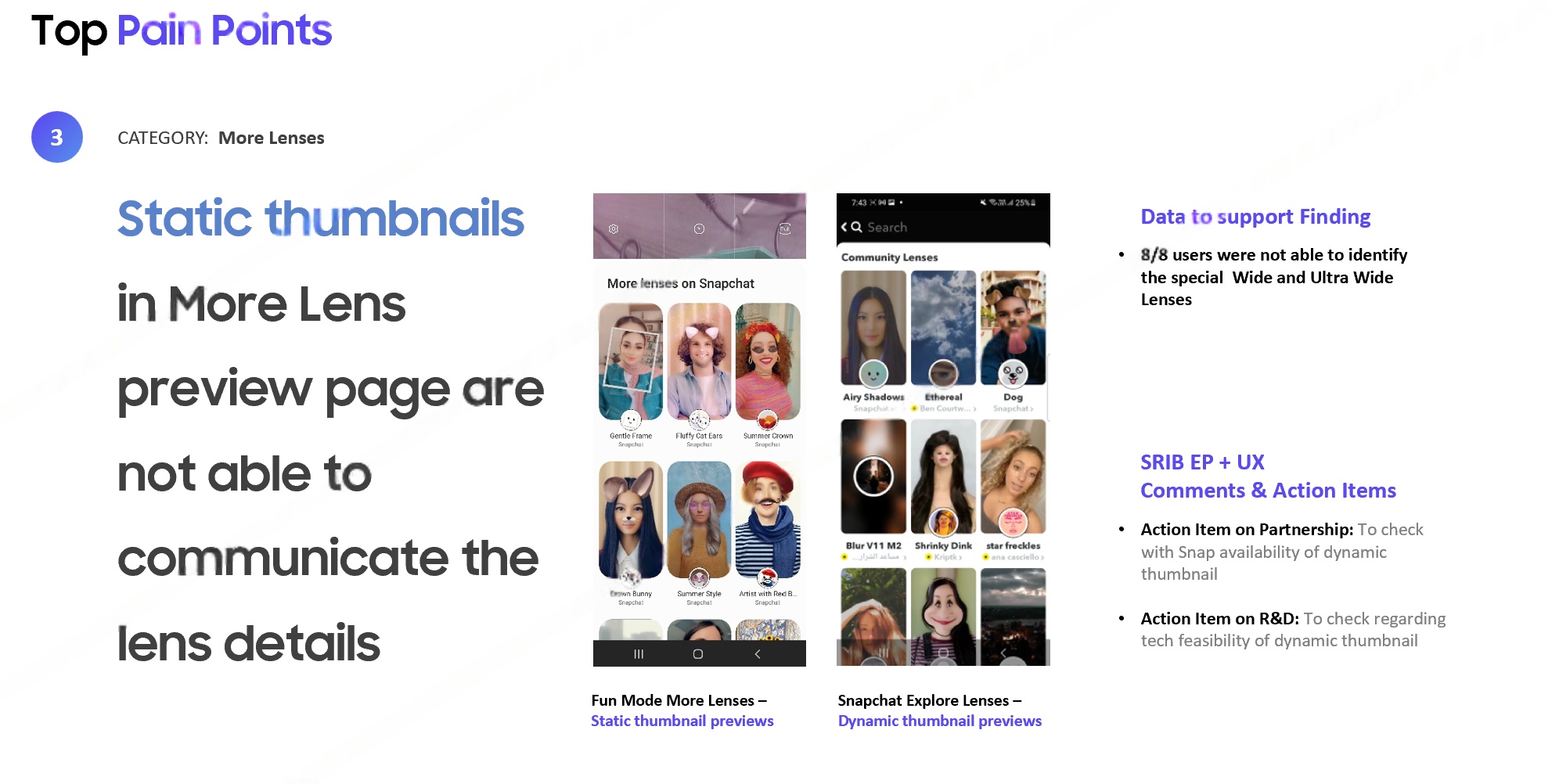
Static Thumbnails Mislead

8 out of 8 participants failed to understand a lens from its static thumbnail — expecting animated previews similar to Snapchat and Instagram.

Pain point 3 — static thumbnail previews
4
Content Quality
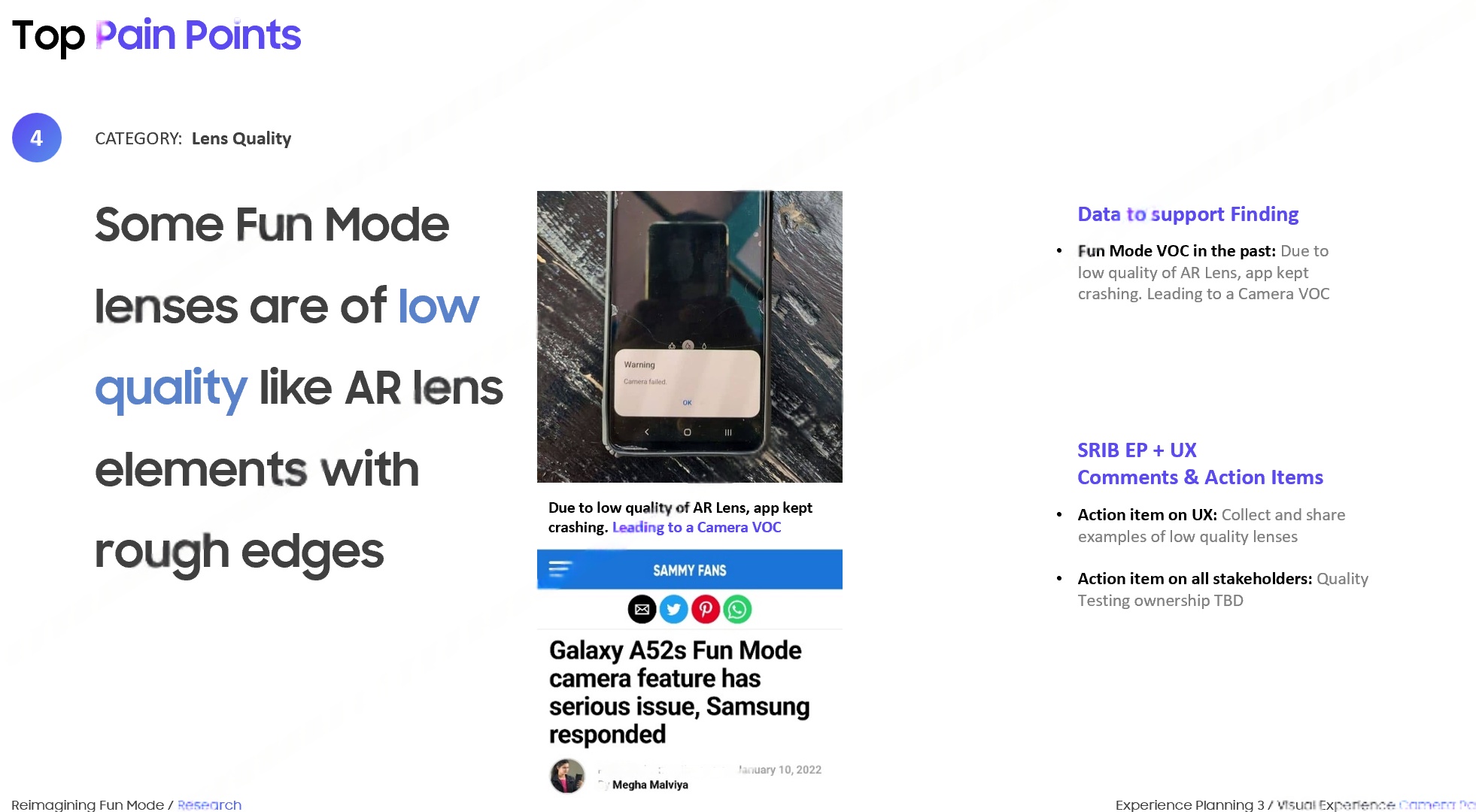
Low-Quality AR Elements

AR lens elements perceived as low-fidelity — users compared unfavourably to competitor experiences, reducing motivation to use or share.

Pain point 4 — low quality AR elements
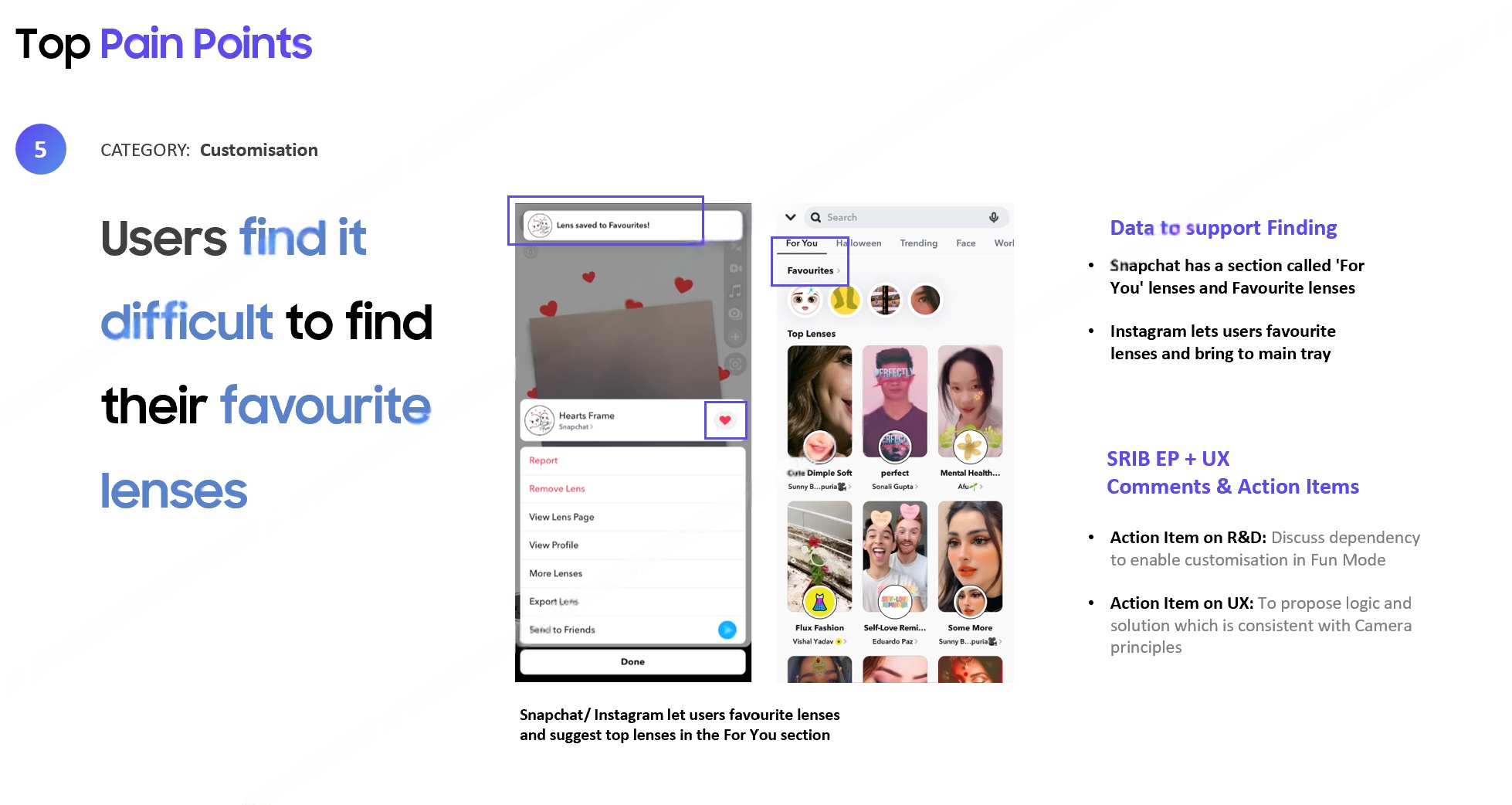
5
Personalisation
No Way to Save Favourites

Users had no mechanism to save or quickly return to favourite lenses — leading to frustration when trying to re-find preferred content.

Pain point 5 — finding favourite lenses
05

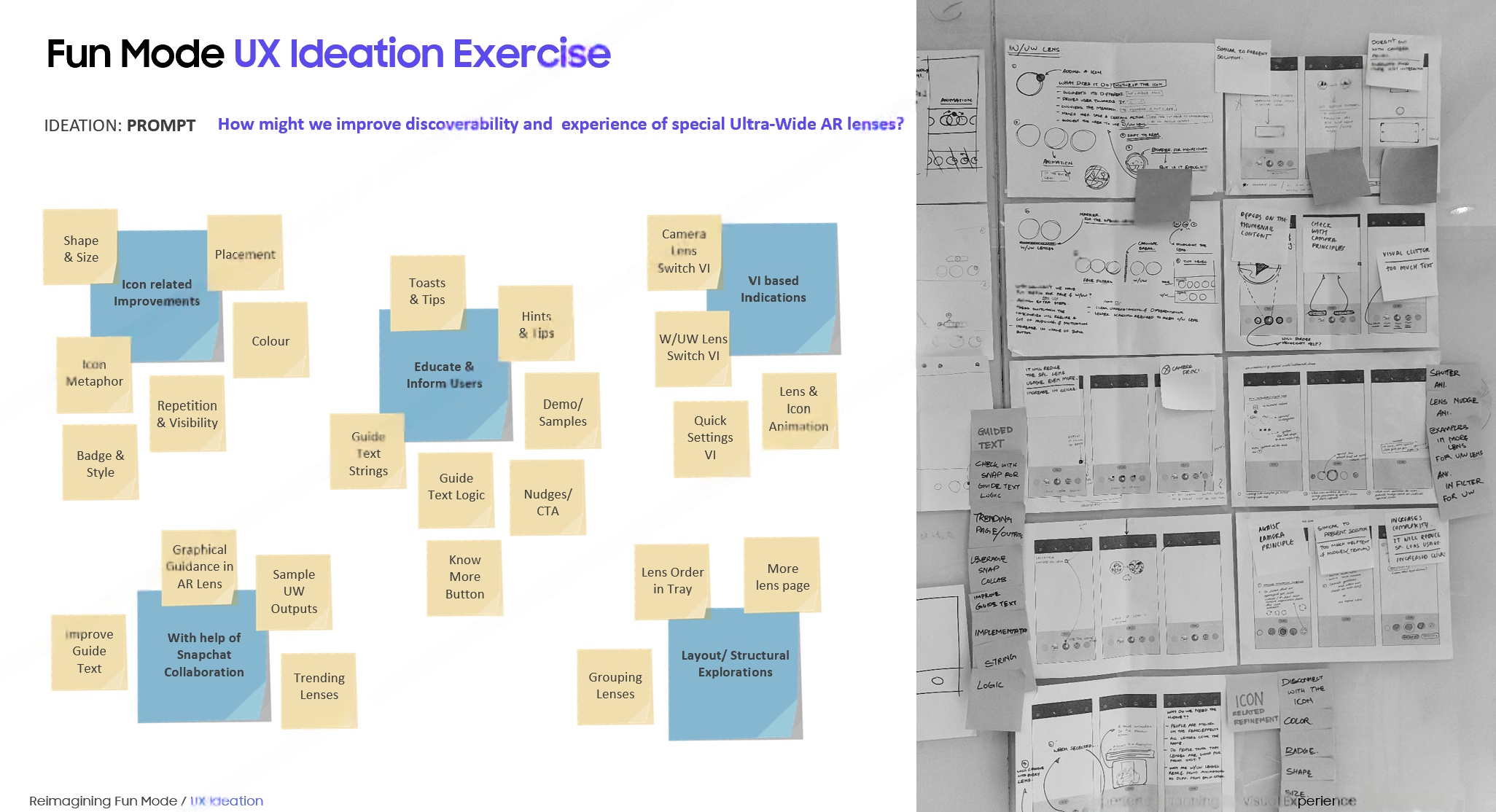
Ideation &
Concept Directions

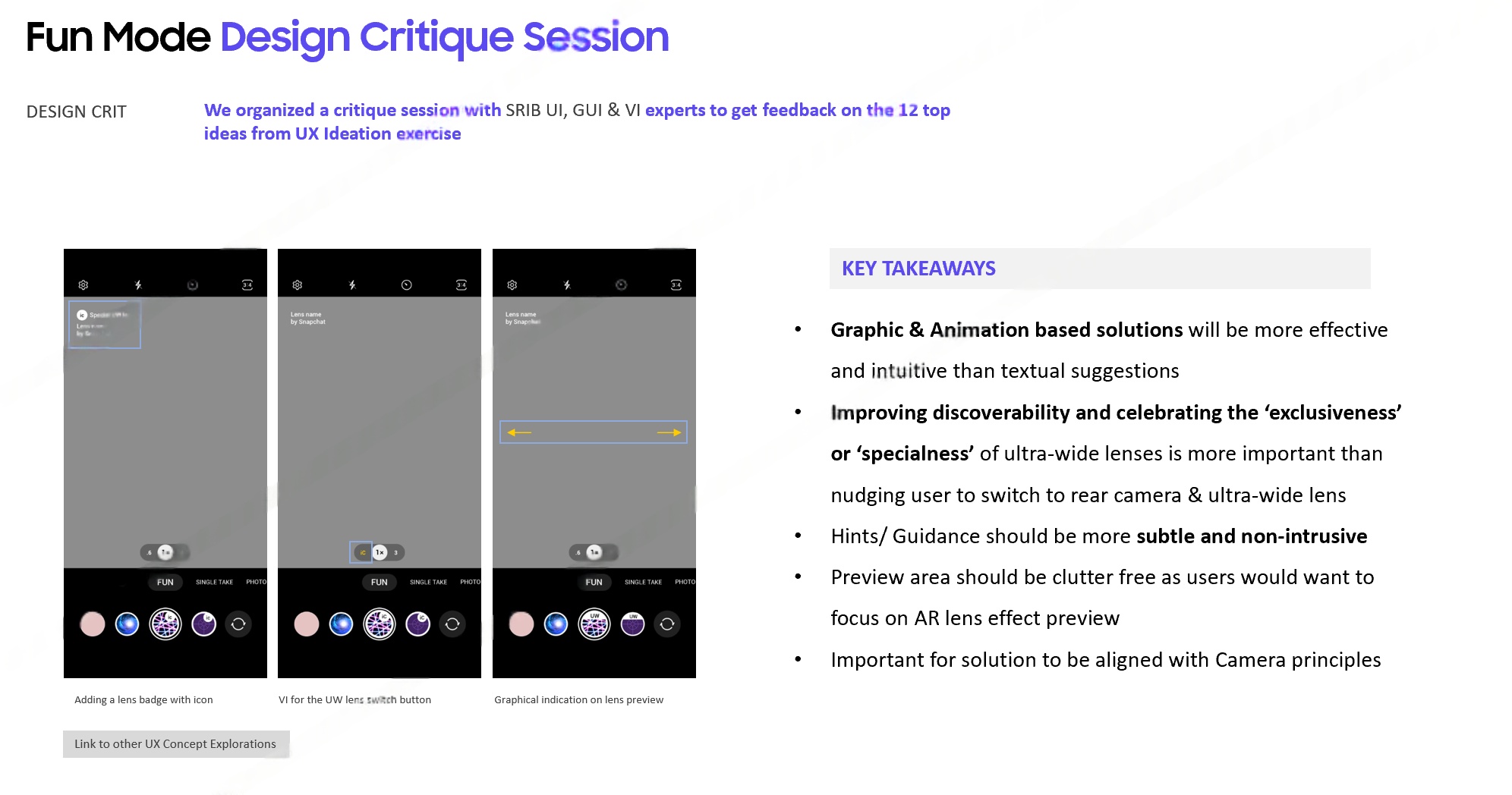
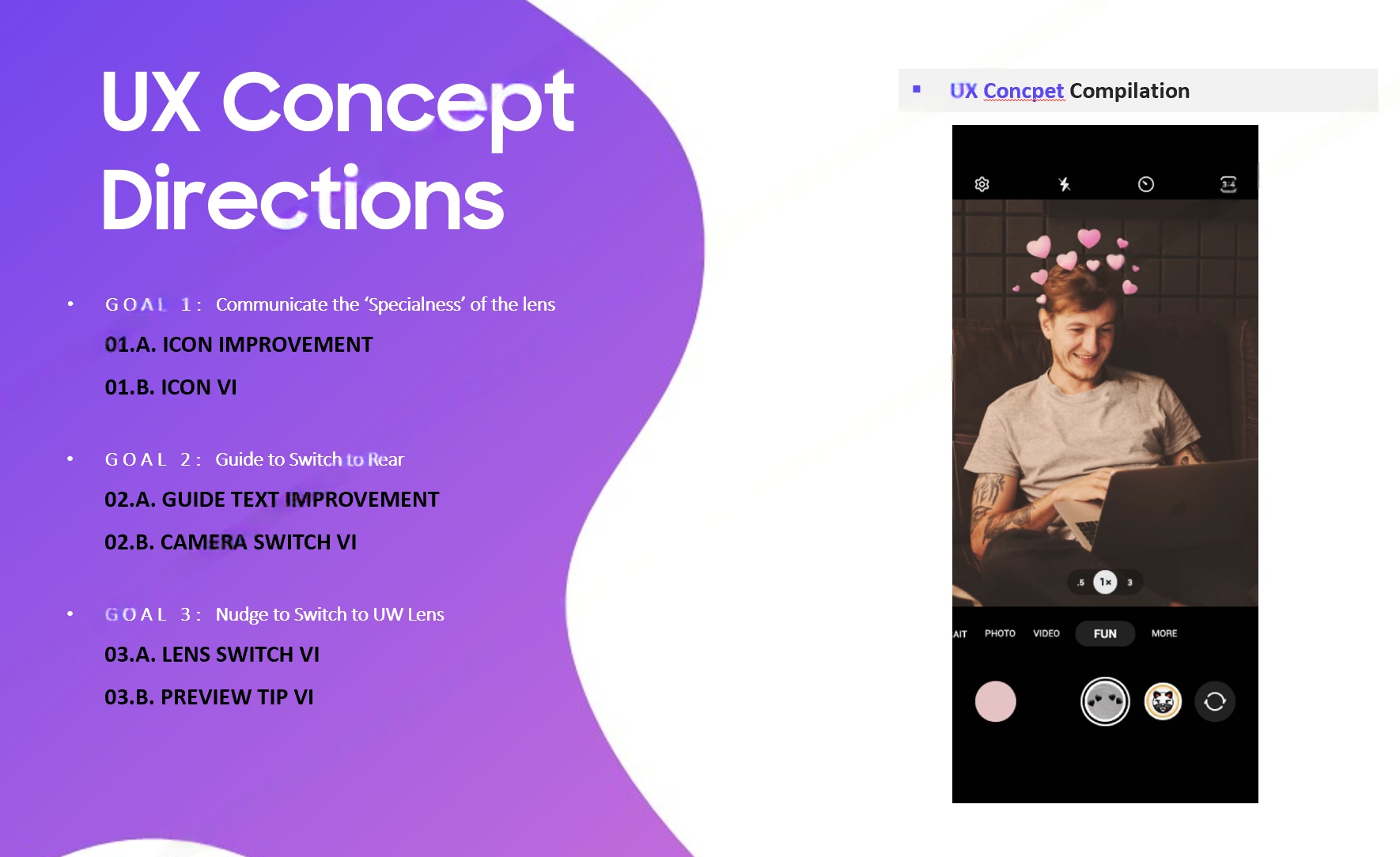
Structured ideation translated research findings into actionable design directions through HMW exercises, a cross-functional design critique, and three distinct concept frameworks.

HMW Ideation Exercise
How Might We ideation exercise
Design Critique Session
Design critique session key takeaways
UX Concept Directions — 3 Goal Framework
UX concept directions — 3 goals
From 20+ usability pain points to three structured concept directions — primary research with 8 participants revealed that Fun Mode's core experience needed a fundamental interaction redesign before scaling to sponsored content.
Measurable Impact

How the UX work moved the needle

2.5B+
Total Fun Mode
activations by Sept 2022
100%
Key discovery issues
addressed in next release
3×
Concept directions
advancing to One UI roadmap
6+
Markets reached from
India to Brazil
Positive VOC shift — Post-release user feedback on the Play Store showed marked improvement in lens discoverability and feature awareness — the two highest-priority pain points from research
Video capture ratio improved — Video share of total media creation rose from 5.64% to 12.3% after shutter redesign addressed the visibility and affordance gaps
Samsung × Snapchat partnership expanded — from initial launch on Galaxy A52/A72 to a global rollout across A, F, and M series devices
Part B — Sponsored Lenses

Sponsored
Lens Framework

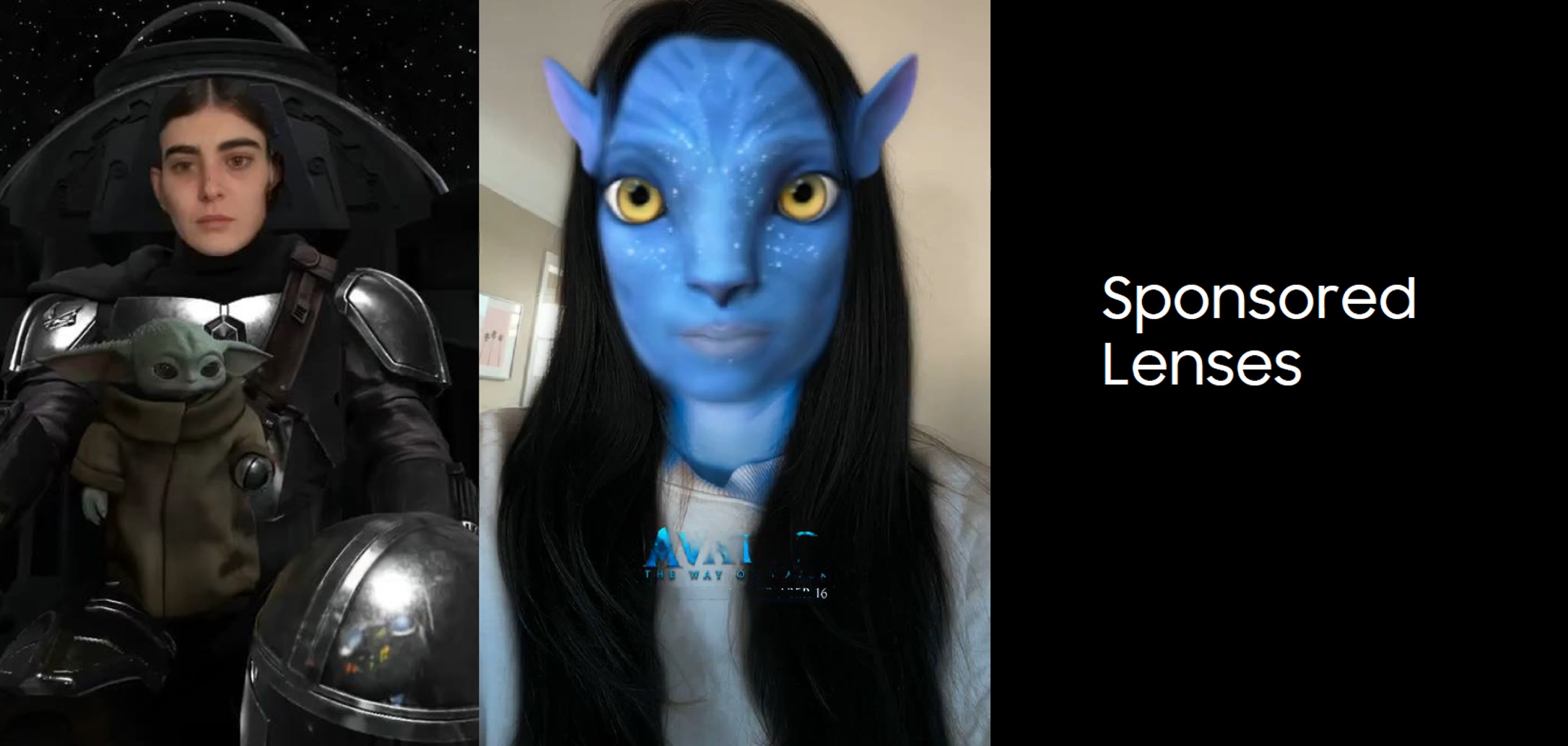
Defining the UX governance framework for brand-sponsored AR lenses in the Galaxy Camera — balancing commercial partnerships with user experience quality across Avatar, Mandalorian, and future IP collaborations.

Brand Partnerships UX Governance Content Guidelines Monetisation Samsung × Snapchat
18+
Sponsored lenses
analysed for framework
5+
Content categories
mapped & classified
3
Core UX principles
defined for sponsors
CPM
Impression-based
monetisation model
01

Research &
Lens Audit

As Samsung opened Fun Mode to brand partnerships — including major entertainment IP like Avatar and The Mandalorian — a rigorous UX framework was needed. The audit began with a systematic analysis of 18+ existing sponsored lenses across 5+ content categories.

Sponsored lenses overview — Avatar, Mandalorian
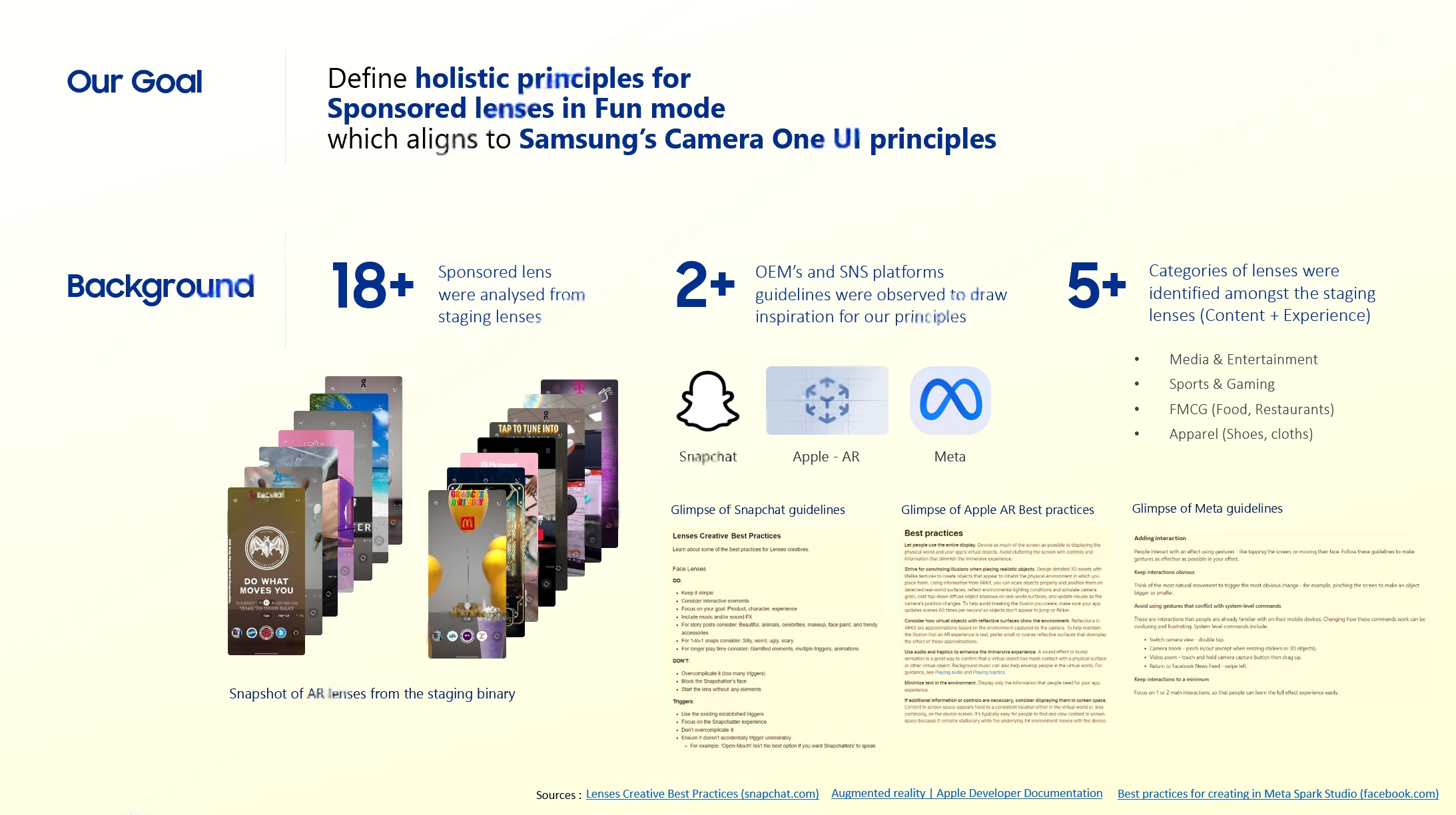
Background Research 18+ lenses · 5+ categories
Background: 18+ lenses analysed, 5+ categories
Summary of Findings
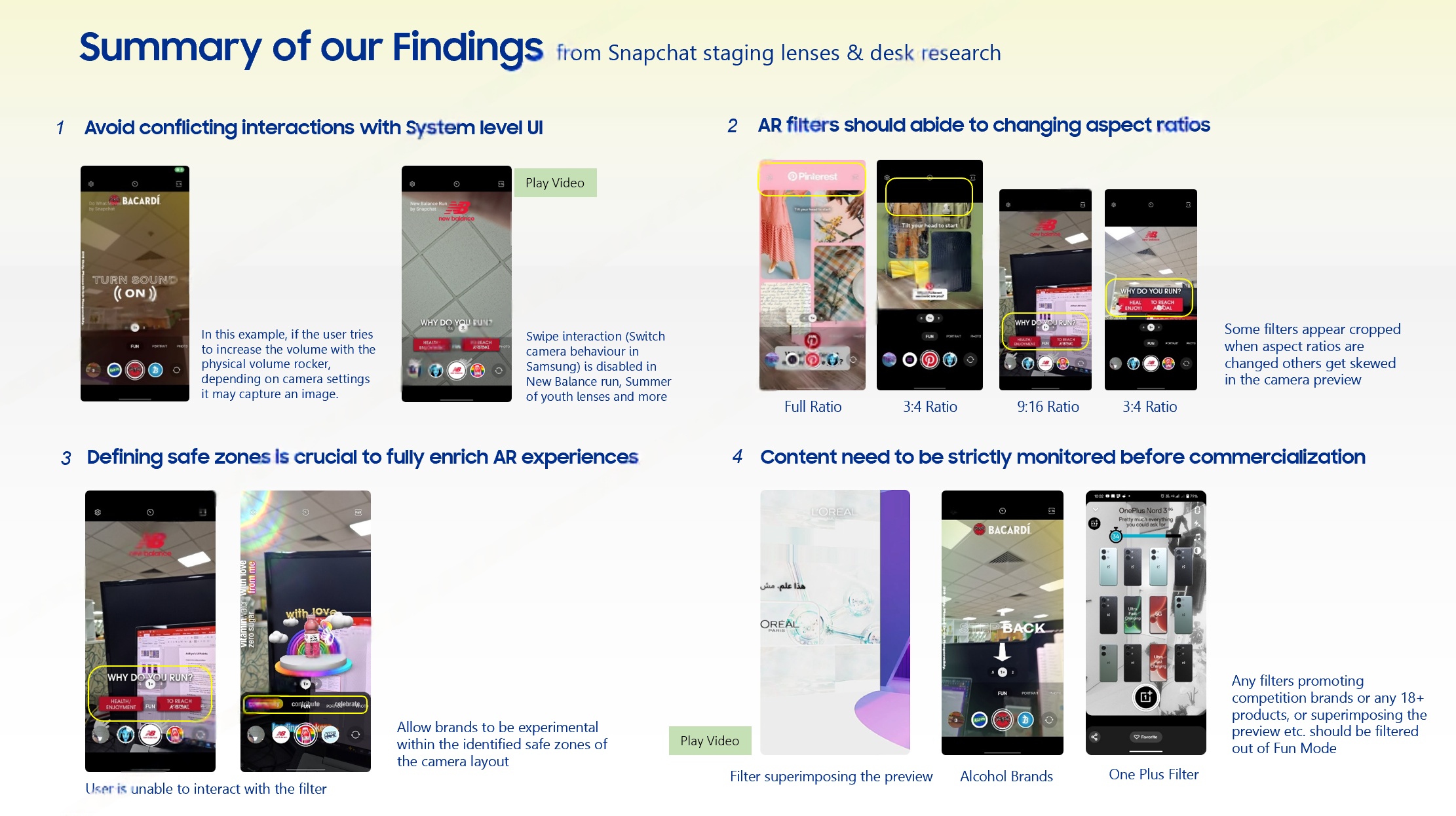
Summary of sponsored lens findings
Background Research — Key Data
Analysed 18+ sponsored lenses from Snapchat staging environment across multiple brand categories
Reviewed 2+ OEM/SNS platform guidelines — Snapchat, Apple AR, Meta Spark
Mapped 5+ content categories: Media & Entertainment, Sports & Gaming, FMCG, Apparel, Automotive
IP partnerships included Avatar, The Mandalorian, K-Pop collaborations (BIBI)
Summary of Findings
Conflicting interactions — AR filter gestures must not overlap system-level UI (swipe-up, camera switch)
Aspect ratio adaptation — AR elements must scale gracefully across 16:9, 4:3, and 1:1 formats
Safe zone definition — critical for preventing AR overlays from occluding system UI
Content monitoring — strict filtering required for alcohol brands, competitor products, 18+ content

UX Principles in Detail

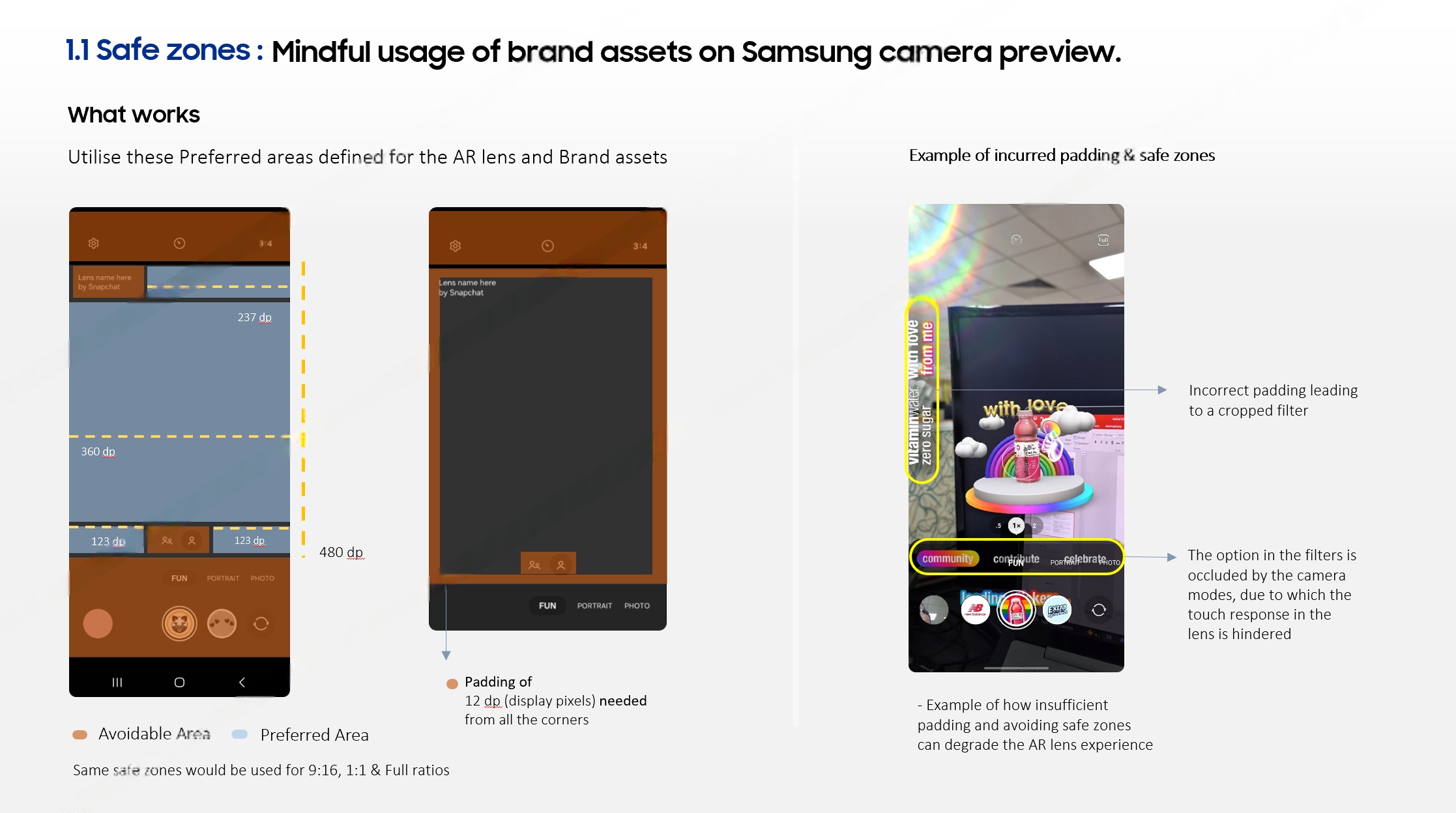
Principle 1.1 · Safe Zones
UX Principle 1.1: Safe Zones
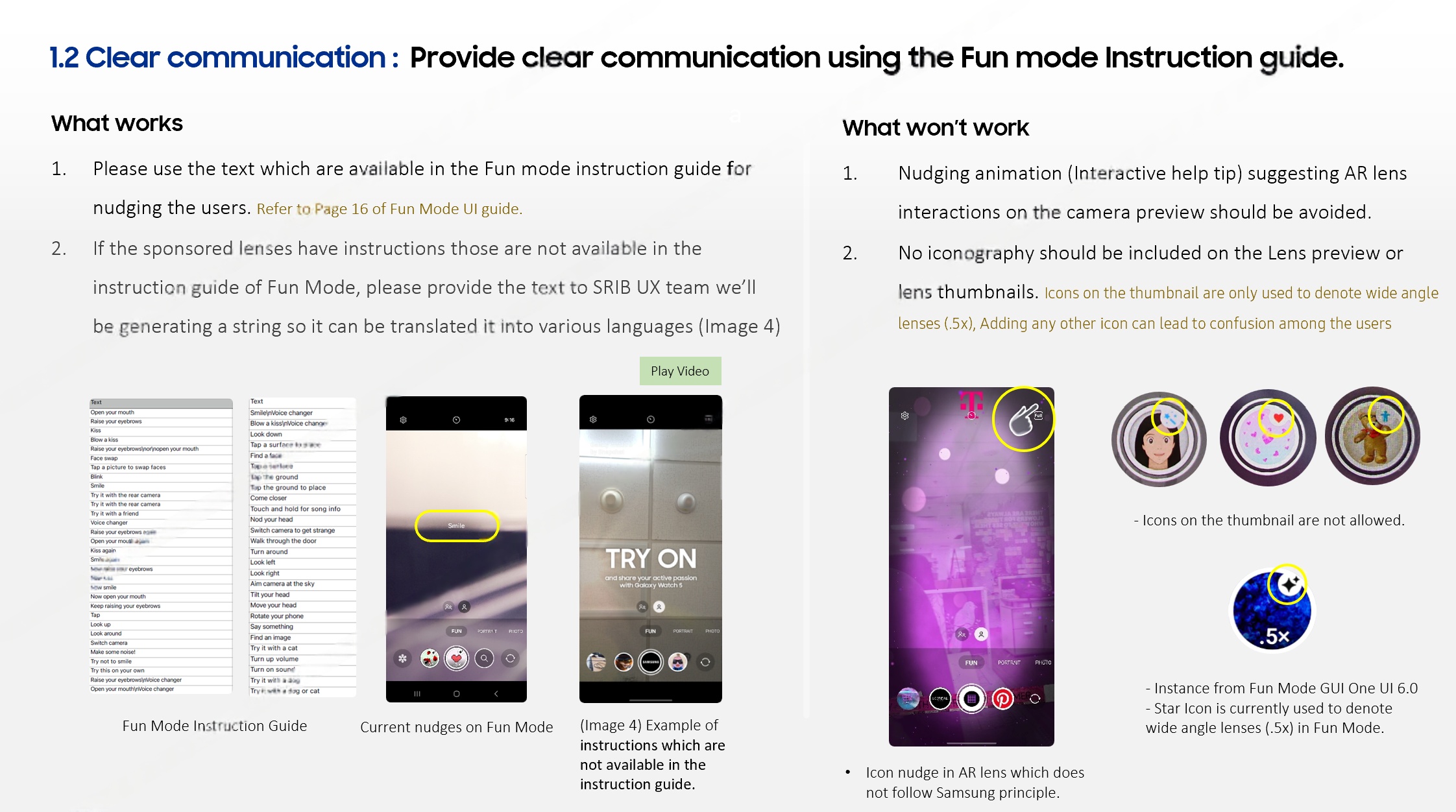
Principle 1.2 · Clear Communication
UX Principle 1.2: Clear Communication
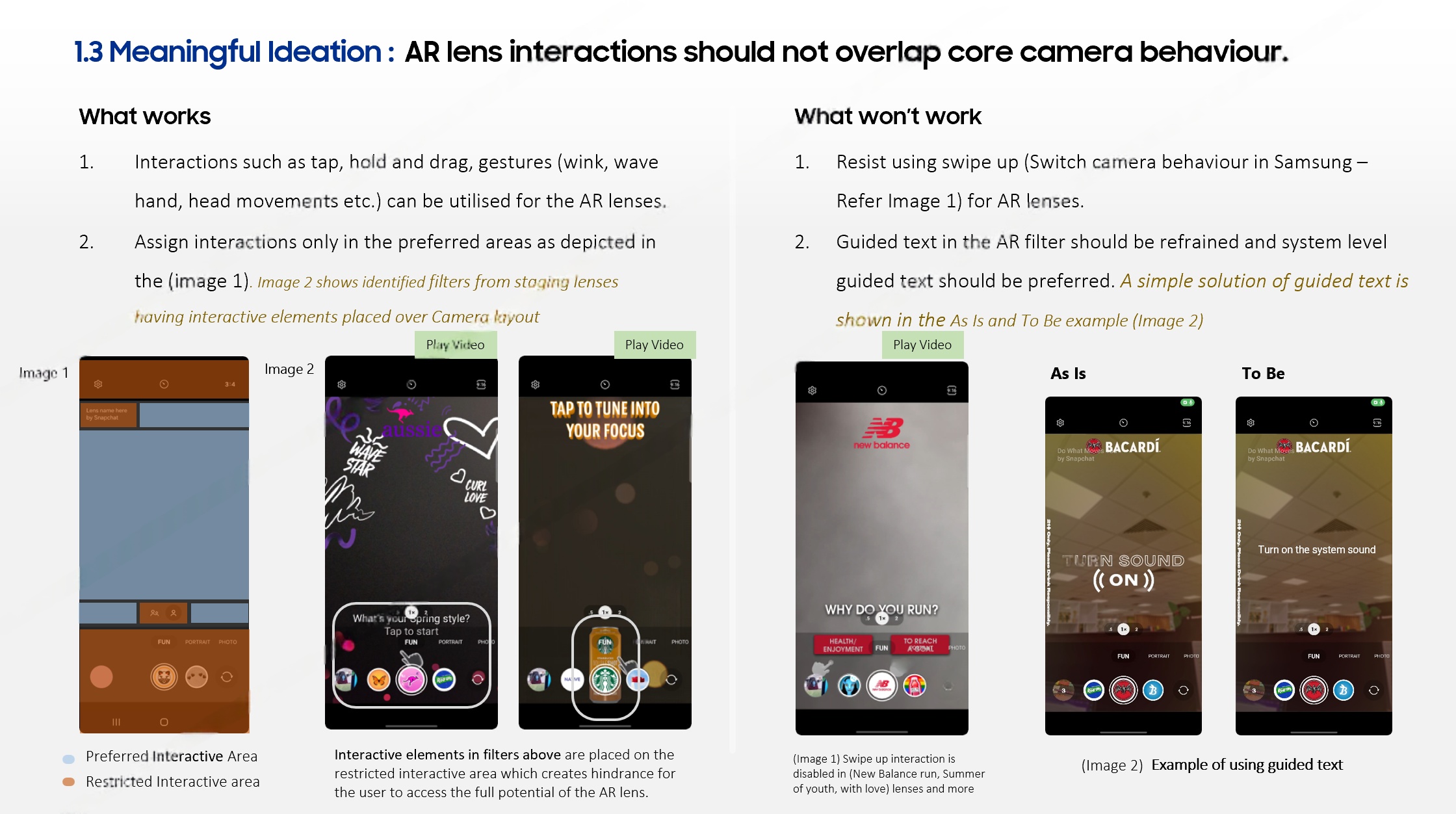
Principle 1.3 · Meaningful Interaction
UX Principle 1.3: Meaningful Interaction
  • Brand assets must maintain 12dp minimum padding from screen corners
  • Defined preferred vs. avoidable zones per aspect ratio — prevents cropped filters and occluded UI
  • AR overlays must never interfere with system navigation or camera mode controls
  • Use Samsung-approved text strings — new strings must be provided for localization pipeline
  • Nudging animations must not suggest AR interactions on the camera preview — avoids user confusion
  • Non-standard icons on lens thumbnails are prohibited — consistency with One UI guidelines
  • Interactions: taps, holds, drags in preferred zones only — no swipe-up (conflicts with camera switch)
  • Guided text must not conflict with system-level UI — As Is/To Be redesign applied
  • AR lens interactions should never overlap core camera behaviour — maintains user mental model
02

Content Guidelines
& Monetisation

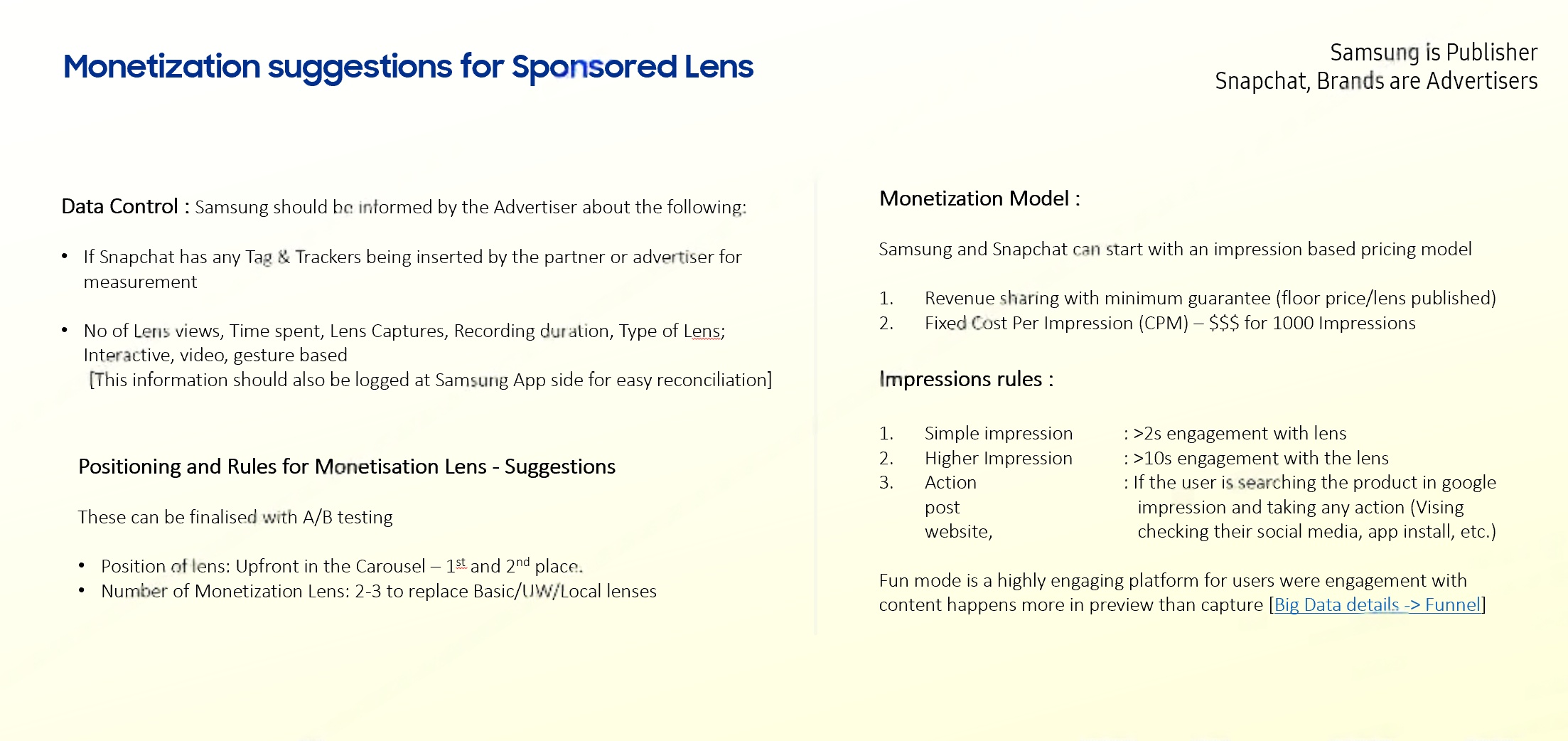
The framework defined clear roles across the ecosystem — Samsung as publisher, Snap and brand partners as advertisers — and established an impression-based commercial model with transparent revenue sharing.

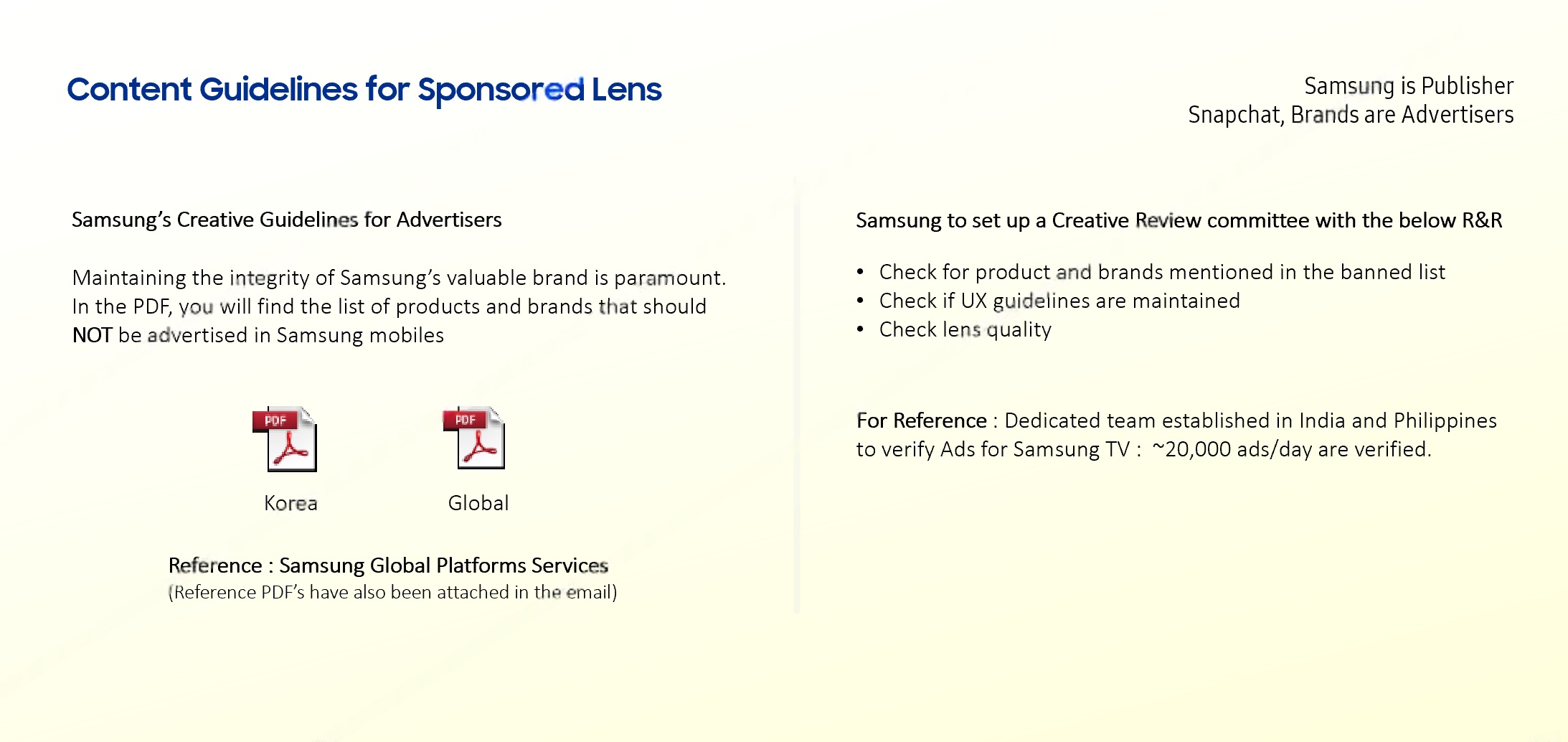
Content Guidelines Samsung = Publisher · Snap/Brands = Advertisers
Content guidelines — roles and responsibilities
Monetisation Model CPM · Impression-based · Revenue sharing
Monetisation: impression-based CPM, revenue sharing
Cross-Functional Collaboration

UX × PM × Business — Driving QBR Outcomes

The sponsored lens framework wasn't created in isolation — it was co-developed with PM and business teams during Quarterly Business Reviews (QBRs) with the Snapchat partnership team.

PM Partnership Calls
Revenue model — CPM ~$55/1K impressions with tiered engagement: Simple (>2s), Higher (>10s), Action
Data tracking — lens views, time spent, captures, recording mapped to monetisation tiers
Carousel positioning — sponsored lenses placed 1st and 2nd in carousel for maximum impressions
UX Impact on Business Decisions
Creative Review committee — UX proposed dedicated review pipeline modelled after Samsung TV's 20K ads/day process
Engagement insight — users engage more in preview than capture — reshaping monetisation measurement
QBR deliverables — research presented in quarterly Snapchat reviews to drive roadmap priorities
From 18+ lens audits to a scalable governance model — the Sponsored Lens Framework ensures every brand partnership enhances rather than compromises the Galaxy Camera experience. As a designer, I operated across the full spectrum — from usability research to business strategy, ensuring UX had a seat at the commercial table.
03

Device Reach
& Scale

Fun Mode ships across Samsung's Galaxy A-series portfolio — reaching the widest possible Android user base through Snap Camera Kit integration at the system level.

2.5B+
Fun Mode total usage
milestone (Sept 2022)
34M+
Galaxy A14 units sold
2023 — Fun Mode enabled
#1
Galaxy A56 — top-selling
smartphone in Europe 2025
6+
Markets: India, Germany,
Indonesia, Brazil, Philippines, Mexico
Galaxy A14 / A16 Galaxy A36 / A56 Galaxy A52 / A53 / A73
Fun Mode Growth Trajectory
2021 launch — debuted on Galaxy A52/A72, India-first rollout via Snap Camera Kit
2.5B+ activations by Sept 2022 — 18-month trajectory across Galaxy A series devices
6+ market expansion — India → Germany, Indonesia, Brazil, Philippines, Mexico
K-Pop collaborations — AR fashion lenses with BIBI drove viral engagement spikes

Technical Architecture & Design Systems

Snap Camera Kit Integration
SDK-level AR rendering pipeline integrated into Samsung's native Camera app — bypassing WebView overhead for real-time 60fps lens performance
CDN architecture for daily lens refresh — automated pipeline from Snap's creator tools → Samsung Camera backend
Adaptive resolution scaling based on device GPU tier — AR fidelity from A14 (entry-level) to S26 Ultra (flagship)
Cross-device lens compatibility — single lens manifest deployed across 1B+ active Samsung devices with graceful degradation
UX Design System Contributions
Safe zone specifications — defining permissible UI overlay regions per aspect ratio (16:9, 4:3, 1:1)
Lens carousel IA — horizontal swipe affordance with animated thumbnail previews replacing static captures
Impression tracking UX layer — transparent attribution UI for sponsored content while maintaining immersive camera experience
250M+ daily AR users on Snap's platform — Samsung's integration captures this engagement natively without app switching
03 — Accessibility

Magnifier

Designing accessibility that works across every Samsung device — from compact phones to tablets and foldables.

Accessibility Galaxy Ecosystem One UI Multi-Device
01
Cross-Studio Collaboration

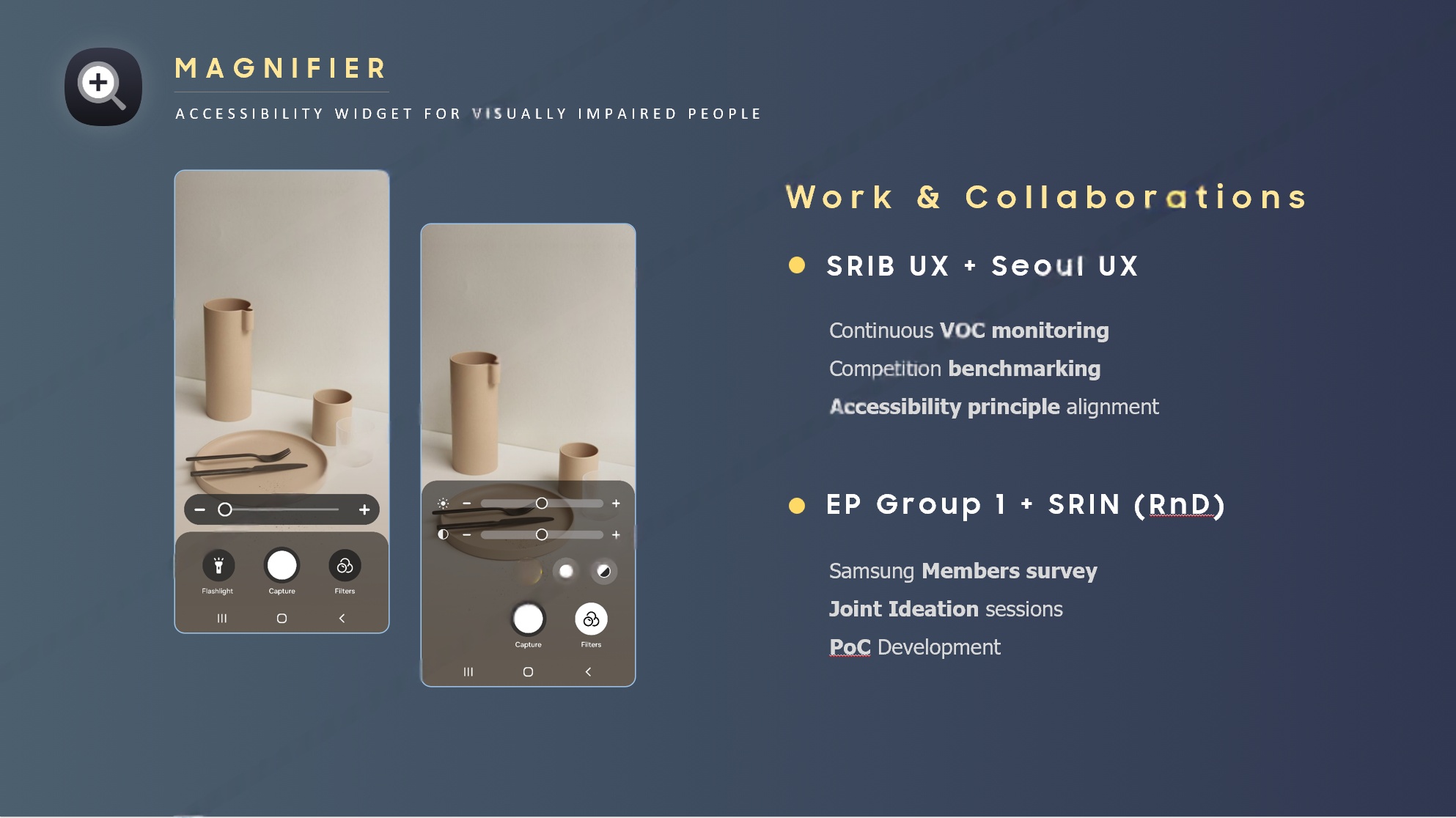
Collaboration
& Scope

The Magnifier project was a cross-studio endeavour spanning SRIB UX and Seoul UX, with engineering collaboration from EP Group 1 and SRIN RnD.

UX Studios
SRIB UX · Seoul UX
Engineering
EP Group 1 · SRIN RnD
Collaborations: SRIB UX, Seoul UX, EP Group 1, SRIN RnD
02

Evolution
Timeline

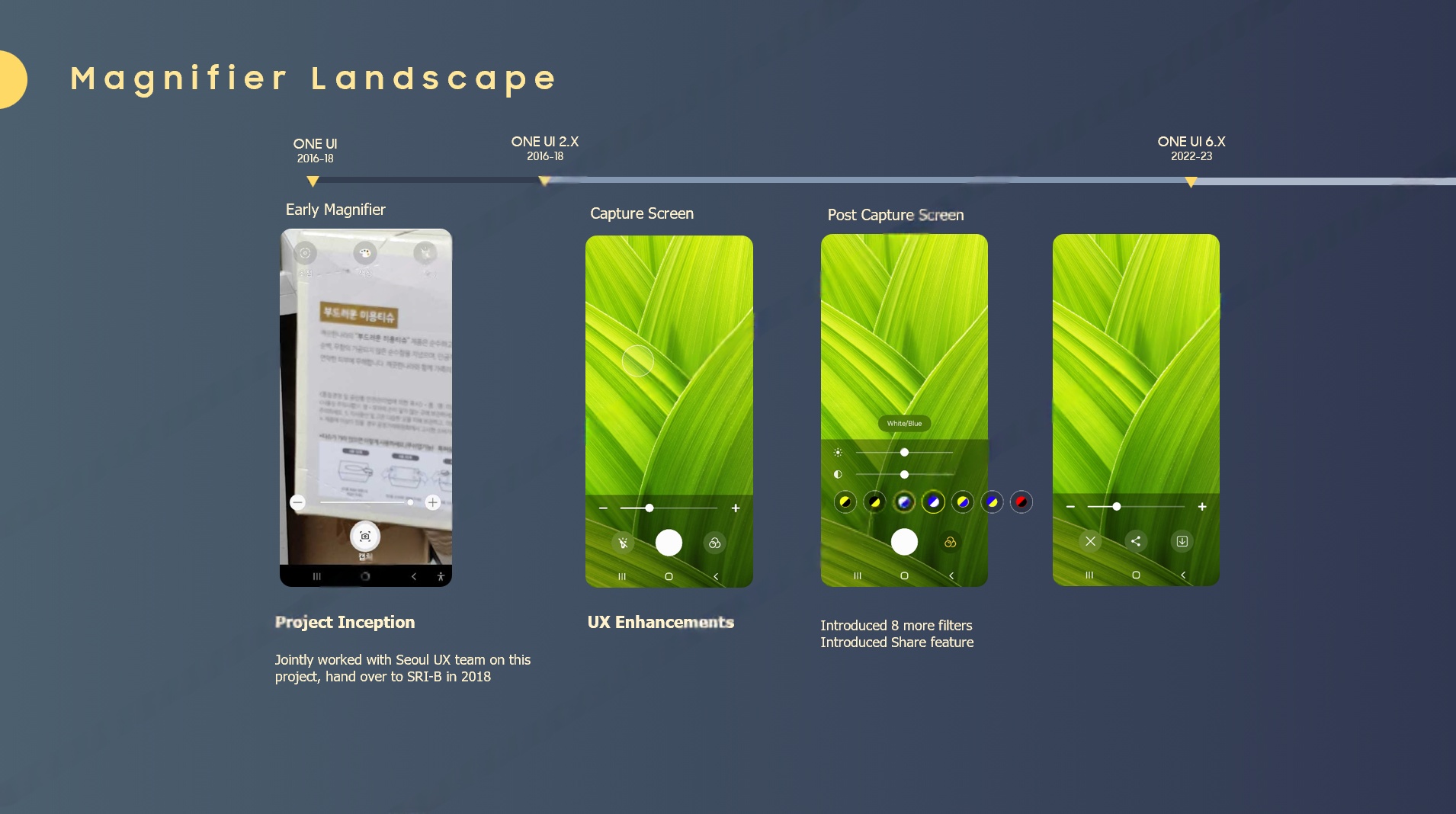
Magnifier's journey from inception through to premium overhaul — spanning core enhancements, competitive differentiation, and a drive toward inclusive design at scale.

Timeline: Project Inception to One UI UX Enhancements
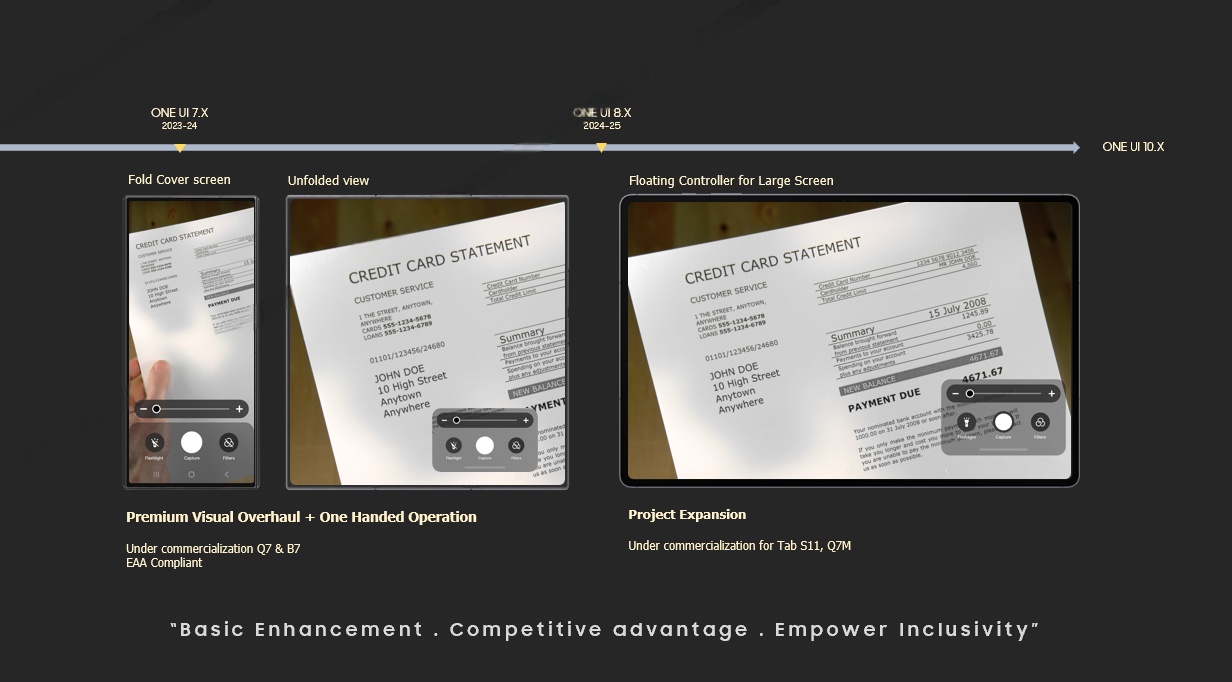
Timeline: Fold Cover, Floating Controls, Premium Overhaul — Basic Enhancement, Competitive Advantage, Empower Inclusivity
Basic Enhancement
Foundational usability improvements across core Magnifier features
Competitive Advantage
Benchmarked against Apple and Google to define a differentiated position
Empower Inclusivity
Designing for low-vision users across every Galaxy device and form factor
03

Competitive
Landscape

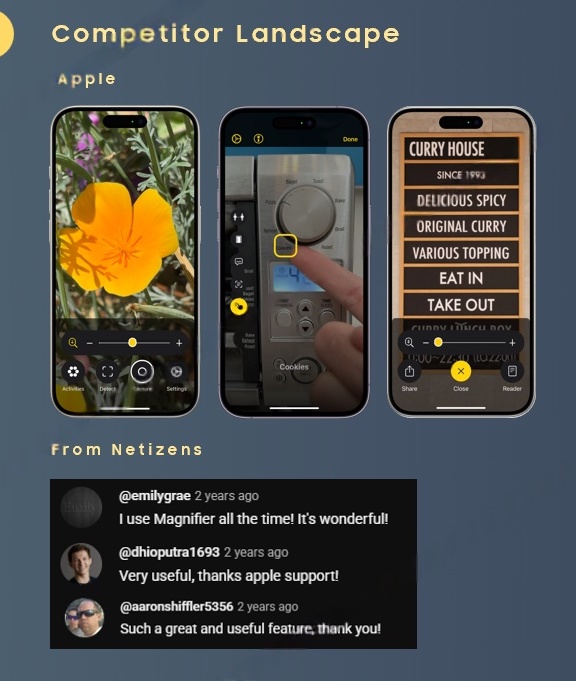
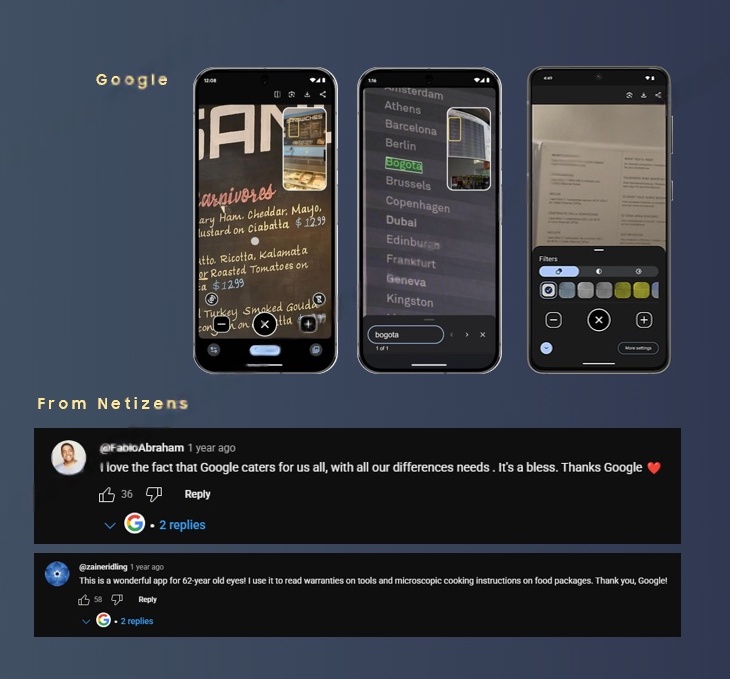
A systematic review of Apple Magnifier and Google Lens uncovered what users praise — and what Samsung could do better. This analysis directly shaped the enhancement roadmap.

🍎
Apple Magnifier — User Reviews
Apple Magnifier — positive reviews
🟢
Google Lens — User Reviews
Google — positive reviews
Apple Magnifier — Strengths
Activity, Display, Settings — clean 3-tab UI with colour filter presets and reader mode
Netizen praise — "I use Magnifier all the time! It's wonderful!" — users love simplicity and reliability
Detection mode — dedicated text detection with high-contrast readability overlay
Google Lens — Strengths
Real-time translation — overlays translated text on signs and menus with AR positioning
Colour filter customisation — full filter palette and more settings for accessibility users
User love — "A wonderful app for 62-year old eyes! I use it to read warranties on tools" — real utility
04

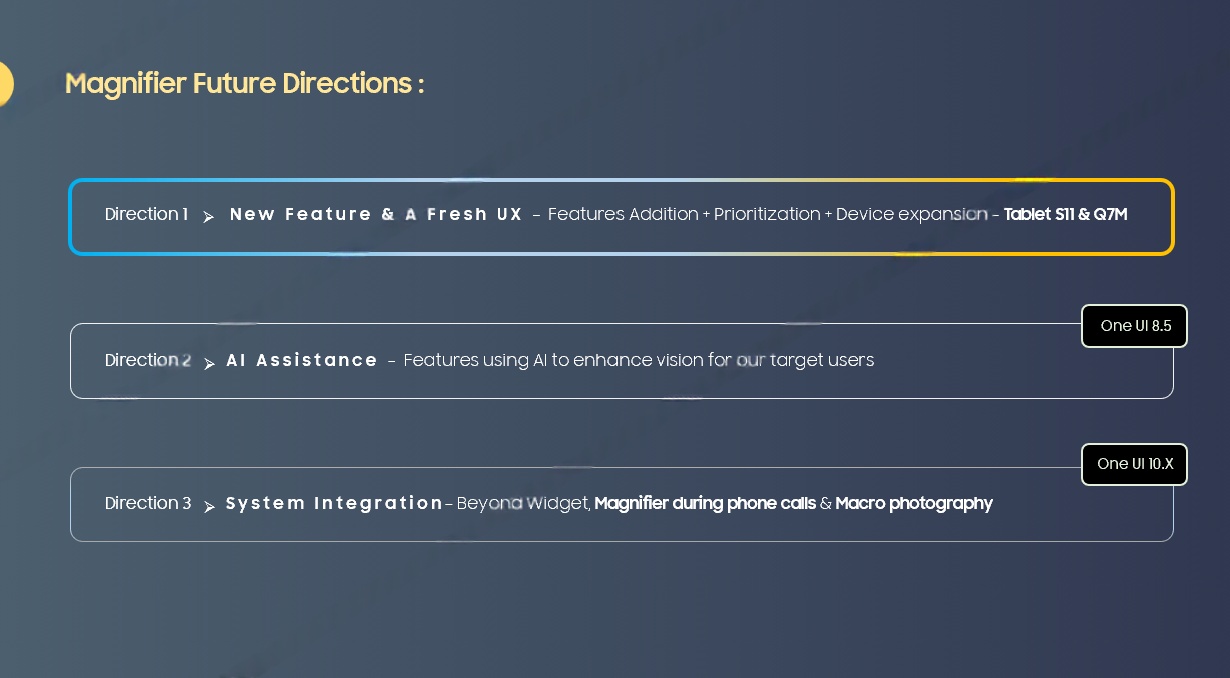
Future
Directions

Three strategic directions define the long-term roadmap — from a fresh UX overhaul to AI-powered assistance and deeper system integration across One UI.

Future directions: New Feature and Fresh UX (Dir 1), AI Assistance One UI 9.5 (Dir 2), System Integration One UI 12.5 (Dir 3)
Direction 1
New Feature & Fresh UX
Core interaction overhaul and new accessibility-first feature set
Direction 2 · One UI 9.5
AI Assistance
Intelligent scene understanding and real-time guidance powered by on-device AI
Direction 3 · One UI 12.5
System Integration
Deep integration across Galaxy ecosystem — lock screen, quick panel, and Bixby
05

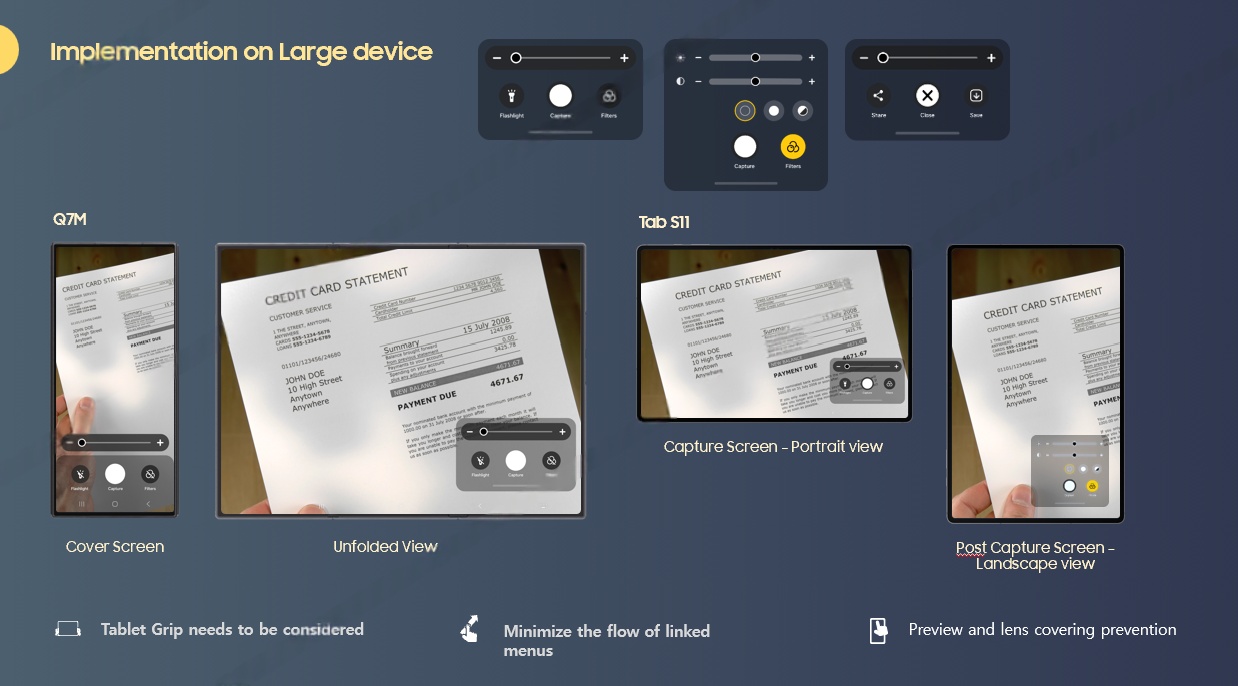
Large Device
Implementation

Magnifier was designed to scale beyond the phone — with tailored experiences for the Galaxy Z Fold (cover and unfolded states) and Tab S11 (capture and post-capture landscape modes).

Large device implementation: Q7M Fold Cover and Unfolded, Tab S11 Capture and Post-Capture landscape
06
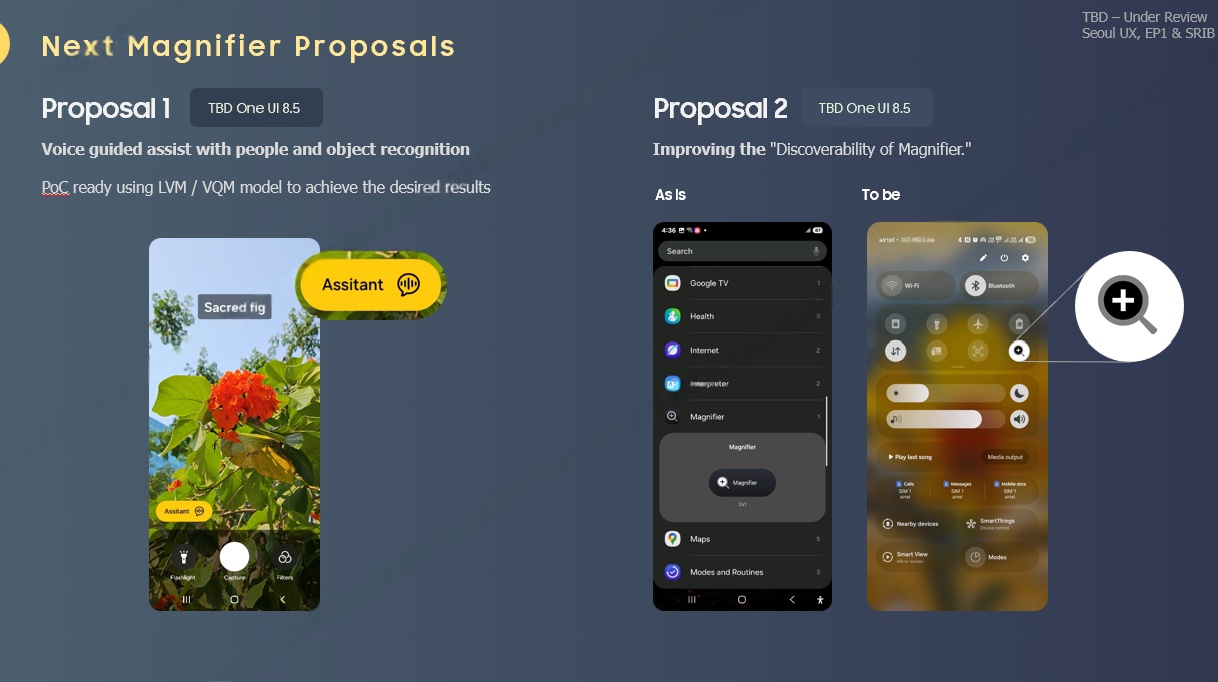
Next Proposals

Voice Assist
& Discoverability

Two forward-looking proposals define the next generation of Magnifier: a Voice Guided Assist feature using LVM/VQM proof-of-concept to provide real-time verbal descriptions, and a targeted effort to dramatically improve feature discoverability across the One UI surface.

Voice Guided Assist
LVM/VQM PoC — AI-powered real-time scene narration for low-vision users
Improving Discoverability
Surfacing Magnifier capabilities where users need them most across the OS
Next proposals: Voice guided assist (LVM/VQM PoC) and improving discoverability
From foundational zoom controls to AI-powered voice guidance — Magnifier evolved from a utility into a best-in-class accessibility platform built for every Galaxy device.
EAA
European Accessibility Act

Designing for
EAA Compliance

Magnifier required deep collaboration with Samsung's Accessibility team to ensure full compliance with the European Accessibility Act (EAA) — going beyond minimum standards to create a truly inclusive experience.

Visual Accessibility
Contrast ratios — all UI elements meet WCAG AAA (7:1) for critical controls, AA (4.5:1) minimum across all surfaces
Reduced transparency mode — background blur and overlay opacity adjustable for users with low contrast sensitivity
Iconography audit — every icon tested for recognisability at 200% zoom with alternative text labels
Interaction Accessibility
Touch target areas — minimum 48×48dp for all interactive elements, 56dp for primary actions
TalkBack integration — full screen reader support with semantic content descriptions for every magnified view
Switch Access & Voice Control — full operability without touch for users with motor impairments
7:1
WCAG AAA contrast
for critical controls
48dp
Minimum touch
target size
100%
TalkBack coverage
across all screens
EAA
European Accessibility
Act compliant
07
Beyond Mobile

Hardware Vision:
Smart Glasses

The most compelling next frontier for Magnifier is wearable AR — specifically Samsung's upcoming smart glasses ecosystem. Magnifier's camera-based zoom and enhancement pipeline translates directly to heads-up display (HUD) rendering for low-vision users, enabling real-time environmental augmentation without requiring users to hold a device.

Glasses × Magnifier — Use Cases
👓
Real-Time Environmental Magnification
On-device neural processing magnifies text on menus, signs, and labels — projected directly onto the AR display at user-preferred zoom levels
🎙️
Voice-Guided Navigation
LVM-powered scene understanding paired with spatial audio cues — guiding low-vision users through complex environments hands-free
🔍
Adaptive Contrast Enhancement
Dynamic colour filter overlays that adjust based on ambient light conditions — improving readability for users with colour vision deficiency
Technical Architecture — XR Pipeline
On-device NPU inference — Magnifier's image processing pipeline runs entirely on Samsung's Exynos NPU, enabling sub-20ms latency for real-time HUD rendering without cloud dependency
Spatial UI paradigm shift — Translating Magnifier's 2D touch-based controls (pinch-to-zoom, pan, filter toggle) into gaze-tracking, head-tilt, and voice command interaction models for XR
Multi-modal accessibility fusion — Combining visual enhancement (magnification), auditory feedback (TalkBack integration), and haptic cues (wrist-based alerts) for comprehensive accessible XR
08

Device Reach
& Accessibility at Scale

Magnifier ships across every Galaxy device — from the entry-level Galaxy A14 (34M+ units) to flagship foldables — with model-specific UX adaptations for each form factor. Designing for 1 in 4 adults globally who live with some form of disability.

1B+
Active Samsung Galaxy
devices with Magnifier
34M+
Galaxy A14 units sold
— most accessible smartphone
300M
People with colour vision
deficiency worldwide
6
Form factors with
model-specific UX
Galaxy A14 / A16 / A36 Galaxy S24 / S25 / S26 Galaxy Z Fold 6/7/8 Galaxy Z Flip 6/7/8 Galaxy Tab S10/S11 Samsung Smart Glasses (Vision)

Model-Specific Design Adaptations

Phone (Bar)
Single-hand zoom gesture with haptic feedback anchoring · Bottom-sheet control panel optimised for reachability · Portrait-locked magnification with auto-rotation for document scanning
Foldable (Fold/Flip)
Cover screen quick-launch for on-the-go magnification · Unfolded mode: split-screen with live view + captured frame side-by-side · Flex mode: tabletop stabilisation for extended reading sessions
Tablet (Tab S)
Landscape-first capture mode with S Pen precision controls · Post-capture annotation layer for marking key text · Multi-window compatibility for side-by-side magnification + notes
09

Final
Designs

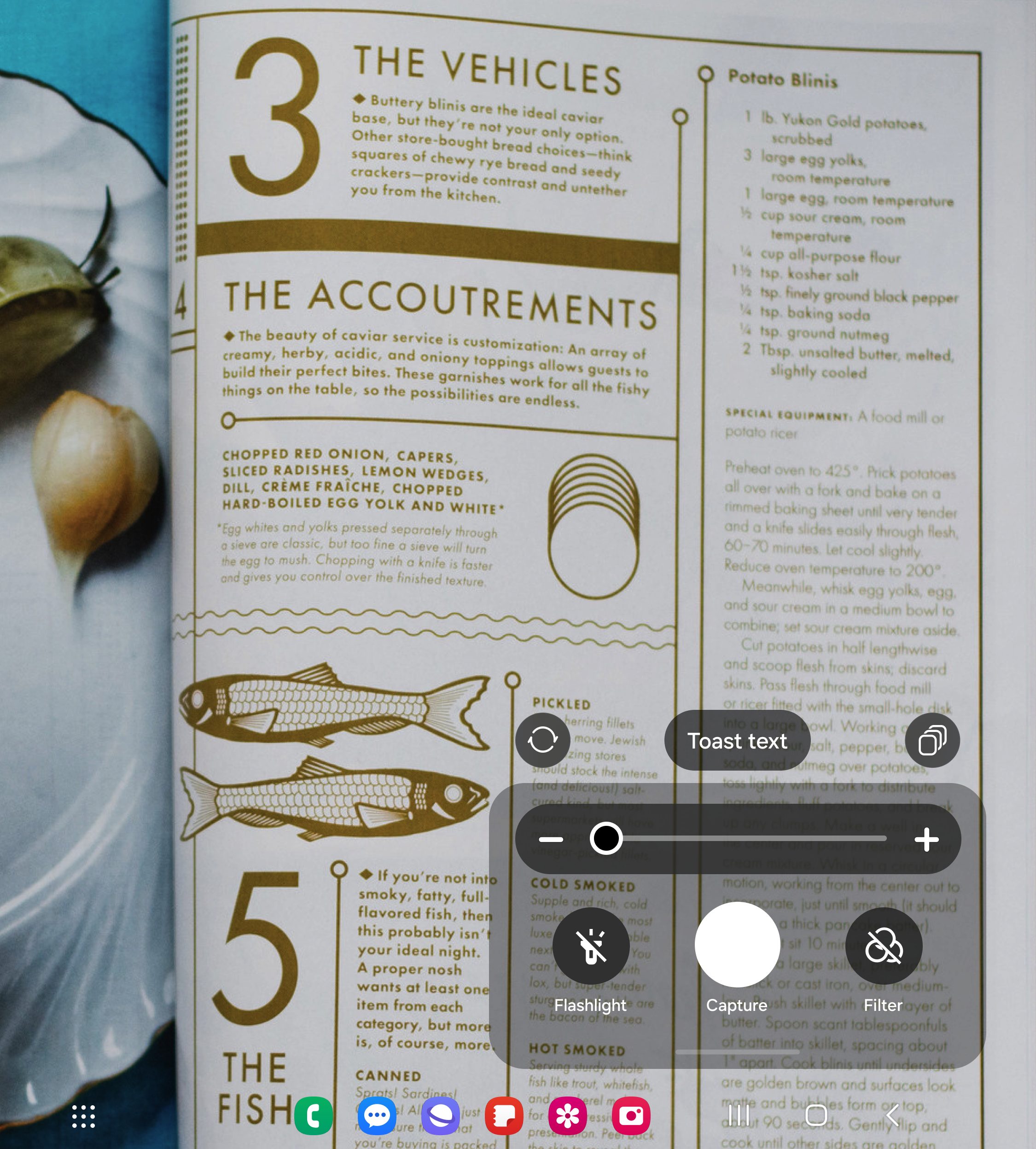
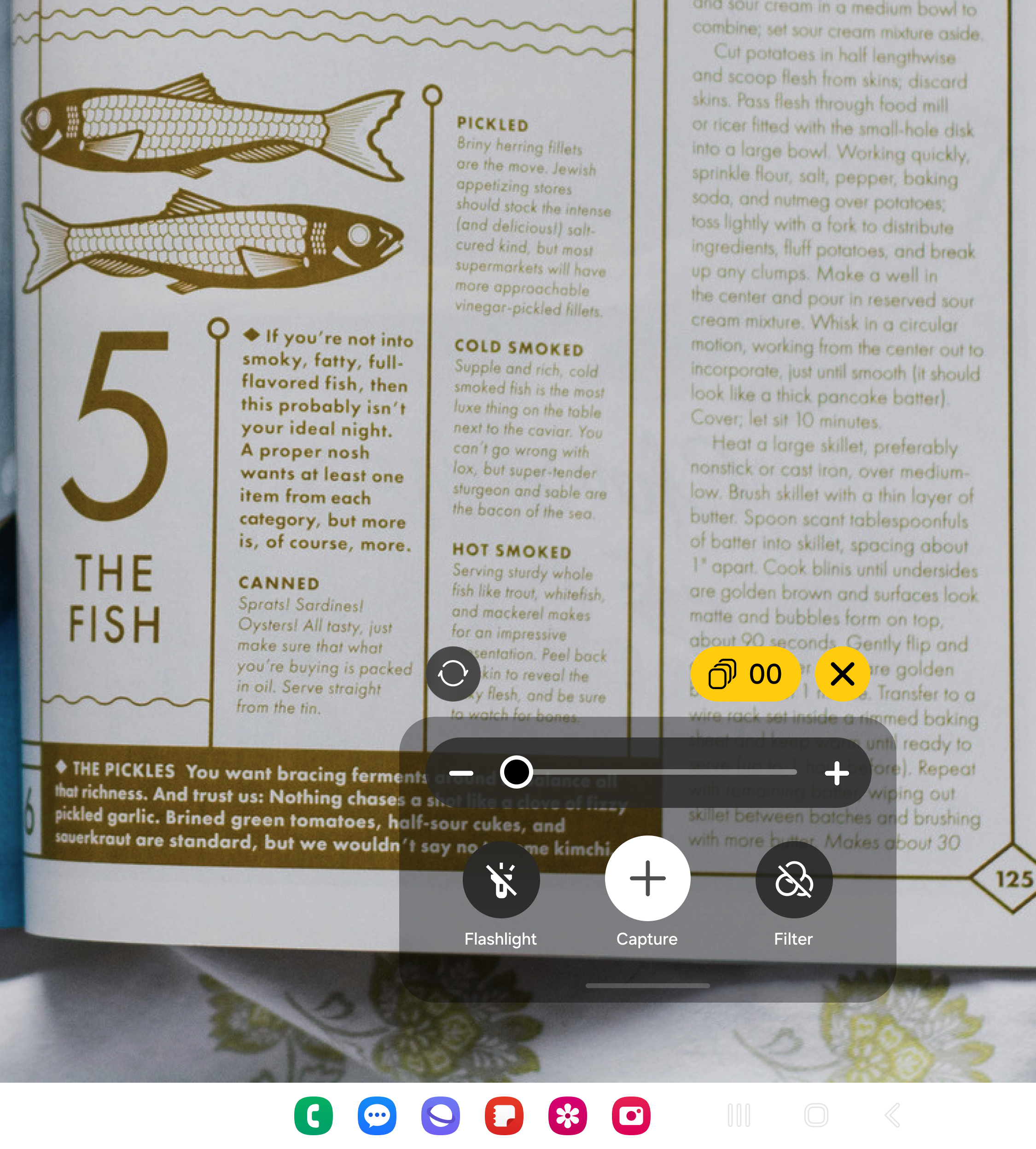
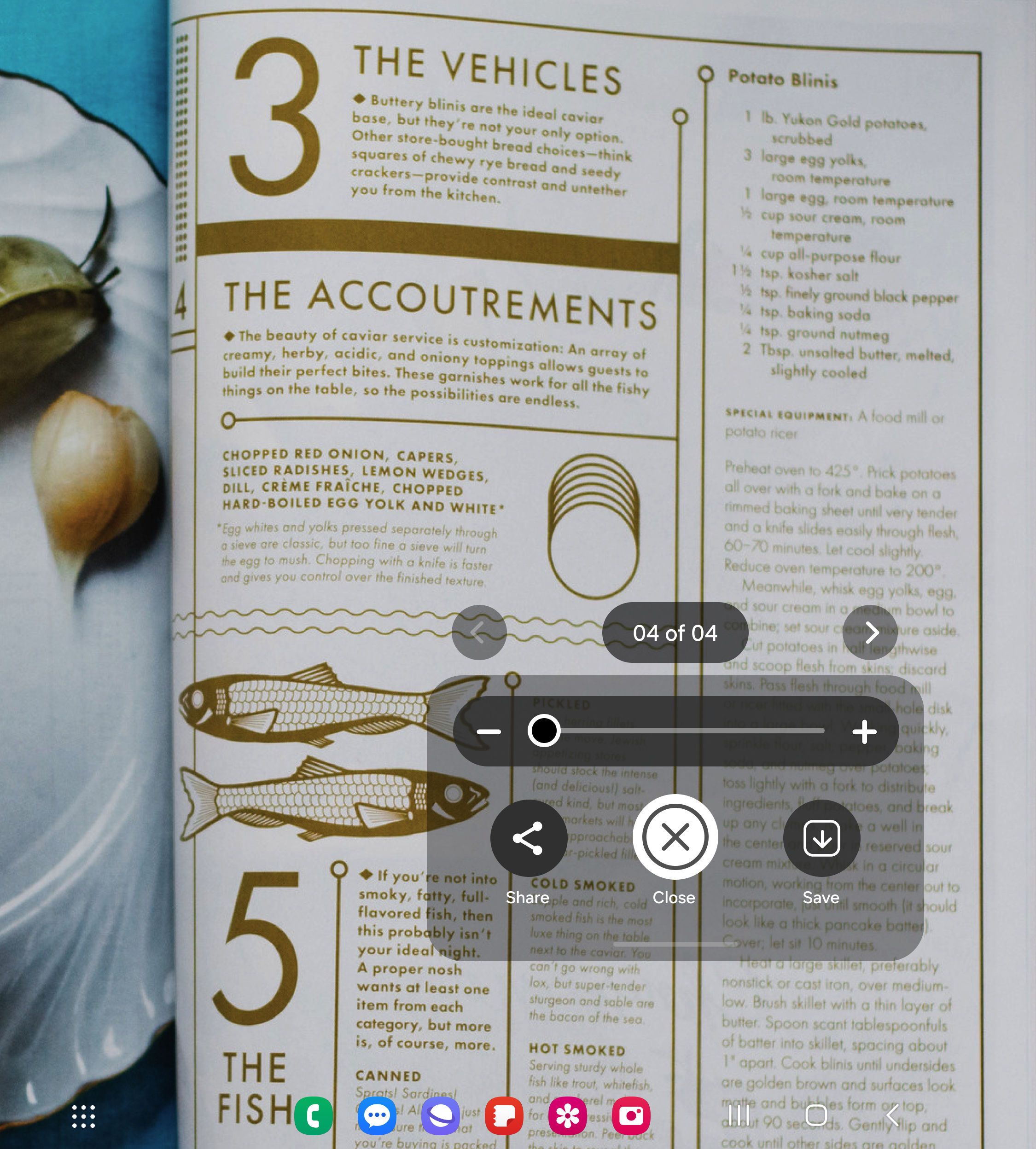
Shipped Magnifier screens across the Galaxy ecosystem — a consistent accessibility experience that adapts to every device and context.

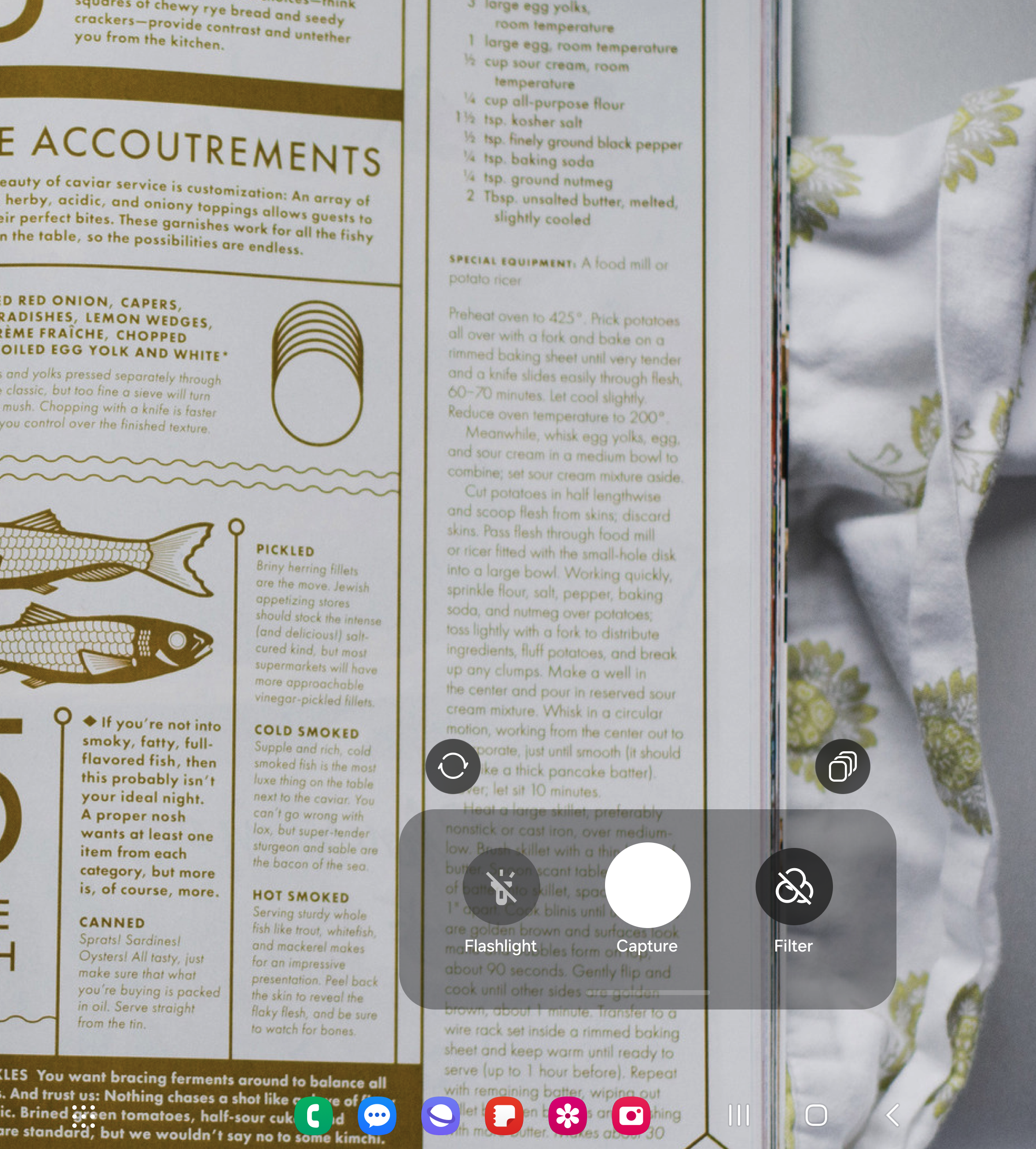
Magnifier — main view
Main View
Camera-based magnification with flashlight and filter controls
Magnifier — capture mode
Live Capture
Real-time magnification with zoom controls
Magnifier — multi capture
Multi Capture
Batch capture and review for detailed inspection
Magnifier — post-capture
Post-Capture
Frozen frame for detailed inspection